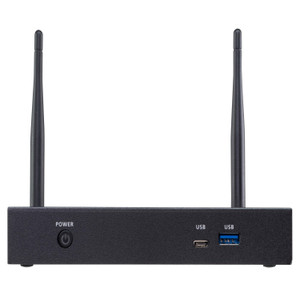
ATEN VP2120 Seamless Presentation Switch With Quad View Multistreaming
Overview
The ATEN VP2120 is a rack-mount presentation switch engineered for conference rooms, boardrooms, and lecture halls where multiple presenters need to share content without the awkward cable-swap ritual. It handles quad-view multistreaming — displaying up to four sources simultaneously on a single display — and switches between them without the black-screen dropout that plagues budget switchers. If your AV environment demands fluid transitions and clean signal management across HDMI sources, this is the device to evaluate.
ATEN's presentation switch lineup targets professional AV integration, and the VP2120 sits in that stack as a purpose-built unit for managed meeting spaces. It pairs cleanly with room control systems and supports Ethernet-based management, so your AV team can configure and monitor it from the rack or remotely rather than walking the room.
Key Features
- HDMI Output Up to 15m: The VP2120 delivers signal up to 15 meters over standard HDMI cabling — enough reach to cover most conference room layouts without active extenders. Plan your cable runs during rough-in; beyond 15m you will need an HDMI extender in the signal path.
- HDCP 1.4 Compatibility: Content protection compliance means encrypted HDMI sources (streaming dongles, Blu-ray players, secure corporate playback systems) pass through without triggering handshake failures. This is the difference between a meeting that starts on time and one that stalls while IT debugs a black screen.
- Consumer Electronics Control (CEC): CEC pass-through lets the VP2120 participate in the display's command ecosystem — one remote or control system command can power up the display, set the input, and adjust volume without separate IR blasters or discrete control wiring for each device.
- Ethernet Management via RJ-45: The onboard RJ-45 port connects the VP2120 to your LAN for remote configuration and control. For AV integrators commissioning multi-room deployments, network-based management eliminates the need for physical access during initial setup or firmware updates.
- Stereo Audio Output (3.5mm): The dedicated mini stereo jack provides a clean analog audio feed for in-room speakers or an audio DSP. No need to extract audio downstream from HDMI — it comes off the VP2120 directly, simplifying your signal chain.
- Front-Panel Navigation Controls: Eight dedicated pushbuttons plus a rotary volume knob give in-room users direct tactile control — Menu, Left, Right, Down, Up/Unlock, Volume, Enter, and ESC. This matters in presentation environments where the AV system needs to be operable by non-technical end users without a touchpanel.
- EDID Management (ATEN Default / Display A): EDID handling prevents the resolution negotiation failures that cause sources to boot at wrong resolutions or refuse to output. ATEN Default mode locks sources to a known working EDID even if the display is powered off — a common failure point in rooms where displays sleep between meetings.
- Firmware Upgradeable (v1.2.113): The VP2120 supports field firmware upgrades, meaning bug fixes and feature updates can be applied after installation without hardware replacement. The current release is v1.2.113 (dated 2022-12-05).
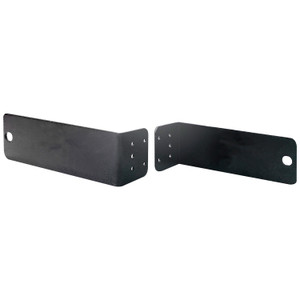
- Rack-Mount Form Factor: Designed for standard rack installation, keeping the VP2120 in your AV rack or IT closet rather than surface-mounted in the room — cleaner installation, easier serviceability, and no exposed hardware in the presentation space.
- Operating Humidity 0–80% RH Non-Condensing: Rated for the humidity range typical of climate-controlled commercial spaces. Not rated for outdoor or industrial environments — keep it in the rack room.
Integration & Compatibility
The VP2120 connects to your network via the onboard RJ-45 interface, supporting remote management and control integration. CEC support on the HDMI output allows participation in display command chains, reducing the complexity of your control system programming. HDCP 1.4 compliance covers the majority of protected content sources in enterprise and education environments. For rooms using a room control platform, the Ethernet port is the primary integration point for sending commands and polling status.
EDID is managed via ATEN Default or Display A mode — select ATEN Default if your display powers down between sessions to keep sources outputting stable video. Display A mirrors the connected display's native EDID, useful when you need sources to negotiate directly with the panel's capabilities.
Frequently Asked Questions
Q: What is the maximum HDMI cable length supported by the VP2120?
A: The VP2120 supports HDMI signal transmission up to 15 meters. Beyond that distance, an active HDMI extender will be required to maintain signal integrity.
Q: Does the VP2120 support HDCP-protected content?
A: Yes. The VP2120 is HDCP 1.4 compatible, which covers the majority of enterprise and consumer protected content sources including streaming devices and secure playback systems.
Q: Can the VP2120 be controlled remotely over the network?
A: Yes. The VP2120 includes an RJ-45 Ethernet port for network-based remote management and control, making it suitable for centrally managed AV deployments.
Q: What EDID modes does the VP2120 support?
A: The VP2120 offers two EDID modes: ATEN Default, which locks sources to a stable known EDID regardless of display state, and Display A, which mirrors the connected display's native EDID. ATEN Default is recommended for rooms where displays power down between sessions.
Q: Does the VP2120 provide audio output separately from HDMI?
A: Yes. A dedicated 3.5mm stereo mini jack provides analog audio output, allowing you to feed in-room speakers or an audio DSP directly without extracting audio downstream from the HDMI signal chain.
Q: Is the VP2120 rack-mountable?
A: Yes. The VP2120 is designed for standard rack installation, keeping the unit in an AV rack or IT closet for clean room aesthetics and easier maintenance access.
The VP2120 is one of those units that earns its rack space specifically because of its EDID management. In rooms where displays sleep between meetings, sources that negotiate EDID at boot time can lock to wrong resolutions or refuse to output entirely — ATEN's Default EDID mode eliminates that failure mode by holding a stable EDID regardless of display power state. That single feature saves more service calls than most of the other specs combined.
Technical Highlights:
- 15m HDMI Reach: Covers the cable runs in most medium-sized conference rooms without active extension gear — keeps your signal chain simpler and your rack cleaner.
- HDCP 1.4 Compliance: Protected content sources pass through cleanly, which matters the moment someone plugs in a streaming dongle or tries to present from a DRM-locked corporate device.
- Ethernet Management Port: Network-addressable control means you can commission, configure, and update firmware on the VP2120 remotely — no physical access required after initial rack install.
Deployment Considerations:
- Plan HDMI cable runs at or under 15m during rough-in; if your display wall is further than that from the rack, budget for an active extender before finalizing the design.
- The VP2120 is rated for 0–80% RH non-condensing — it belongs in a climate-controlled AV rack room, not in an exposed or humid plant environment.
For a corporate boardroom or higher-education lecture hall running multiple HDMI sources with a mix of laptops, streaming devices, and room PCs, the VP2120's combination of seamless switching, HDCP compliance, and network manageability makes it a straightforward fit — particularly in facilities where IT manages AV remotely across multiple rooms.