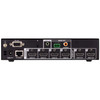
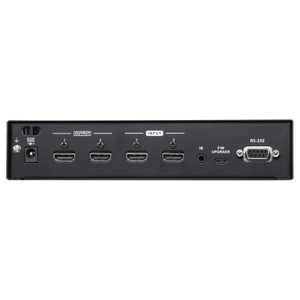
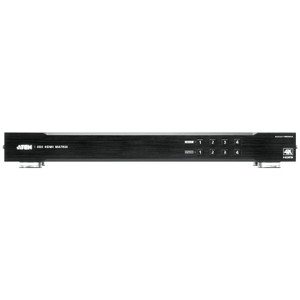
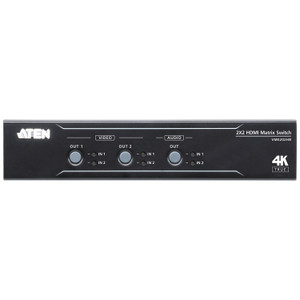
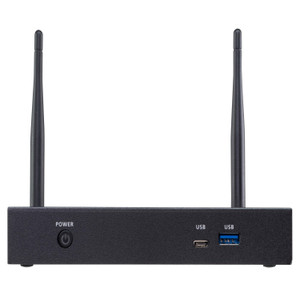
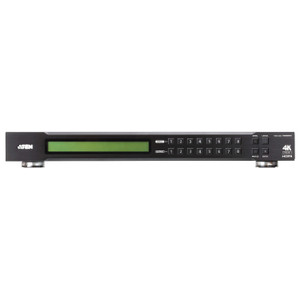
Product images are provided for reference and may not represent the exact model, configuration, or included components.

Overview

SKU: VP2420
UPC: 672792015786
Condition: New
Write a Review 47% OFF

ATEN 4X2 True 4K HDMI Presentation Switch with Multi View - VP2420

ATEN VP2420 4x2 True 4K HDMI Presentation Switch with Multi-ViewThe ATEN VP2420 is a 4-input, 2-output True 4K HDMI presentation switch built for boar…

$1,568.00 $835.99 SAVE $732
Ships same business day
In stock

Quantity:

Adding to cart… The item has been added
Compatibility guidance available for your deployment
Senior specialists for pre and post-sales support
Authorized sourcing and documentation support
Shipping and lead-time confirmation before install

Laura Bennett, IPSD Senior Specialist

Talk to Laura

200+ hrs training • U.S - based

Senior Specialist • 877-277-7147

ATEN 4X2 True 4K HDMI Presentation Switch with Multi View - VP2420

$1,568.00
$835.99

Overview

SKU: VP2420
UPC: 672792015786
Condition: New

No Bots, Just Experts

Questions about this product? Free pre-sales support from a senior specialist — product questions, compatibility checks, BOM quotes, price confirmation — typically answered within one business day. Need camera placement or system design work? Engineering time is $175 per hour (qty 1 = 1 hour). Hardware buyers get up to one hour ($175) credited back on their order.

Description

ATEN VP2420 4x2 True 4K HDMI Presentation Switch with Multi-View

The ATEN VP2420 is a 4-input, 2-output True 4K HDMI presentation switch built for boardrooms, classrooms, and huddle spaces where multiple sources need to hit two displays simultaneously — with full 4K@60Hz 4:4:4 signal integrity on short cable runs. If you're tired of downscaling to 1080p the moment you add a second screen, the VP2420 holds 4K resolution to 5 meters and steps gracefully to 4K@30Hz at 10m and 1080p@60Hz at 15m, so cable routing flexibility doesn't cost you image quality. Explore the broader ATEN AV switching and presentation line for complementary matrix switchers and scalers.

Overview

Presentation switching at the 4K tier typically forces a choice: raw resolution or flexible output routing. The VP2420 sidesteps that tradeoff with a 4x2 architecture and multi-view capability — you can display multiple sources on a single output simultaneously, which matters in collaborative rooms where a local display and a confidence monitor need different layouts. HDCP 2.2 compliance means protected 4K content from streaming sticks, Blu-ray players, and secure enterprise endpoints passes through without handshake failures. Consumer Electronics Control (CEC) support lets the switch trigger downstream display power states, reducing the manual steps in a room-start sequence.

Key Features

  • True 4K@60Hz 4:4:4 at 5m: Full-bandwidth 4K with no chroma subsampling on cable runs up to 5 meters — the spec that separates this from switchers that quietly drop to 4:2:0 to hold distance. For a standard conference room with the rack under the table, 5m is enough to reach both displays cleanly.
  • Tiered distance support — 4K@30Hz at 10m, 1080p@60Hz at 15m: Real-world installs rarely hit the ideal cable length. The VP2420 degrades predictably rather than failing: longer runs get 4K at reduced frame rate or 1080p at full 60Hz, giving you options rather than hard cutoffs.
  • HDCP 2.2 compliance: Protected 4K content — streaming devices, corporate DRM endpoints, Ultra HD Blu-ray — passes through without triggering HDCP handshake drops that kill the signal mid-presentation. Without HDCP 2.2 on both the switch and downstream displays, protected 4K content will either not display or downgrade to 1080p.
  • 4K HDR pass-through: HDR metadata travels with the signal, so displays capable of HDR10 or similar rendering get the full picture from HDR-capable sources. This matters in executive rooms with high-end displays where HDR is part of the installed experience.
  • Dual analog + digital audio outputs: A 3-pole captive screw connector handles unbalanced line-level output (PCM 2CH) for integration with room amplifiers or installed speakers, while a coaxial digital output carries LPCM 2CH, Dolby Digital, and DTS for AV receivers or digital amplifiers. Two separate output paths mean you don't have to choose between the room's installed speakers and the AV rack's decoder.
  • EDID management (Default / Display A / Remix modes): Source devices read EDID from the switch to determine what resolution to output. The VP2420's three EDID modes let you lock sources to a known resolution profile, mirror the downstream display's native EDID, or blend a remix that keeps all sources outputting consistently — essential when sources are laptops that will otherwise hunt for the
Specifications
Mount Type: Pole; Rack
Ethernet Rate: 1 x RJ-45 Female (Silver)
Operating System: Description | Ver. | Release Date | File Name
Max. Distance: HDMI: 4K@60Hz (4:4:4) at 5m; 4K@30Hz at 10m; 1080p@60Hz at 15m
Compliance: HDMI (Deep Color, 4K); 4K HDRHDCP 2.2 Compatible; Consumer Electronics Control (CEC)
Output: Line Out (Unbalanced): 1 x Captive Screw Connector, 3-pole (PCM 2CH)Digital Audio: 1 x Coaxial (LPCM 2CH, Dolby Digital, DTS)
Ethernet: 1 x RJ-45 Female (Silver)
Selection: Mute: 1 x PushbuttonMode / Unlock: 1 x Pushbutton
Edid Settings: EDID Mode: ATEN Default / Display A / Remix
Humidity: 0 - 80% RH, Non-Condensing
Carton Lot: 3 pcs
800X600 @ 56/60/72/75 Hz: 480p60 (4:3) / (16:9)
1024X768 @ 60/70/75 Hz: 576p50 (4:3) / (16:9)
1280X800 @ 60 Hz: 640x480
1280X1024 @ 60/75 Hz: 720p50/60
1400X1050 @ 60 Hz: 1080p24/25/30/50
1440X900 @ 60 Hz: 1080i50/60
1600X1200 @ 60 Hz: 3840x2160p24/25/30/50/60
1680X1050 @ 60 Hz: 4096x2160p24/25/30/50/60
1920X1080 @ 60/120 Hz: 3840x2160p50/60 (4:2:0)
Vp2420-User-Manual-W.Pdf (3.16 Mb: 2024-11-05
Firmware Upgrade: v1.1.103
Os: Description
Q&A
Reviews
Have Questions?

RELATED PRODUCTS

System Design, Deployment & Technical Support

Support services and planning resources for commercial surveillance, access control, and infrastructure deployments.

Fixed scope • Fixed price

System Design Assistance

  • Get help validating product compatibility
  • Coverage requirements
  • Storage planning and deployment architecture before you buy.
Request Design Help

Deployment & Configuration Support

  • Access fixed-scope support for rollout planning
  • User setup guidance
  • Migration and system standardization across single-site or multi-site deployments
View Support Services

Guides, Tools & Calculators

  • PoE requirements
  • Storage retention
  • Camera selection and deployment methodology
Open Technical Resources