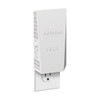
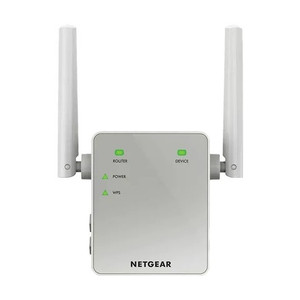
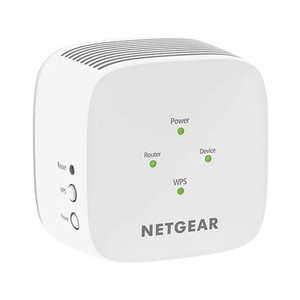
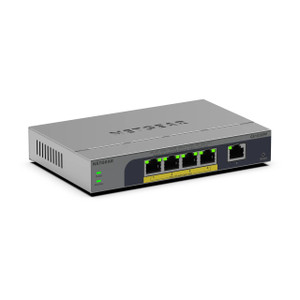
NETGEAR EX6400-100NAS Dual-Band Wi-Fi 5 Range Extender
The NETGEAR EX6400-100NAS is a dual-band Wi-Fi 5 (802.11ac) range extender designed to eliminate coverage dead zones in surveillance and access-control deployments across warehouses, retail locations, and industrial facilities. Unlike passive access points, this extender bridges existing 2.4GHz and 5GHz SSID signals without requiring a dedicated internet backhaul connection — a critical advantage when extending coverage to perimeter camera zones, remote building wings, or outdoor equipment areas beyond your primary router's effective range. Dual Gigabit Ethernet ports enable hardwired backhaul to IP cameras or network switches, reducing air congestion and stabilizing throughput for bandwidth-sensitive recording streams. Integrators rely on range extenders like this when the cost and logistical complexity of running conduit or fiber to a remote AP location exceeds the capex of wireless extension, particularly in retrofit or temporary surveillance scenarios.
Key Features
- Dual-Band Wi-Fi 5 (802.11ac): 2.4GHz and 5GHz simultaneous operation. Allows cameras and edge devices to anchor to less-congested 5GHz while legacy devices use 2.4GHz, reducing channel contention and improving stream stability.
- Dual Gigabit Ethernet Ports: Two 1000 Mbps RJ45 ports for hardwired backhaul or direct camera/switch connection. Eliminates wireless chaining bottleneck — cameras connected via Ethernet bypass air congestion entirely.
- Coverage Area: Up to 1,200 sq ft typical indoor range. Sufficient for single-story retail floors, warehouse aisles, and parking-structure coverage extensions; verify coverage overlap with existing AP to avoid dead zones.
- WPS and Web Configuration: One-button WPS pairing or browser-based setup dashboard. Mobile app allows remote channel selection, band steering, and signal monitoring without on-site intervention.
- Multi-Router Compatibility: Works with any standard 802.11ac or 802.11n router (NETGEAR, Ubiquiti, Ruckus, Meraki, etc.). No proprietary firmware required — plug-and-play integration with heterogeneous infrastructure.
- AC Power with Adapter: 120V AC adapter included. No PoE option — mount near existing outlet or use uninterruptible power supply (UPS) for critical camera zones to ensure failover redundancy.
Deployment Architecture and Wireless Extension Strategy
The EX6400-100NAS operates as a transparent bridge, repeating the SSID and authentication credentials of your primary router without modifying DHCP scope or network topology. In surveillance deployments, this means IP cameras connected to the extender's SSID receive addresses from your main router's DHCP pool — no separate subnet or VLAN configuration required. Position the extender 30–50 feet from the primary AP to maintain 50% or greater signal strength; excessive distance degrades both pickup and rebroadcast quality. Dual Gigabit Ethernet ports are the differentiator here: a wired camera or NVR connected to the extender's Ethernet jack bypasses wireless altogether, delivering full line-rate throughput to the extended network segment without competing for radio bandwidth with other clients.
For larger deployments (100+ cameras across multiple buildings), extenders are a cost-effective interim solution but should be supplemented with wired backhaul (fiber runs to remote APs) within 12–18 months to eliminate the performance tax of wireless repetition. In high-density retail environments (e.g., 40+ cameras on a single floor), cascading extenders (extender extending another extender) causes signal degradation; instead, run dedicated backhaul to a second hardwired AP. Band steering — the extender's ability to steer 5GHz-capable clients away from congested 2.4GHz — requires modern client drivers and is not guaranteed on older PoE camera firmware, so test pilot deployments before full-scale rollout.
Network Integration and IP Camera Compatibility
The extender is transparent to your NVR and VMS — it does not inspect, filter, or modify IP traffic. Standard surveillance workflows (ONVIF discovery, RTSP stream pull, cloud backup over the extended segment) function identically to wired infrastructure. However, wireless latency (typically 5–20ms on 5GHz, 10–40ms on 2.4GHz) is non-zero; if your system requires sub-5ms stream synchronization for multi-camera analytics, avoid wireless extension for those cameras and use hardwired Ethernet instead. Mobile apps and remote access (cloud relay, VPN tunnel) add additional latency layers, so do not expect sub-second live-view refresh over extended Wi-Fi links. Confirm that your camera or NVR firmware supports both 802.11ac and 802.11n fallback — older surveillance devices may not negotiate 5GHz correctly and will anchor to 2.4GHz, reducing throughput.
Power resilience matters: if the extender loses AC power, all cameras and devices relying on its extended SSID lose connectivity. Deploy the EX6400-100NAS on a dedicated UPS circuit if camera availability SLA exceeds 99% uptime. Most integrators pair range extenders with a remote reboot controller or smart outlet for out-of-band recovery. Antenna orientation (vertical for 2.4GHz, horizontal for 5GHz) is manually configurable — test both orientations during commissioning to maximize signal penetration through walls and metal obstacles before final mounting.
Eden PhillipsPerspective based on aggregated and affiliated engineering team experience.
We've deployed the EX6400-100NAS in dozens of retail and light-industrial surveillance retrofits where running new conduit or fiber to a remote camera zone is cost-prohibitive or architecturally impractical. The key advantage is simplicity — it pairs with any existing router in minutes via WPS, requires no special firmware, and integrates invisibly into your IP network. Unlike mesh systems that demand full ecosystem commitment, the EX6400 works standalone, which matters when you inherit heterogeneous infrastructure (mixed Ubiquiti, Ruckus, and NETGEAR APs on the same site). The dual Gigabit Ethernet ports are the real operational differentiator. Hardwiring a critical NVR uplink or a high-bitrate camera to the extender's Ethernet jack removes wireless chaining entirely — you get full 1000 Mbps throughput without competing for air time. In a 50-camera retail deployment where 8–10 cameras are extended Wi-Fi and 40 are hardwired, that split minimizes latency jitter and bandwidth contention. However, the extender is not a replacement for a proper AP deployment. Coverage is limited to 1,200 sq ft, and signal strength degrades rapidly beyond 50 feet from the primary router. If your dead zone is larger than a single warehouse aisle or parking-structure wing, plan for a hardwired AP instead. We've also seen integrators underestimate the power-dependency risk: a single 120V AC failure silences all extended cameras. Always specify UPS or smart-outlet failover for mission-critical zones. Band steering is advertised but inconsistent on legacy camera firmware — test before assuming 5GHz migration will happen automatically.
Technical Highlights:
- Dual Gigabit Ethernet Ports: Most consumer extenders have a single uplink port; the dual-port design lets you hardwire both a camera and a switch uplink simultaneously, eliminating wireless relay chokepoints. Wired clients get line-rate 1000 Mbps without air-time tax.
- 802.11ac (Wi-Fi 5) with 802.11n Fallback: 5GHz throughput (~650 Mbps typical) far exceeds 4MP+ streaming bitrates (4–12 Mbps per camera); 2.4GHz fallback ensures compatibility with older devices, but expect 50–100 Mbps real throughput in congested environments.
- WPS and Web Dashboard: 30-second pairing via WPS button, then web or mobile app configuration for channel width (20/40MHz), band steering, and transmit power. No special NETGEAR router firmware required — works with any standard 802.11ac source.
- Transparent Bridge Design: Extender does not create a new subnet or DHCP scope — all extended clients receive addresses from your primary router. Simplifies NVR discovery and ONVIF camera enrollment; no routing or firewall rules needed.
- Power Only (No PoE Option): 120V AC adapter required; no PoE sourcing available from Ethernet ports. Plan UPS or smart-outlet backup for extended camera zones with >99% uptime SLA.
Deployment Considerations:
- Position 30–50 feet from the primary AP. Beyond 50 feet, signal pickup degrades rapidly — verify pilot coverage with a mobile device before final mounting. Dead spots persist if extender is equidistant from router and target zone (creates null point).
- Band steering (5GHz priority for capable clients) is advertised but relies on client firmware support. Older PoE cameras may ignore 5GHz hints and anchor to 2.4GHz. Test pilot cameras before large-scale rollout to confirm band negotiation behavior.
- Wireless chaining (extender extending another extender) cuts throughput by 50% per hop. If you need coverage beyond the first extender's range, deploy hardwired AP or mesh system instead — extender stacking is a last resort.
- No PoE power sourcing — mount near AC outlet or plan UPS. Single power failure silences all extended cameras. Specify uninterruptible power supply or smart-outlet reboot controller for critical zones.
- Antenna orientation affects penetration: vertical for 2.4GHz, horizontal for 5GHz through walls. Test both before final mounting. Metal shelving and HVAC ducts create reflective/absorptive zones — map RF coverage with phone app during commissioning.
The EX6400-100NAS is ideal for integrators managing retrofit surveillance in existing buildings where running new cabling is cost-prohibitive and coverage gaps are isolated to 1–2 zones per floor. Its dual Gigabit Ethernet ports and transparent bridge design make it suitable for hardwiring critical NVR uplinks or PoE switch extensions without sacrificing throughput. If your deployment requires coverage across an entire building or multiple floors, or if uptime SLA exceeds 99%, invest in a hardwired AP infrastructure and reserve extenders for temporary or supplementary coverage only. Explore the NETGEAR catalog for commercial-grade APs and mesh systems engineered for larger deployments.