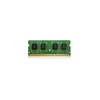
QNAP RAM-2GDR3-SO-1600 2GB DDR3 SO-DIMM Memory Module
Overview
The RAM-2GDR3-SO-1600 is a 2GB DDR3 SO-DIMM module running at 1600MHz, sourced direct from QNAP for use in compatible QNAP NAS enclosures. Adding or replacing RAM in a QNAP unit directly affects how many simultaneous users, services, and surveillance streams the device can handle — a system running close to its memory ceiling will throttle indexing, degrade transcoding, and slow down concurrent iSCSI or NFS sessions. This module is the factory-specified option for affected TS-x69 series enclosures, ensuring voltage, timing, and slot compatibility without guesswork.
Compatibility
Designed for use in QNAP NAS enclosures in the TS-x69 series, including models such as the TS-269, TS-469, TS-469L, TS-469 Pro, TS-569, TS-669, and TS-869. If you are expanding memory across a broader QNAP deployment, verify your specific model against the QNAP memory compatibility list — not every TS-x69 variant accepts the same SO-DIMM slot count or maximum capacity. Using non-validated third-party DDR3 SO-DIMMs in these enclosures can trigger memory errors under load, particularly during RAID rebuilds or high-concurrency NVR workloads. This module eliminates that risk for supported models.
Installation Notes
Power down the enclosure completely and disconnect all cables before handling. Ground yourself before opening the chassis — DDR3 SO-DIMMs are sensitive to electrostatic discharge. The SO-DIMM slot is typically accessed by removing the drive trays and the inner chassis panel; consult the hardware user guide for your specific TS-x69 model for exact screw locations and slot orientation. Insert the module at approximately 30 degrees, press down until the retention clips engage on both sides. Do not force the module — misalignment will prevent the clips from seating. On first boot after installation, verify the new capacity is recognized in the system information dashboard before returning the unit to service.