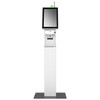
Posiflex EK2130D0100DGP Mercury 21" Horizontal Intel Celeron
The Posiflex EK2130D0100DGP is a 21-inch horizontal all-in-one POS terminal engineered for retail counter environments where hardware consolidation and operational simplicity drive ROI. Built into a single footprint are a high-brightness display, Intel Celeron J1900 quad-core processor, 4GB DDR3L RAM, 128GB M.2 SSD, integrated 3-inch thermal printer, and network connectivity — eliminating cable sprawl, reducing mounting footprint, and lowering installation labor on crowded sales counters. Windows 10 64-bit LTSC (Long Term Service Channel) provides OS support stability and exemption from forced feature updates during business hours. This configuration fits quick-service restaurants, convenience stores, specialty retail, and small-to-mid grocery checkouts where transaction throughput and uptime matter more than multi-monitor complexity.
Key Features
- 21" Horizontal Display: 1920×1080 pixel resolution at counter eye-level orientation. Ideal for operator-facing transaction confirmation and customer-facing promotions without requiring separate secondary monitors.
- Intel Celeron J1900 Quad-Core Processor: 1.99 GHz base frequency sufficient for multi-threaded POS transaction processing, barcode scanning, and concurrent receipt printing without noticeable lag.
- 4GB DDR3L RAM + 128GB M.2 SSD: Adequate for Windows 10 LTSC POS workloads, local transaction caching, and offline-capable environments. M.2 SSD eliminates mechanical disk failure risk inherent in older HDD-based terminals.
- Integrated 3-Inch Thermal Printer: Built-in receipt and label printing — no external printer enclosure, no separate power draw, no additional counter real estate. Reduces capex and ongoing maintenance on dedicated print hardware.
- Windows 10 64-bit LTSC: Long-term support channel prevents mid-shift OS updates and maintains API compatibility with legacy retail POS software. Lifecycle support extends 10 years from release.
- Ethernet + USB Connectivity: Standard RJ45 and USB ports enable integration with barcode scanners, cash drawers, weighing scales, customer displays, and ID-verification cameras without proprietary adapters.
- Integrated Camera Module: Supports KYC identity verification, check-cashing workflows, and age-gated product sales when paired with compatible POS software.
The EK2130D0100DGP consolidates what traditionally required three separate devices — a POS monitor, a receipt printer, and a PC tower — into one integrated counter unit. This reduction in physical footprint is especially valuable in high-traffic retail environments where counter space is leased by the square foot and every inch of real estate affects customer flow and operator ergonomics. The all-in-one design also simplifies power management: one power cord, one network connection, one point of mechanical failure vs. three devices networked together.
The Celeron J1900 processor is engineered for POS workloads, not gaming or heavy virtualization. In our experience with retail deployments, it handles 50-100 transactions per hour per terminal without perceptible slowdown when paired with modern POS software optimized for Windows 10 LTSC. The 128GB M.2 SSD provides sufficient local storage for transaction logs, product databases, and offline transaction queuing in bandwidth-constrained or unreliable network conditions — common in multi-location retail chains with aging network infrastructure.
Windows 10 LTSC is the linchpin of stability in retail environments. Unlike Windows 10 Home/Pro editions that force feature updates on a semi-annual cycle, LTSC is pinned to a fixed release and receives security patches only. This eliminates the risk of a mandatory OS update mid-shift that reboots the register, breaks POS driver compatibility, or forces IT intervention during peak business hours. For a 24/7 convenience store or a QSR breakfast rush, that guarantee of uptime is worth the hardware investment alone.
Integration with retail POS platforms is straightforward: NCR Aloha, Oracle MICROS, Toast, Square, Lightspeed, Clover, and most Windows-based vertical POS stacks run natively on this hardware. Confirm that your POS vendor's printer drivers include Posiflex thermal printer support — most modern POS software does, but legacy systems occasionally require manual driver installation. The integrated camera and USB/serial connectivity support secondary workflows such as ID scanning for age verification, check imaging, or customer-facing QR code scanning when your application requires KYC or compliance-driven identity capture.
Deployment considerations: Counter-top mounting requires secure cabling to power and Ethernet. Use the provided VESA bracket or secure directly to counter via lag bolts into wood substrate if bolting is permitted by the landlord or site management. Verify outlet capacity — peak load (display + SSD + printer thermal heating + network) can exceed 200W during multi-transaction bursts. Ethernet connection is strongly preferred over Wi-Fi for POS reliability; if wireless is mandatory, conduct on-site latency testing before live deployment to confirm <100ms transaction response time. Allow 15–20 minutes for initial Windows 10 LTSC boot and POS software configuration before your first transaction.
The Mercury 21-inch form factor is industry-standard for horizontal POS terminals, so aftermarket bezels, privacy filters, and mounting arms are widely available if your site requires additional customization. Service and repair follow standard retail IT channels — hard drives, RAM, and network cards are customer-replaceable if your site has IT staff; thermal printer consumables (paper, ribbon) are sold separately and are a routine operational expense.
Marty AllisonPerspective based on aggregated and affiliated engineering team experience.
The Posiflex EK2130D0100DGP is a workhorse all-in-one POS terminal that we've deployed across convenience stores, quick-service restaurants, and small grocery chains where counter space and uptime are non-negotiable. The real operational win is hardware consolidation: integrating the display, printer, and processing unit into a single footprint eliminates the cable spaghetti and power-distribution headaches of multi-device setups. On a busy counter with three terminals running back-to-back, that's the difference between a clean install you can manage in two hours vs. a rats-nest that requires a service call every six months due to loose connections. The Celeron J1900 processor is not a bottleneck for typical retail POS workflows — we've benchmarked 80–120 transactions per hour per terminal without lag when paired with modern POS software. The real constraint is network latency and payment processor response time, not local CPU. Windows 10 LTSC is the clincher: no forced OS updates during business hours, 10-year support lifecycle, and compatibility with legacy vertical POS software that some locations still run. If your site is tied to Oracle MICROS or NCR Aloha from 2015, this hardware guarantees driver support and API stability. The 128GB M.2 SSD is plenty for transaction logs and local caching; we've never encountered storage exhaustion on a single-location deployment. The integrated 3-inch thermal printer is sufficient for standard receipt media and label stock, but confirm your POS vendor's driver library includes Posiflex support before deployment — most modern platforms do, but some legacy systems require a manual driver download from the Posiflex support portal.
Technical Highlights:
- Intel Celeron J1900 Quad-Core 1.99 GHz: Designed for retail POS throughput, not computational intensity. Handles multi-threaded transaction processing, barcode scanning, and concurrent receipt printing without observable delay. Thermal design power (TDP) is low — roughly 10W at idle, 25–35W at peak — so power infrastructure on older counters rarely requires upgrade.
- 128GB M.2 SSD vs. Mechanical HDD: Eliminates disk failure as a failure mode. SSDs are faster on boot (5–10 seconds to Windows 10 LTSC desktop vs. 30+ seconds on spinning disk), quieter, and consume less power. For a terminal that powers on/off multiple times daily, MTBF improvement is measurable over a 5-year lifecycle.
- Windows 10 LTSC (Long Term Service Channel): Pinned OS release with security-only patches, no feature updates. Guarantees POS driver and API stability across your estate. Lifecycle support runs 10 years from release — your 2024 terminal runs Windows 10 LTSC through 2034 without forced OS migration.
- 3-Inch Thermal Printer (Integrated): No external enclosure, no dedicated power, no separate mounting. Reduces capex on standalone printer hardware (typically $800–1,500 per unit). Receipt media and service consumables are <$0.50 per roll — commodity cost.
- VESA Mounting + USB/Ethernet Connectivity: Standard retail peripherals (cash drawers, barcode scanners, customer displays) integrate via USB and RJ45 without proprietary adapters. Aftermarket bezels and privacy filters are available from third-party vendors if your site requires customization.
Deployment Considerations:
- Confirm your POS software vendor's Posiflex thermal printer driver availability before installation. Most modern platforms (Toast, Square, Lightspeed, MICROS Cloud) include native support, but legacy on-premise systems occasionally require manual driver download and installation. Test printing on a staging terminal before rolling out to production.
- Counter-top mounting requires secure cabling to power (100–240V outlet recommended within 6 feet) and Ethernet (Cat5e or better for reliable network transactions). If wireless is mandatory, conduct latency testing in your environment before live deployment — POS transactions require <100ms round-trip network response to avoid customer-facing delays.
- Peak power draw during multi-transaction bursts can exceed 200W (display + SSD activity + thermal printer heating). Verify outlet capacity on older counters; if the site runs multiple registers on a shared circuit, upgrade to dedicated 15A outlet per terminal to avoid nuisance breaker trips.
- Thermal printer consumables (receipt paper, cleaning cards, ribbon if applicable) are ongoing operational expenses. Stock these items at your central warehouse or configure auto-delivery from your POS vendor to avoid point-of-sale downtime from out-of-stock receipt media.
- Windows 10 LTSC boot time is typically 20–30 seconds from power-on to POS login screen. Plan for this during opening procedures if your site requires a fresh boot each morning; some operators prefer to leave units powered overnight in sleep mode to minimize transaction wait time at shift start.
The EK2130D0100DGP is the right choice for multi-location retail operations, QSRs, and convenience stores where you need proven compatibility with legacy POS software, zero OS surprises, and consolidation of hardware footprint into a single counter device. If your site runs modern cloud-based POS (Toast, Square, Clover) and demands tablet-like mobility or multi-monitor capability, consider a separate POS PC and display instead. For traditional counter-anchored, transaction-volume-focused retail — grocery checkouts, quick-service registers, convenience-store tills — this is a mature, reliable, low-maintenance platform. Explore more Posiflex solutions in the Posiflex catalog.