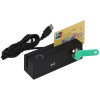
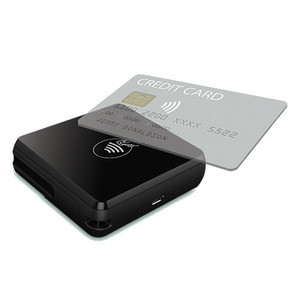
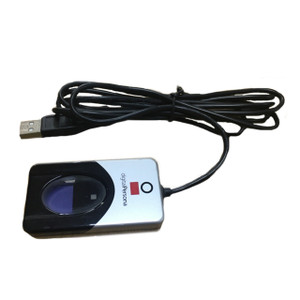
PioneerPOS T3P-IDVP32P-FAS NFC+MSR+EMV Heartland USB Payment Key
The PioneerPOS T3P-IDVP32P-FAS is a multi-function USB payment encryption key designed for Heartland-compatible point-of-sale terminals and payment kiosks. It consolidates NFC (tap), magnetic stripe (swipe), and EMV chip (insert) card acceptance into a single USB credential device, eliminating the operational friction of swapping readers between transaction types or maintaining separate hardware adapters. Deployed at checkout lanes, self-service payment stations, or integrated hospitality and retail kiosks, this key reduces point-of-sale hardware footprint while maintaining PCI DSS compliance through Heartland's encrypted token exchange.
Key Features
- Multi-Card Support: NFC, magnetic stripe, and EMV chip in one device. Accepts contactless wallets, legacy swipe cards, and modern chip cards without adapter switching.
- USB Connectivity: Standard USB connector—no separate power supply, no drivers required. Plug-and-play integration with Heartland-certified terminals.
- Compact Form Factor: Single credential key reduces clutter on checkout desks and minimizes cable management overhead across multi-lane deployments.
- Heartland Integration: Paired with Heartland payment processor accounts. Handles tokenization and encrypted card data transmission to Heartland backend—card data never touches the terminal's local storage.
- PCI DSS Compliance: Encrypts all card-present transactions at the point of entry. Heartland's token gateway ensures compliance without terminal-side card storage or manual key rotation.
- Secured Credential Storage: Operates as a payment authentication token, not general USB storage. Requires locked drawer or mount bracket when unattended.
The key's three-in-one design eliminates the operational overhead of maintaining separate NFC readers, MSR dongles, and EMV adapters—common pain points in multi-terminal environments. A single USB port replacement reduces support tickets related to adapter mismatches or forgotten devices. For retailers running Heartland payment accounts across 5–20 checkout lanes, eliminating adapter switching alone can save 10–15 hours per month in checkout procedure standardization.
Deployment is straightforward: insert the USB key into any Heartland-compatible terminal's USB port, enroll the key's credential ID in your Heartland merchant dashboard, and it begins accepting transactions immediately. No firmware updates, no driver installation, no terminal reconfiguration—the key authenticates the merchant account, not the terminal device. This architecture means replacing a damaged key doesn't require terminal-level programming or POS software patching.
Before purchase, confirm your payment terminal model and Heartland processor subscription support this USB key format. Legacy terminals, third-party payment processors, or non-Heartland accounts may require separate integration work or may not support this key's feature set. Your Heartland representative or system integrator can verify compatibility against your specific terminal hardware and processor configuration. Once validated, the key transitions into your standard payment credential inventory with the same physical security controls you apply to PIN pads and other payment hardware.
Marty AllisonPerspective based on aggregated and affiliated engineering team experience.
In our experience across retail and hospitality integrations, the T3P-IDVP32P-FAS solves a real coordination problem: eliminating the three-device shuffle at checkout. We've worked with sites running dual-reader setups—one MSR, one NFC—where staff either forgot to switch devices mid-transaction or accidentally swiped a contactless card on the wrong reader, forcing a void and re-entry. The unified key removes that friction entirely. It's not magic; it's just consolidation done well. The Heartland integration is tight—enrollment is 5 minutes, and the credential operates as a pure payment token with zero local storage exposure. From a PCI perspective, the architecture is clean: card data enters encrypted, never touches terminal RAM, and exits as a token. That's the compliance sweet spot for multi-unit operators who don't want to run separate PIN pad contracts or negotiate third-party processor carve-outs.
Technical Highlights:
- NFC+MSR+EMV Consolidation: Eliminates adapter inventory and checkout procedure variance. One device covers 95% of card-present scenarios (swipe, tap, insert), reducing training variance and support escalations when staff use the wrong reader order.
- Heartland Tokenization: Encrypted credential exchange at point of sale—card data never stored on the terminal itself. Simplifies PCI scope for multi-terminal environments and reduces the cost of annual compliance audits.
- Plug-and-Play USB Design: No firmware updates, no driver installation, no terminal reconfiguration. Credential pairing happens in Heartland's merchant dashboard; the terminal simply sees a valid USB payment device on insertion.
- Physical Credential Model: The key itself is the payment authenticator, not the terminal. Rotating credentials (lost key, employee termination) doesn't require terminal-level programming or POS vendor support calls.
- Checkout Lane Density: Compact form factor and single USB port requirement mean deploying across 10–20 lanes doesn't create cable routing nightmares or require powered USB hubs.
Deployment Considerations:
- Verify Heartland account setup and terminal compatibility before deployment. Not all legacy POS systems or third-party processors recognize Heartland USB keys—integration often requires a POS software version check and processor account tier confirmation.
- Treat the key as physical payment credentials, not general USB storage. Implement the same badge-access and locked-drawer security you'd use for PIN pads. Key loss or theft requires immediate Heartland credential revocation and replacement.
- For multi-terminal rollouts, pre-enroll credential IDs in Heartland's merchant dashboard before shipping keys to sites. Batch enrollment reduces on-site activation time and prevents activation delays at grand openings or system cutover events.
- USB port availability varies across terminal models. Confirm your checkout terminals have spare USB ports; some older POS hardware dedicates all ports to receipt printers or barcode scanners, leaving no slot for payment devices.
- NFC range and sensitivity depends on terminal-side radio tuning and antenna placement. If your terminal has poor NFC sensitivity, contactless transactions may fail intermittently—escalate to Heartland support, not PioneerPOS, as the issue is usually terminal-firmware-related.
The T3P-IDVP32P-FAS is the right fit for Heartland merchants consolidating payment hardware across multiple checkout lanes or kiosks, especially retailers and hospitality venues where staff turnover drives frequent credential rotation. If you're running fragmented adapter setups or supporting multiple processor backends, verify Heartland coverage first. For multi-unit operations committed to Heartland, this key drops hardware SKU counts and training overhead measurably. Explore the full PioneerPOS catalog for complementary payment hardware and integration options.