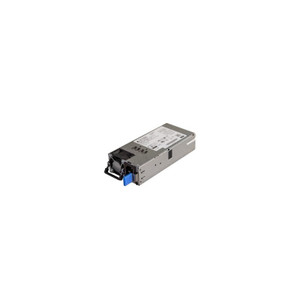
Product images are provided for reference and may not represent the exact model, configuration, or included components.

Overview

SKU: QNA-UC10G1SF
UPC: 885022028061
Condition: New
Availability: Usually Ships in 2-3 Weeks
Write a Review

QNAP Nas - QNA-UC10G1SF

QNAP QNA-UC10G1SF USB 4 to 10GbE SFP+ Network AdapterOverviewThe QNA-UC10G1SF is a single-port 10GbE SFP+ adapter that connects via USB 4 Type-C, givi…

$266.99

Quantity:

Adding to cart… The item has been added
Compatibility guidance available for your deployment
Senior specialists for pre and post-sales support
Authorized sourcing and documentation support
Shipping and lead-time confirmation before install

Laura Bennett, IPSD Senior Specialist

Talk to Laura

200+ hrs training • U.S - based

Senior Specialist • 877-277-7147

QNAP Nas - QNA-UC10G1SF

$266.99

Overview

SKU: QNA-UC10G1SF
UPC: 885022028061
Condition: New
Availability: Usually Ships in 2-3 Weeks

No Bots, Just Experts

Questions about this product? Free pre-sales support from a senior specialist — product questions, compatibility checks, BOM quotes, price confirmation — typically answered within one business day. Need camera placement or system design work? Engineering time is $175 per hour (qty 1 = 1 hour). Hardware buyers get up to one hour ($175) credited back on their order.

Description

QNAP QNA-UC10G1SF USB 4 to 10GbE SFP+ Network Adapter

Overview

The QNA-UC10G1SF is a single-port 10GbE SFP+ adapter that connects via USB 4 Type-C, giving laptops, workstations, and NAS-connected hosts a 10 Gigabit Ethernet uplink without requiring a PCIe slot. The included 1-meter USB 4 cable handles the host-side connection — useful on ultrabooks or compact desktops where internal expansion is not an option but bandwidth matters: copying large surveillance archives, transferring video projects, or direct-attaching to a QNAP NAS for high-throughput backup. If your host port is Thunderbolt 3 or Thunderbolt 4, that interface is backward-compatible with USB 4 — the QNA-UC10G1SF works without an adapter or dongle on those ports as well.

Compatibility

The QNA-UC10G1SF requires a USB 4 or Thunderbolt 3/4 port on the host side — standard USB 3.x Type-C ports do not provide the bandwidth headroom for 10GbE and are not supported. On the network side, the SFP+ cage accepts standard 10GbE SFP+ modules (DAC cables, SR/LR optical transceivers); the specific transceiver compatibility list should be confirmed against the QNAP hardware compatibility list for this adapter before purchasing optics. OS support covers Windows, macOS, and Linux, making it usable across enterprise workstations and developer machines without driver workarounds. For integrators pairing this with a NAS or connecting to a 10GbE network switch, ensure the switch port or NAS SFP+ cage supports the same transceiver type selected for this adapter — mismatched fiber vs. copper DAC is the most common install error.

Installation Notes

The included 1-meter USB 4 cable is the only cable provided — if your rack or desk layout requires more reach, source a certified USB 4 cable separately (length and signal integrity limitations apply). No external power supply is required; the adapter draws power from the USB 4 bus. The SFP+ cage is empty — a compatible 10GbE SFP+ transceiver or DAC cable must be sourced separately and is not included.

What's in the Box

  • 1x QNA-UC10G1SF USB 4 to 10GbE SFP+ adapter
  • 1x 1-meter USB 4 cable
Specifications
Adapter Type: USB 4 Type C to 10GbE SFP+
Port Type: 10GbE SFP+
Interface: USB 4
Cable Length: 1 meter
Supported OS: Windows, macOS, Linux
Brand: QNAP
MPN: QNA-UC10G1SF
Type: Power Supply
Connectivity: USB
Q&A
Reviews
Have Questions?

RELATED PRODUCTS

System Design, Deployment & Technical Support

Support services and planning resources for commercial surveillance, access control, and infrastructure deployments.

Fixed scope • Fixed price

System Design Assistance

  • Get help validating product compatibility
  • Coverage requirements
  • Storage planning and deployment architecture before you buy.
Request Design Help

Deployment & Configuration Support

  • Access fixed-scope support for rollout planning
  • User setup guidance
  • Migration and system standardization across single-site or multi-site deployments
View Support Services

Guides, Tools & Calculators

  • PoE requirements
  • Storage retention
  • Camera selection and deployment methodology
Open Technical Resources