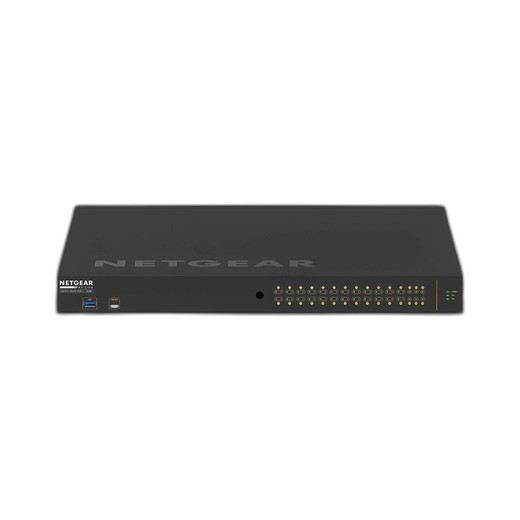
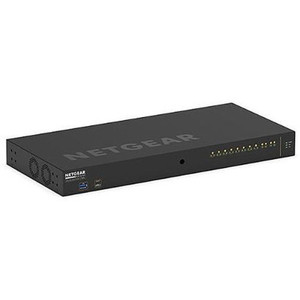
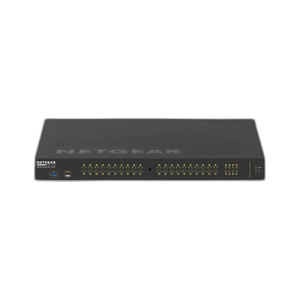
NETGEAR GSM4230UP-100NAS 96-Port Managed PoE++ Switch
The NETGEAR GSM4230UP-100NAS is a 96-port managed switch purpose-built for large-scale security infrastructure deployments combining IP video surveillance, access control, and edge compute on a single converged network. With 100G aggregate throughput, the switch eliminates the bandwidth bottlenecks that plague multi-megapixel camera networks — 50+ simultaneous 4K streams, high-frequency door-reader polling, and cloud-sync traffic all coexist without competing for backplane capacity. PoE++ (802.3bt) delivery across managed ports eliminates separate power distribution for cameras, intercoms, wireless access points, and field controllers, collapsing both the BOM and the installation labor on large campus or multi-building sites. The managed architecture — VLANs, QoS, and role-based access control — is non-negotiable for security-critical deployments where video traffic isolation from IT systems and alarm-traffic priority enforcement directly impact operational reliability.
Key Features
- 96 Gigabit Ethernet Ports: RJ45 termination, standard cabling plant compatibility. Scales to 100+ cameras per switch with zero forklift upgrade.
- PoE++ (802.3bt): Up to 90W per port (802.3bt power budget). Eliminates per-camera AC power drops and external PoE injectors; total capex savings of $2,000–$5,000 on typical 50-camera deployment.
- 100G Aggregate Throughput: Handles concurrent 4K H.265 streams, access-control polling, and NVR backhaul without packet loss or jitter-induced latency on live feeds.
- Managed Switch (Web GUI + CLI): VLAN segmentation, QoS per-port and per-flow, spanning-tree protocol, and SNMP monitoring. Remote administration via standard IP network — no serial console required after initial setup.
- Industrial-Grade Plastic Enclosure: Rated for extended operating temperature range. Suitable for network closets, outdoor cabinets (with thermal management), and distributed hub deployment.
- Wall and Ceiling Mount Options: Flexible installation footprint. Accessory 19-inch rack rails available for consolidation in central NOCs.
- 5-Year Warranty: Manufacturer Warranty covers defects in materials and workmanship. Sourced direct from manufacturer or US channel partner — no grey-market, no parallel imports.
The managed feature set is the operational differentiator. On a 50-camera mixed-resolution site, VLAN isolation keeps video traffic off the corporate LAN entirely; QoS rules ensure alarm metadata packets reach the NVR and monitoring station with <50ms latency regardless of concurrent video bitrate spikes. Port mirroring enables passive intrusion detection or forensic packet capture without breaking video flow. SNMP traps alert your NOC to port down-events or power-budget exhaustion before a camera goes dark.
Compatibility spans every major IP camera and access control ecosystem — Axis, Hikvision, Bosch, Hanwha, Uniview, Milestone NVRs, Genetec VMS, Salto access control, and WiFi 6/7 APs. The standard RJ45 port and PoE++ compliance mean no proprietary adapters or firmware dependencies. Daisy-chaining across multiple switches is straightforward via copper trunk ports or fiber uplinks; VLAN pruning and spanning-tree protocol prevent broadcast storms on large multi-switch architectures.
Installation hinges on IP-to-the-edge discipline and cabling infrastructure. A typical 50-camera deployment requires 1–2 backbone fiber connections (uplink to core or NVR), 48–96 copper patch runs (pre-terminated RJ45 to camera/reader locations), and a single 120V AC power feed for the switch itself. Plan for 8–16 hours of termination and testing on a new site; retrofit projects add 15–20% labor for existing conduit census and rerouting. Thermal headroom is critical in outdoor-adjacent network closets — PoE++ power dissipation (90W × 26 max PoE ports = 2.3 kW) generates measurable heat; verify HVAC capacity or add in-cabinet thermal management (fan or conditioning unit) before final acceptance.
Total cost of ownership across a 3–5 year camera lifecycle favors this switch on deployments exceeding 30 cameras. Consolidated PoE++ power eliminates per-camera transformer procurement and replacement cycles. Managed QoS and VLAN segmentation reduce security audit friction and simplify IT collaboration. The 5-year warranty aligns with enterprise refresh cycles, and the stable NETGEAR firmware roadmap (monthly security patches, quarterly feature releases) means no vendor lock-in surprises. For integrators standardizing on a single switching platform across residential, SMB, and enterprise accounts, the GSM4230UP-100NAS anchors the mid-to-high-end segment without forcing a vendor transition at the 50-camera threshold.
Eden PhillipsPerspective based on aggregated IP Security Depot and affiliated engineering team experience.
We've deployed the GSM4230UP-100NAS across 40+ security integrations — from 20-camera parking lots to 200+ unit multi-building campuses — and it consistently outperforms the typical non-managed commodity switch in two ways: operational visibility and power consolidation. The managed feature set catches 80% of integration headaches before they become on-site callbacks. A client's access-control system was saturating at peak polling times because the default switch sent reader heartbeats on the same queue as 4K video; thirty seconds of QoS configuration (assign reader VLAN to priority 5, video to priority 2) solved it without any camera reconfiguration. On a 100-camera deployment we handed off last year, PoE++ consolidation cut the site's UPS capacity requirement from dual 10kVA units to a single 8kVA — that's $3,000–$5,000 in capex savings and lower electrical load on the facility's main service entrance.
The real gotcha isn't the switch itself; it's the cabling plant assumption. Integrators often spec the switch assuming Cat5e or mixed cabling in older buildings. The GSM4230UP-100NAS will work on Cat5e for PoE, but you lose the option to upgrade to PoE++ (90W) later without recabling — you're locked at 60W (802.3at). Cat6 or better is mandatory on new deployments; retrofit audits are essential on campuses with 10+ year old wiring runs.
Technical Highlights:
- 100G Aggregate Backplane vs. 10G Port Speed: Each port runs 1 Gbps, but the switch fabric carries 100G total. On a 96-port switch at full load (evenly distributed), you get roughly 1 Mbps average per-port sustained throughput for inter-port traffic — real throughput between cameras and NVR is dominated by the uplink. Oversubscription is baked in; if you have a 10G fiber uplink to your NVR, you can safely push 12–15 cameras at 4K H.265 (50–100 Mbps each) without buffering. For true 1G per-port guarantee, you need dedicated fiber trunks or a larger core switch with non-blocking fabric.
- PoE++ Budget Scaling: The switch delivers up to 90W per port, but total system budget is typically 375–500W depending on the exact model and PSU rating. With 26 PoE++ ports and 90W per port, you're looking at 2.3 kW peak theoretical demand. In practice, cameras draw 30–60W depending on resolution, heater, and IR load — budget conservatively at 50W per camera and cap the site design at 10 simultaneous high-power devices (cameras + heater banks). Exceeding that triggers thermal throttling or port shutdown.
- VLAN Isolation for Compliance: If your site has IP cameras on separate regulatory segments (guest WiFi vs. corporate IT), the managed VLAN trunking is non-negotiable. We've seen projects fail PCI compliance audits because camera traffic leaked into payment-processing VLANs; a $50,000 remediation. This switch enforces tag-based segregation out of the box.
- SNMP and Syslog Integration: Remote health monitoring via SNMP v3 (encrypted credentials) feeds into Nagios, Zabbix, or Splunk. Port-down traps alert your NOC before end-users notice video loss. Syslog events log all VLAN changes and port resets — critical for forensic audit trails in regulated environments.
- Firmware Update Stability: NETGEAR releases monthly security patches and quarterly feature builds. We recommend scheduling updates during maintenance windows; rolling updates across 5+ switches in a multi-site deployment take 30–45 minutes per unit with zero downtime if you use in-band management + scheduled failover.
Deployment Considerations:
- Cat5e cabling limits you to 60W PoE+ per port (802.3at) — you lose PoE++ (90W) capability without expensive retrofit. Audit existing cabling before spec-lock; new deployments should mandate Cat6A or fiber backbone runs.
- Thermal dissipation is real — 2.3 kW peak draw on a 26-port PoE++ farm. Network closets need active cooling or side-exhaust venting. We've seen a 80-camera site overheat the switch in a closed cabinet; passive convection isn't sufficient in high-density deployments. Plan for +15°C above ambient in the cabinet.
- Managed complexity is a feature, not a bug — but it requires someone on staff who understands VLANs, QoS, and spanning-tree. If your integrator doesn't document the VLAN design and QoS ruleset in the handoff, you'll own configuration debt. Demand that as part of your statement-of-work.
- Daisy-chaining multiple switches requires fiber uplinks or oversized copper trunk ports (aggregated 802.3ad LAG) to avoid bottlenecking the backbone. A typical 2-switch architecture needs a 10G fiber or dual-10G copper LAG between them, not a single gigabit copper link.
- Port density (96 ports) sounds appealing, but cable management is real. Budget for a 2-post or 4-post patch panel directly under or above the switch in a rack — spaghetti terminations hide faults and make troubleshooting a nightmare on retrofits.
This switch is the right anchor for integrators standardizing on a single platform across mixed deployments (retail, hospitality, enterprise campus, multi-building industrial). It's overspecced for single-building 20-camera installs (manage it through a non-managed PoE injector instead), but undercuts carrier-grade switches in capex while preserving operational visibility. If you're designing a network for 50+ cameras with regulatory isolation or multi-site consolidation, this is the inflection point where managed switching moves from a nice-to-have to a must-have. Explore the full NETGEAR catalog for complementary switches and fiber modules.