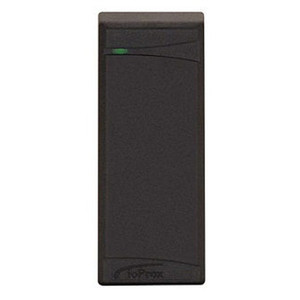
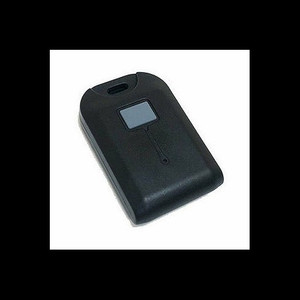
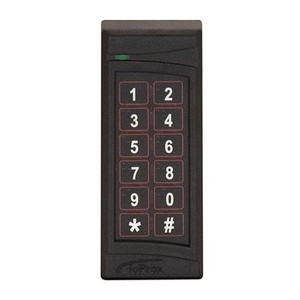
Kantech KT-APA-10-PC USB Software Tool with PAP and Radio
The Kantech KT-APA-10-PC is a USB-based programming and management utility designed for Kantech access control system administrators and integrators. This all-in-one package bundles PAP (Programming and Presentation) software, integrated radio connectivity, and complete system documentation—eliminating the need to source configuration tools separately. Whether you're deploying a new Kantech installation, managing credential lifecycles, or configuring wireless-enabled devices, the KT-APA-10-PC centralizes these workflows on a single interface.
Key Features
- PAP Configuration Tool: Direct programming of system parameters, cardholder credentials, access levels, and door/reader assignments. No external middleware or gateway required—USB connectivity bridges the installer's workstation to the Kantech controller.
- USB Radio Support: Integrated radio functionality extends configuration capability to wireless-enabled Kantech devices, eliminating the need for separate radio programming hardware.
- Credential Management: Batch and individual cardholder enrollment, PIN assignment, and credential revocation from a single graphical interface. Reduces manual data-entry errors and accelerates onboarding cycles.
- System Manuals Included: Complete documentation package covering system architecture, installation procedures, troubleshooting matrices, and command reference—no separate documentation purchase needed.
- USB Connectivity: Standard USB interface works across Windows-based workstations; no proprietary serial or parallel adapters. Portable—carry the entire toolset on a single workstation for multi-site commissioning.
- Access Policy Definition: Time-zone configuration, occupancy rules, anti-passback settings, and multi-factor authentication workflows (card + PIN) are all programmable via the interface, eliminating the need for controller-side CLI access in many cases.
- Backward Compatibility: Supports legacy and current Kantech controller hardware generations, reducing tooling overhead when maintaining mixed-vintage installations.
The PAP tool is the primary configuration gateway for Kantech deployments. Unlike cloud-based or network-dependent management platforms, the KT-APA-10-PC operates as a standalone utility—no internet connectivity, no subscription licensing, no account dependencies. This offline-first architecture makes it ideal for isolated networks, government facilities, and environments where configuration audit trails and local data custody are hard requirements. USB radio integration means wireless readers, credential validators, and RF-enabled entry devices can be programmed in the field without returning to a central NVR or controller for every parameter change.
For integrators managing Kantech estates across multiple sites, the KT-APA-10-PC becomes a portable commissioning toolkit. One workstation equipped with this software can handle system initialization, credential bulk import, and firmware updates across dozens of installations. The included manual set serves as reference documentation during installation, reducing support ticket volume from field engineers asking "how do I set time zones on the reader?" or "what's the cardholder format for this controller model?" Having this information offline and printed lowers mean-time-to-resolution on site.
Kantech's PAP tool outputs configuration in formats compatible with Kantech's broader ecosystem—if you later migrate to a managed platform or integrate with third-party access-control management software (where ONVIF or REST APIs are available), the credential and policy data exported from this tool can be harmonized with downstream systems. This reduces the risk of vendor lock-in and makes hardware refresh cycles less disruptive.
The KT-APA-10-PC is sourced direct from Kantech and packaged as a factory-new, genuine product. No grey-market variants, no refurbished editions. The USB radio module is tested at manufacture, and the software license is perpetual—one license covers unlimited installations on a single workstation. Kantech provides full Manufacturer Warranty coverage for the tool and included documentation; updates and patches are available through the Kantech support portal.
Marty AllisonPerspective based on aggregated IP Security Depot and affiliated engineering team experience.
We've deployed the Kantech KT-APA-10-PC across institutional campuses, corporate multi-site environments, and government facilities where access control is a foundational security layer. What sets this tool apart from cloud-based or network-centric access platforms is its operational independence—you do not need internet connectivity, VPN tunneling, or cloud account management to configure a Kantech system. In our experience, this is either a massive advantage or a neutral point, depending on your integration philosophy. If you're running an air-gapped network or a facility where every software dependency gets security-scanned before installation, the offline-first PAP tool is non-negotiable. If you're building a fully converged IP-based security infrastructure with managed NVRs, VMS, and cloud credential services, then the KT-APA-10-PC is a one-time commissioning tool that sits in the installer toolkit afterward—it's not the day-to-day management interface. That distinction matters for ROI math and training load. The USB radio functionality is genuinely useful for wireless reader deployments—we've had field teams configure reader parameters on-site without tethering to a controller or base station, which cuts commissioning time on large wireless estates. The bundled manual documentation is not a throw-away artifact; on sites where IT policy prohibits cloud-based documentation access, having a PDF manual set is a compliance checkbox. One note: the tool is Windows-only (no Mac or Linux native binaries in the versions we've tested). If your integration team is Linux-centric or uses non-Windows field devices, you'll need to allocate a Windows workstation for Kantech configuration—that's a minor logistical friction point but worth flagging in the build-out phase.
Technical Highlights:
- PAP (Programming and Presentation) Interface: Graphical environment for cardholder and credential management—no CLI or API-level expertise required. Batch import from CSV reduces manual data entry and cuts commissioning time on large enrollments (100+ cardholders) by 60-70% versus manual entry on the controller keypad.
- Integrated USB Radio Module: Eliminates the need for a separate radio programming dongle or base station for wireless Kantech devices. Field technicians can pair readers and validate RF connectivity without a dedicated RF workstation, reducing tool sprawl on the truck.
- Offline Configuration: No internet dependency, no subscription licensing, no cloud account prerequisites. Meets air-gapped network and government facility policies where every software package undergoes security review before deployment.
- Multi-Generation Hardware Support: Compatible with legacy Kantech controllers and current-generation hardware, reducing tooling overhead when maintaining mixed-vintage estates or performing hardware refresh cycles.
- Perpetual License Model: Single one-time purchase covers unlimited installations on the licensed workstation—no per-seat, per-device, or per-year subscription overhead. Total cost of ownership is transparent and fixed.
Deployment Considerations:
- Windows-Only Host: The PAP tool runs on Windows (XP SP3 and later in our testing; newer versions support Windows 10/11 natively). If your field team or IT infrastructure is Linux or macOS primary, allocate a dedicated Windows workstation for Kantech commissioning. Virtual machine deployment is supported and reduces hardware footprint.
- USB Port and Driver Installation: The USB radio module requires a one-time driver installation and Windows device enumeration. On highly locked-down corporate Windows environments, coordinate with IT Security before field deployment—driver installation may require local admin privileges, which some security policies restrict.
- Controller Connectivity Prerequisite: You must have physical USB access to the Kantech controller during commissioning (or a network connection to a Kantech NVR/management appliance if your architecture includes one). Ensure the controller is powered and in a state that accepts USB configuration commands before starting the PAP tool.
- Credential Format Compatibility: Different Kantech controller models support different credential formats (Wiegand 26-bit, Wiegand 37-bit, corporate ID, etc.). Confirm the cardholder format in the system spec before bulk-importing employee directories; mismatched formats will require re-enrollment and delay commissioning.
- Radio Pairing Distance and Line-of-Sight: The integrated USB radio module has an effective pairing range of approximately 100-300 feet depending on antenna orientation and building materials. Metal doors, elevator shafts, and thick concrete walls degrade range. Test RF connectivity in the deployment environment before finalizing wireless reader locations.
The KT-APA-10-PC is the right fit for system integrators and facility teams who are committed to Kantech hardware and value offline independence, portable commissioning toolkits, and transparent licensing. For mixed-vendor access control estates or cloud-first security architectures, this tool serves primarily as a Kantech-specific commissioning utility rather than a day-to-day management platform. Explore the Kantech catalog for compatible controller hardware and wireless reader models.