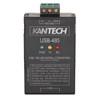
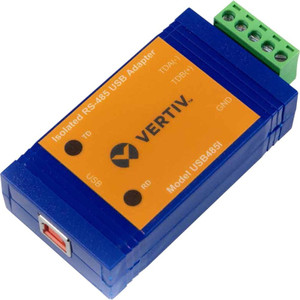
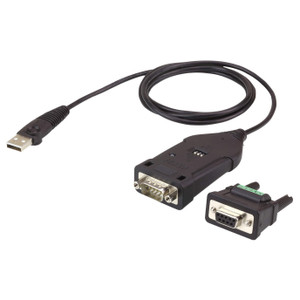
Kantech USB-485 USB to RS-485 Communication Interface
The Kantech USB-485 bridges modern USB architecture with RS-485 serial communication, eliminating the need for legacy serial ports on contemporary access control systems. This adapter is purpose-built for security integrators standardizing on USB-based control architectures while maintaining compatibility with installed RS-485 field devices and distributed credential readers.
Overview
Access control deployments increasingly rely on USB connectivity for system management, but field devices—readers, controllers, and sensors—still communicate over RS-485 serial networks. The USB-485 solves this mismatch by converting USB signals to RS-485, allowing a single control station to manage both modern and legacy infrastructure without parallel hardware or adapter chains. Its IP66 rating means the unit handles rain, dust, and moisture without degradation, so it can be mounted in equipment enclosures exposed to outdoor conditions or harsh warehouse environments. This matters because failed communication interfaces in warehouse automation or multi-door access deployments don't just slow integration—they create security gaps and cost you credential reader downtime.
Key Features
- IP66 Environmental Rating: Direct rain and dust ingress won't compromise connectivity. Install in outdoor equipment cabinets, server rooms with moisture concerns, or warehouse loading bays without protective housings. IP66 stops short of full submersion (that requires IP67 or higher), so keep it out of standing water.
- USB-to-RS-485 Protocol Conversion: Converts USB signal levels to differential RS-485, enabling real-time two-way communication with readers, door controllers, and sensors on long-run serial networks. Critical in sprawling warehouse or campus deployments where serial runs exceed 50 feet.
- Rack-Mount Enclosure Design: Mounts into standard 19-inch equipment racks, DIN rails, or control panels alongside access control platforms and networking gear. Eliminates tabletop clutter and integrates cleanly into existing cabinet infrastructure.
- Kantech Platform Integration: Direct compatibility with Kantech access control systems—no firmware translation layer, no third-party driver hassles. Configuration and commissioning leverage existing Kantech tools and workflows.
- Third-Party System Compatibility: RS-485 is an open serial standard, so the USB-485 works with non-Kantech readers, panels, and controllers that speak RS-485. Useful in mixed-vendor deployments where you're retrofitting older infrastructure or integrating point-solutions.
- Moisture and Dust Ingress Protection: IP66 ensures sealed operation in environments where temperature swings, humidity, and airborne contaminants would corrode unprotected connectors or degrade signal integrity. Especially valuable in manufacturing, cold storage, or outdoor gate/perimeter applications.
Integration & Compatibility
The USB-485 pairs with access control systems that expose a USB host port and require RS-485 serial communication to downstream field devices. It supports standard Kantech access control platforms and third-party controllers that adhere to RS-485 electrical specifications. Consult your control system documentation to confirm USB host availability and baud rate configuration. Typical serial parameters (baud rate, parity, stop bits) are user-configurable at the host level; the adapter itself performs passive protocol conversion and does not impose bandwidth or timing constraints.
When to Choose a Different Approach
If your control system features a dedicated RS-485 serial port (COM port) or a native Kantech direct connection module, a USB-485 adds unnecessary cost and complexity—skip it. If field devices communicate via Ethernet or IP-native protocols (ONVIF, proprietary TCP), this adapter is not applicable; pursue an IP-native gateway or controller instead. For deployments requiring redundant communication paths or failover logic, layer a second USB-485 on an alternate USB port or consider a managed RS-485 hub with built-in diagnostics.
Frequently Asked Questions
Q: Is the USB-485 suitable for outdoor installation?
A: Yes. The IP66 rating permits direct rain and dust exposure. Mount it in weatherproof equipment enclosures or DIN-rail cabinets. Avoid standing water or continuous submersion—that requires IP67 or higher.
Q: What is the maximum RS-485 cable run length?
A: RS-485 supports runs up to 4,000 feet (1,200 m) depending on baud rate and cable quality. Lower baud rates tolerate longer runs. Consult your field device and control system datasheets for specific limits in your configuration.
Q: Does the USB-485 work with non-Kantech RS-485 devices?
A: Yes. The adapter performs standard RS-485 protocol conversion and is compatible with any RS-485 serial device—readers, controllers, sensors—that follow RS-485 electrical standards.
Q: Can I daisy-chain multiple USB-485 units on the same host?
A: Yes, if your USB host has multiple available ports. Each adapter functions independently and can address separate RS-485 networks or extended bus segments.
Q: What power does the USB-485 require?
A: Power is sourced from the USB port itself—no separate supply needed. Verify that your USB host port provides sufficient current (typical USB 2.0 ports deliver 500 mA; USB 3.0 ports deliver up to 900 mA).
Q: Is driver software required?
A: Driver requirements depend on your operating system and control platform. Consult the Kantech USB-485 datasheet for OS compatibility and driver installation details.
Ted PerryPerspective based on aggregated IPSD and affiliated engineering team experience.
The USB-485 solves a real infrastructure problem: modern access control software runs on USB-native systems, but the field hardware still speaks RS-485. I've seen integrators buy USB-to-serial adapters from generic suppliers and then discover they don't handle moisture or outdoor installations properly. The Kantech USB-485 sidesteps that with an IP66 rating and rack-mount form factor, which means you're not hunting for a DIN rail kit or worrying about condensation inside an unrated plastic box.
Technical Highlights:
- IP66 Enclosure: Dust and moisture ingress protection keeps signal integrity intact in outdoor cabinets, warehouse loading areas, and humid server rooms. No separate weatherproof housing required.
- USB Power Sourcing: Draws power directly from the USB host—eliminates external power supplies and their associated failure modes (failed wall adapters, tripped circuits, cable damage). Reduces bill-of-materials cost and wiring complexity.
- Passive Protocol Conversion: The adapter does not impose bandwidth limits, timing constraints, or firmware translation overhead. You get transparent RS-485 communication—no middleman latency affecting reader response times.
Deployment Considerations:
- Verify your USB host has adequate current capacity—older systems or hubs may not deliver full 500 mA. Test with your specific control platform before ordering multiple units.
- RS-485 networks benefit from proper termination resistors at cable ends. Confirm your field devices or control system provides termination, or budget for inline resistor packs if you're extending an existing network.
Deploy the USB-485 in multi-door warehouse or campus access control systems where you're integrating legacy RS-485 readers with modern USB-based control platforms. It's a pragmatic fit for retrofits and mixed-vendor environments where your control system standardizes on USB but your readers are already wired for serial.