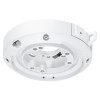
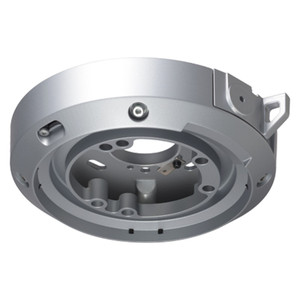
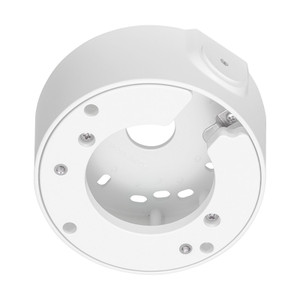
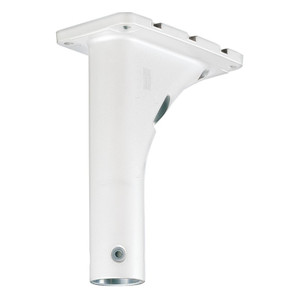
i-PRO WV-QCL500-W Ceiling Surface Mount Bracket
The i-PRO WV-QCL500-W is a white ceiling surface mount bracket engineered for flush installation of i-PRO fixed cameras into standard commercial ceiling environments. This is a straightforward hardware accessory — no electronics onboard, no field configuration — designed to lock down i-PRO fixed cameras directly to drywall, drop ceiling, or concrete ceiling surfaces in indoor deployments. The bracket handles the mechanical coupling; the camera itself supplies all connectivity and power.
Key Features
- Ceiling surface mount geometry: Mounts flat against the ceiling plane with the camera body protruding downward. This orientation is cleaner than pendant drops in low-ceiling retail or office spaces where headroom matters — you're not adding 4–6 inches of mounting hardware below the tile.
- White finish: Matches standard suspended ceiling grids and drop-ceiling environments. If your install is in a white-painted commercial ceiling, the bracket blends in rather than standing out as black hardware. Matters for loss-prevention deployments where you want coverage without advertising the camera.
- Compatible with i-PRO fixed camera models: Confirm your specific camera model (resolution, form factor, weight) fits this bracket — mount ratings vary across the i-PRO line. Check the i-PRO product spec sheet for mechanical interface specs before ordering.
- Supports Ethernet and 24VAC delivery: The bracket itself is passive, but the installation path runs Ethernet and 24VAC wiring up through the ceiling cavity to your camera. This means your network and power infrastructure must reach the ceiling location — typical in commercial buildings but not a given in all retail retrofits.
- Audio-enabled path: If your camera has a built-in or external microphone, the bracket installation doesn't block audio. Useful for two-way communication or event-triggered recording scenarios, though don't expect the bracket to amplify or route audio — that's the camera's job.
- microSD card slot accessibility: The bracket positions the camera so you can reach the microSD slot for local recording backup or evidence extraction. Matters if your deployment relies on onboard card storage as a failover when network recording is interrupted.
- HTTPS encryption support: The camera (not the bracket) handles encryption. The bracket doesn't interfere with secure network traffic — but you still need to configure the camera and your network VMS properly.
- Day/night and night vision capable: Again, this is the camera's feature. The bracket doesn't obstruct IR emitters or block visible-light optics — just make sure your camera's night vision specs suit your lighting conditions, and position the bracket so the lens isn't shadowed by the ceiling structure.
Integration & Compatibility
This bracket is a mechanical interface only. Confirm mechanical fit with your camera's mounting interface before ordering — different i-PRO camera families (compact fixed domes, mini-turrets, box cameras) have different bolt patterns and weight limits. Check the i-PRO product page for your specific model's mounting footprint. Network video recorders and VMS systems don't interact with the bracket itself, only with the camera it supports — so any NVR that speaks ONVIF or proprietary i-PRO protocols will work with cameras mounted on this bracket.
Installation requires basic ceiling access — drop-tile removal if applicable — and a power source (24VAC transformer) plus network cabling run to the ceiling location. If your building lacks pre-run conduit or ceiling access points, retrofit installations can get expensive quickly.
When to Choose a Different Approach
If you need a pendant mount (camera hangs below the ceiling on a rod), look for i-PRO pendant options instead. If outdoor ceiling installation is required, verify environmental ratings — this bracket is indoor-rated. If your ceiling is metal or poses grounding concerns, consult the electrical section of the i-PRO camera manual and your site engineer.
FAQ
Q: Does the WV-QCL500-W work with all i-PRO fixed cameras?
A: No. Mechanical fit depends on your specific camera model's mounting interface. Always confirm the bracket's bolt pattern and load rating match your camera before purchasing. Refer to both the bracket and camera spec sheets.
Q: What tools do I need to install this bracket?
A: Standard ceiling installation kit — drywall anchors or lag bolts (depending on ceiling type), drill, screwdriver, stud finder if applicable. The bracket itself is passive hardware; no power tools are specifically required.
Q: Can I use this bracket in a suspended drop-ceiling environment?
A: Yes, but the camera weight and bracket load rating must not exceed the tile's hold capacity. Consult your tile and grid manufacturer specs, then verify the bracket load rating against your camera's weight.
Q: Does the bracket include mounting hardware?
A: Refer to the detailed contents when ordering or contact technical sales for a complete hardware manifest. Ceiling-specific fasteners (anchors, bolts) often vary by installation site and are sometimes sold separately.
Q: What's the maximum load the WV-QCL500-W supports?
A: Check the bracket datasheet for rated load. Do not exceed this limit or risk mechanical failure and camera drop hazard.
Q: Is this bracket suitable for a retrofit or new installation?
A: Both, but retrofit retrofits require ceiling access and power/network routing. New construction with pre-planned cabling runs is simpler. Assess your site's existing conduit and ceiling structure before committing.
Ted PerryPerspective based on aggregated IP Security Depot and affiliated engineering team experience.
The WV-QCL500-W is a passive mechanical interface — nothing to configure, no field commissioning. It's a straightforward mount-and-forget accessory, which also means troubleshooting is simple: if your camera is online but the image framing is wrong, you're adjusting camera tilt/pan, not the bracket. That's a win for minimizing site callbacks.
Technical Highlights:
- White finish for commercial ceilings: Blends into standard drop-ceiling and painted drywall environments. Black brackets in white ceilings announce themselves — this one doesn't. Matters for loss-prevention and retail deployments where discrete coverage is preferred.
- 24VAC + Ethernet routing: The bracket doesn't source power or network — you do. Make sure your ceiling pathway has conduit or accessible raceways for both feeds. Some older retail sites lack proper wiring runs above drop ceilings, and retrofit runs can cost more than the bracket itself.
- Audio and microSD pass-through: The bracket doesn't block onboard audio or card-slot access, so if your camera supports two-way talk or local recording, the bracket won't cripple those features. Confirm your camera model supports these functions before relying on them.
Deployment Considerations:
- Load rating mismatch is the primary gotcha: The bracket has a maximum load rating (check the datasheet). If your camera exceeds that, the bracket fails — and a dropped camera is both a safety hazard and a liability. Always weigh your camera and compare against the bracket spec before install.
- Ceiling structure variability: Drywall ceilings, drop-tile grids, and concrete each require different fastening hardware. The bracket itself is generic; your ceiling dictates the anchors. If your site is a mix (drywall in offices, tile in hallways), you'll need multiple anchor kits. Plan for that in procurement.
The WV-QCL500-W is a fit-and-forget accessory for small-to-medium office, retail, and facility-surveillance rollouts where a white ceiling mount blends in and mechanical simplicity is valued. It's not a universal solution — always validate camera compatibility and ceiling suitability first. If your deployment spans mixed ceiling types or requires outdoor coverage, you'll need to mix bracket styles or move to different hardware.