HP Inc BN5K3UT#ABA Z2 Tower G1I Intel Core Ultra 9 Workstation
Overview
The HP SmartBuy Z2 Tower G1I (model BN5K3UT#ABA) is a compact tower workstation built on the Intel Core Ultra 9 285 processor running at 1.90 GHz with up to 13 TOPS AI acceleration capability. This machine ships with 32GB system memory and 1TB SSD storage, paired with an NVIDIA Quadro RTX 4000 discrete GPU. The configuration targets security integrators, surveillance system architects, and enterprise environments where you need to run video management system (VMS) software, real-time video analytics, and edge AI inference on a single reliable platform without the footprint or power draw of a full rack server.
Key Features
- Intel Core Ultra 9 285 at 1.90 GHz: Dual-threaded workload capacity across complex video transcoding, live stream multiplexing, and parallel analytics pipelines. For a multi-site NVR appliance or on-premise analytics engine, this clock speed and instruction set handle 24/7 encoding without thermal throttle under sustained load.
- AI Acceleration up to 13 TOPS: Native hardware support for object detection, person counting, license-plate recognition, and behavioral analytics without offloading to external GPU clusters. Meaningful if you're running inference-heavy analytics directly on recorded or live video feeds — cuts per-frame latency and network overhead versus centralized AI processing.
- 32GB System Memory: Sufficient for running multiple VMS instances (Milestone XProtect, Axis Camera Station, Hanwha SmartVMS) simultaneously with buffer pools for real-time video stream caching. Avoids memory-starvation bottlenecks common in resource-constrained surveillance servers.
- 1TB SSD Storage: Fast local boot and application tier — critical for NVR software responsiveness. SSD eliminates the seek-time penalty of mechanical drives when indexing recorded clips or generating forensic timelines across dozens of cameras. Pair with external NAS or SAN for long-term video retention.
- NVIDIA Quadro RTX 4000: Professional-grade discrete graphics for 4K monitoring, multi-display wall driver support, and CUDA-accelerated video decoding. If you're standing up a security operations center with 6-8 monitor outputs or running H.265 decode-heavy surveillance software, this GPU eliminates CPU bottlenecks and stabilizes system responsiveness under heavy playback load.
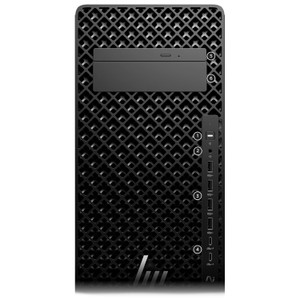
- Compact Tower Form Factor: 18 lbs, desk-mountable or rack-adjacent footprint — no blade server infrastructure required. Fits in equipment closets, network rooms, or NOC spaces where space and power-outlet density matter.
Integration & Compatibility
The BN5K3UT#ABA ships with standard x86-64 architecture, enabling compatibility with industry-standard VMS platforms (Milestone, Axis, Hanwha, Genetec, Vivotek) running on Windows Server or Linux. NVIDIA Quadro RTX 4000 drivers are widely supported across surveillance and analytics software stacks. The machine supports dual Gigabit Ethernet (or higher with PCIe expansion) for multi-NIC bonding and network-isolated video stream separation — a practical requirement when integrating with segmented enterprise security networks. Confirm specific VMS licensing and support policies with your software vendor; workstation-class systems sometimes require server-grade licensing agreements.
Power and Installation Notes
The Z2 Tower G1I operates within standard commercial 110–240V AC power availability — no special PDU or redundant power infrastructure required for single-unit deployments. Typical thermal envelope under continuous load is compatible with standard office or IT closet cooling. When positioning the unit in a security operations center or NOC, ensure intake vents clear of cable bundles and that monitor heat from adjacent displays does not recirculate through the tower's rear exhaust. For 24/7 operation, plan UPS protection equivalent to 10–15 minutes of runtime to allow graceful shutdown during power events.
What's in the Box
Exact package contents are not detailed in available evidence. Contact the vendor directly for a complete bill of materials regarding included cables, documentation, or mounting hardware.
Frequently Asked Questions
Q: Does the BN5K3UT#ABA support dual-monitor or multi-display output?
A: Yes. The NVIDIA Quadro RTX 4000 includes multiple display outputs (typically HDMI and DisplayPort). Total monitor count depends on available outputs and driver support — typical configurations support 4–6 simultaneous displays, making this suitable for security operations center wall builds.
Q: Can I use the BN5K3UT#ABA as an NVR appliance with external storage?
A: Yes. The system's 1TB SSD serves as the boot and application tier. Connect external NAS, SAN, or direct-attached storage (DAS) for long-term video retention. Configure your VMS software to use the external tier for recording; the local SSD will cache metadata and support fast clip retrieval.
Q: What operating system does the BN5K3UT#ABA ship with?
A: The evidence provided does not specify a pre-installed OS. HP typically offers Windows Server or Windows Pro licensing options. Confirm with your vendor; many surveillance integrators perform a clean OS installation to match their VMS stack and security baseline.
Q: Is the BN5K3UT#ABA suitable for on-premise video analytics?
A: Yes. The Intel Core Ultra 9 285 with up to 13 TOPS AI acceleration and NVIDIA Quadro RTX 4000 are well-suited for running real-time object detection, person counting, and behavioral analytics directly on live or recorded streams without external cloud processing.
Q: What is the warranty coverage on the BN5K3UT#ABA?
A: The evidence provided does not specify a warranty term. Contact the vendor or HP directly for standard warranty and extended support options available for this model.
The BN5K3UT#ABA is a workstation I'd deploy when a single-box NVR or analytics platform needs to handle multi-camera ingest plus real-time AI without a separate GPU farm. The combination of a 1.90 GHz Core Ultra 9 285 and NVIDIA Quadro RTX 4000 with 13 TOPS AI acceleration gives you the throughput to run live object detection across 20–30 camera feeds simultaneously while maintaining sub-100ms inference latency — that's the performance floor for actionable security alerting.
Technical Highlights:
- 13 TOPS AI Acceleration: Native hardware inference support eliminates the network and latency penalties of cloud-based or separate appliance analytics. Running object detection, pose estimation, or plate recognition directly on the platform means sub-100ms end-to-end response time for live alert scenarios.
- 32GB RAM with SSD Boot Tier: Fast enough to cache multiple H.265 decode pipelines in memory while serving 4K playback to an ops center. The 1TB SSD keeps metadata indexing responsive even when your VMS is querying tens of thousands of recorded clips across multiple days.
- NVIDIA Quadro RTX 4000 GPU: Decodes H.265 streams in hardware, freeing CPU cycles for analytics and application logic. Multi-display output (HDMI + DisplayPort) drives 4–6 monitors directly — critical if you're building a compact security operations desk.
Deployment Considerations:
- Confirm NVR software licensing — workstation-class systems sometimes require per-CPU or per-channel licensing that differs from server editions. Factor that into your TCO before committing to this platform.
- The compact tower form factor is space-efficient, but 24/7 continuous operation demands adequate intake airflow. Mount it in an open equipment rack or closet with thermostat-controlled HVAC — thermal throttle under sustained encoding load will degrade frame rate consistency.
Best fit: a regional operations center or enterprise branch office needing local video retention, real-time analytics, and multiple monitor wall support without a dedicated server room. Not the right choice if you need chassis redundancy or blade-server clustering — use a proper rack appliance for those scenarios.