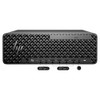
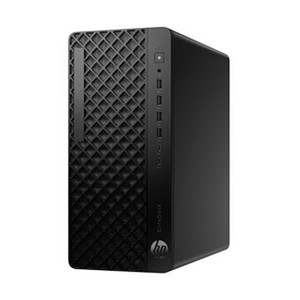
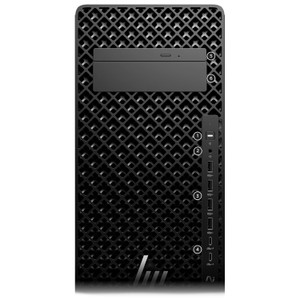
HP Inc BN5J7UT#ABA Z2 Tower G1i AI Workstation Desktop PC
Overview
The HP Z2 Tower G1i (SmartBuy configuration BN5J7UT#ABA) is a compact professional workstation built around Intel's 15th-generation Core Ultra 7 265 processor. Combining 20 cores, an integrated Intel Neural Processing Unit delivering up to 13 TOPS of AI inference throughput, 32GB of memory, a 1TB PCIe Gen 4x4 NVMe SSD, and an NVIDIA Quadro RTX 400 discrete GPU, this machine targets enterprise environments where a single platform must handle demanding computational workloads, GPU-accelerated visualization, and emerging on-device AI tasks — all within a standard mid-tower footprint. If your team is deploying HP Inc workstations across engineering, video operations, or security command centers, the G1i sits at the entry point of the Z2 tower line with a clear, factory-configured spec set that avoids configuration ambiguity common with custom-build procurement.
Key Features
- Intel Core Ultra 7 265 — 20 Cores, up to 5.30 GHz: The heterogeneous core architecture (performance + efficiency cores) means single-threaded tasks like real-time analytics dashboards spike to 5.30 GHz while background processes run on efficiency cores — net result is consistently responsive performance without the thermal spikes of a homogeneous high-core-count chip. For professional workstations running parallel encode, compile, or simulation jobs, 20 cores at this clock range handle concurrent workloads that would saturate a standard business-class desktop.
- Intel AI Boost NPU — up to 13 TOPS on-device: The embedded NPU offloads AI inference tasks (noise reduction, object detection preprocessing, generative AI copilot features) from the CPU and GPU, preserving render and compute headroom for primary workloads. At 13 TOPS this is not a datacenter inference card — it is purpose-built for Windows Copilot+ workloads and edge AI pipelines that run locally rather than cloud-round-tripping. If your workflow depends on real-time AI-assisted video enhancement or local LLM inference, this NPU is the spec to evaluate against your model's TOPS requirement.
- NVIDIA Quadro RTX 400 Discrete GPU: The RTX 400 is a professional-class GPU with ECC memory and certified ISV driver support — relevant if your applications (CAD, VMS analytics engines, GPU-accelerated video decoding) require a validated driver stack rather than a consumer GeForce build. It also enables hardware-accelerated H.265/H.264 decode, which matters when this workstation is used as a video management workstation decoding high-channel-count IP camera streams.
- 1TB M.2 PCIe NVMe Gen 4x4 TLC SSD: PCIe Gen 4x4 sequential read speeds (typically 5–7 GB/s on this class of drive) mean large project file loads, virtual machine boots, and database queries that took seconds on SATA SSDs now complete in fractions of a second. TLC NAND at this capacity tier is appropriate for mixed read/write workstation workloads — for write-intensive logging applications exceeding several hundred GB/day of sustained writes, verify endurance ratings from the HP spec sheet.
- 32GB System Memory: 32GB is the practical floor for running a hypervisor with multiple VMs, keeping large datasets in-memory for analytics, or sustaining a multi-application VMS + analytics + management console stack simultaneously. For deployments that will grow, verify the platform's DIMM slot count and maximum supported memory before purchase if expansion beyond 32GB is on the roadmap.
- SmartBuy Configuration — Factory-Locked BOM: HP SmartBuy configurations are channel-stocked, factory-built units with a fixed bill of materials — what you order is what ships, no substitution risk. This matters for enterprise procurement where configuration consistency across a fleet deployment is a compliance or imaging requirement. BN5J7UT#ABA is the specific SmartBuy SKU; reference it exactly in purchase orders to avoid receiving a differently-specced Z2 Tower variant.
- Tower Form Factor — 12 x 20 x 23.23 in, 18 lb: The Z2 Tower's physical footprint (roughly a standard mid-tower) means it fits under a desk or on a credenza without rack integration. At 18 lb it is portable enough for occasional redeployment between workstations. If your installation requires rack mounting or a smaller footprint, evaluate the Z2 Mini or a rack-optimized platform instead — the tower chassis is the right call when PCIe expansion and full-size GPU headroom matter more than space efficiency.
Integration and Compatibility
The BN5J7UT#ABA runs on Intel's 15th-generation platform, which supports current Windows 11 Pro enterprise imaging workflows and is compatible with standard enterprise management tooling (HP Manageability Integration Kit, SCCM/Intune deployment). The NVIDIA Quadro RTX 400 supports NVIDIA RTX Enterprise drivers, qualifying it for ISV-certified applications in engineering and media verticals. The platform's NPU aligns with Microsoft's Copilot+ PC specification, enabling AI-accelerated features in supported applications. For security operations deployments, this workstation is appropriate as a VMS client or analytics server in environments where a dedicated, GPU-equipped workstation is preferred over a general-purpose server. Verify VMS vendor GPU support matrices for the Quadro RTX 400 before finalizing architecture — most enterprise VMS platforms support NVIDIA GPU decode but list specific validated GPU families.
For environments standardizing on HP commercial hardware, this unit integrates with HP's ecosystem of PoE network infrastructure and peripheral management tools. IT teams already managing HP devices via HP Sure Admin or BIOS management tools will find familiar provisioning workflows.
Frequently Asked Questions
Q: What is the exact processor in the BN5J7UT#ABA?
A: The Intel Core Ultra 7 265, a 15th-generation processor with 20 cores (performance + efficiency architecture), a base clock of 1.80 GHz, and a boost clock up to 5.30 GHz. It includes Intel's integrated graphics and the Intel AI Boost NPU rated at up to 13 TOPS.
Q: Does the BN5J7UT#ABA include a discrete GPU?
A: Yes. The configuration includes an NVIDIA Quadro RTX 400 — a professional-class GPU with ISV-certified driver support, suitable for CAD, GPU-accelerated video decode, and VMS analytics workloads.
Q: What storage and memory does the BN5J7UT#ABA ship with?
A: The unit ships with 32GB of system RAM and a 1TB M.2 PCIe NVMe Gen 4x4 TLC 2280 SSD. No secondary spinning drive is included in this SmartBuy configuration.
Q: How large and heavy is the BN5J7UT#ABA?
A: The Z2 Tower chassis measures 12.00 x 23.23 x 20.00 inches and weighs 18 lb — a standard mid-tower footprint designed for under-desk or credenza placement, not rack installation.
Q: What does the Intel AI Boost NPU do, and is 13 TOPS enough for my use case?
A: The NPU offloads AI inference tasks (Windows Copilot+ features, noise suppression, local model inference) from the CPU and GPU, preserving compute headroom for primary workloads. At up to 13 TOPS it is suited for Windows AI PC workloads and edge inference pipelines — not datacenter-scale model training or high-throughput inference servers. Evaluate your specific model's TOPS requirement before assuming sufficiency.
Q: Is the BN5J7UT#ABA a SmartBuy unit — can the spec be changed at order time?
A: SmartBuy configurations are factory-fixed SKUs stocked in the channel with a specific, non-substitutable bill of materials. The BN5J7UT#ABA ships exactly as specified. If you need a different memory, storage, or GPU configuration, a custom-order Z2 Tower G1i (non-SmartBuy) is the appropriate path.
When I evaluate the BN5J7UT#ABA for security and enterprise operations deployments, the specification that immediately stands out is the combination of a 20-core Core Ultra 7 265 running to 5.30 GHz with an NVIDIA Quadro RTX 400 and 13 TOPS of NPU headroom — that is a meaningful stack for a workstation that needs to simultaneously decode multi-stream IP video, run local analytics inference, and serve a VMS operator console without frame drops or UI lag.
Technical Highlights:
- Core Ultra 7 265 — 20 cores to 5.30 GHz: The efficiency core architecture handles background OS and management processes while performance cores sustain high-frequency single-threaded tasks — net effect is a workstation that stays responsive under load rather than throttling when all 20 cores are active.
- PCIe Gen 4x4 NVMe SSD — 1TB TLC: Gen 4x4 bandwidth (5–7 GB/s class) means large project files, VM disk images, and database query results load near-instantly compared to Gen 3 or SATA alternatives — directly reduces operator wait time in data-intensive console environments.
- Quadro RTX 400 GPU: Professional GPU with certified ISV drivers means VMS platforms and engineering applications that validate against Quadro driver stacks will run without driver-compatibility caveats — important in regulated or mission-critical deployments where an uncertified consumer GPU introduces support risk.
Deployment Considerations:
- This is a SmartBuy fixed-BOM unit — reference SKU BN5J7UT#ABA exactly in purchase orders and IT asset records; even a minor HP part number variation can resolve to a different memory or GPU configuration.
- The NPU's 13 TOPS ceiling is a match for Windows Copilot+ workloads and lightweight edge inference but is not a substitute for a dedicated inference accelerator in high-throughput pipelines — if your AI workload requires sustained multi-model inference at scale, layer in a dedicated GPU or accelerator card rather than relying on the NPU alone.
This workstation is the right call for a physical security operations center or enterprise engineering workstation deployment where a single seat needs GPU-accelerated VMS decoding, local AI inference, and the reliability of a professional Quadro driver stack — all in a standard tower chassis that fits existing desk infrastructure without rack integration.