



Product images are provided for reference and may not represent the exact model, configuration, or included
components.
Overview
SKU:
TUXWIFIW
Availability:
Usually ships in 24 hours
Warranty
Manufacturer Warranty
Write a Review
 53% OFF
Write a Review
Honeywell
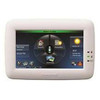
Honeywell TUXWIFIW Tuxedo Touch Wi-Fi Talking Color Touchscreen Keypad

Honeywell TUXWIFIW Tuxedo Touch Wi-Fi Talking Color Touchscreen Keypad
Honeywell TUXWIFIW Tuxedo Touch Wi-Fi Touchscreen Keypad Overview The Honeywell TUXWIFIW is a 7-inch color touchscreen keypad with built-in Wi-Fi, Eth…
Honeywell TUXWIFIW Tuxedo Touch Wi-Fi Talking Color Touchscreen Keypad
$1,288.99
$607.99
Your recommended setup
Review items below — quantities update pricing automatically.
Item
Qty
Status
Price
Optional Add-Ons recommended
Services optional
Bundle Summary
Bundle Subtotal:
$0.00
Optional Add-Ons:
$0.00
Services:
$0.00
Total:
$0.00
Overview
SKU:
TUXWIFIW
Availability:
Usually ships in 24 hours
Warranty
Manufacturer Warranty
Description

Honeywell TUXWIFIW Tuxedo Touch Wi-Fi Touchscreen Keypad
Overview
The Honeywell TUXWIFIW is a 7-inch color touchscreen keypad with built-in Wi-Fi, Ethernet, and Z-Wave controller for VISTA-series alarm panels. It functions as both a full-featured alarm keypad and a home automation controller, supporting up to 32 IP cameras (MPEG4, H.264, ONVIF) with simultaneous 4-camera viewing on the display. The built-in web server allows remote access and control from any Wi-Fi connected device on the local network.
Deployment scenarios
The TUXWIFIW is positioned as a primary user interface for VISTA installations where the end user wants a touchscreen experience combined with basic automation and camera viewing. Common installations include the main entry point of residential and small commercial properties. It replaces traditional keypads like the 6150 while adding significant functionality.
Connectivity and automation
Wi-Fi and Ethernet connectivity enable IP camera integration and local network access. The built-in Z-Wave controller manages compatible smart home devices including locks, lights, and thermostats. The web server interface mirrors the touchscreen controls for remote management.
Installation notes
The TUXWIFIW connects via the standard 4-wire keypad data bus. Dimensions are 8.23" W x 5.59" H x 1.13" D. Standby current is 140 mA at 12 V (backlight off), rising to 260 mA active. Compatible with VISTA-15P, VISTA-20P, VISTA-50P, VISTA-128BPT, and VISTA-250BPT panels. White housing.
Jerry Tildsen
The TUXWIFIW was the flagship touchscreen keypad for VISTA systems, combining alarm control, camera viewing, and Z-Wave automation in a single wall-mounted unit. I have installed these in upscale residential projects where the homeowner wanted a single point of control at the front entry.
Technical Highlights:
- IP camera integration: Supports up to 32 cameras with 4 simultaneous on-screen views for at-a-glance monitoring
- Z-Wave controller: Built-in Z-Wave eliminates the need for a separate automation hub for basic smart home control
Deployment Considerations:
- Account for the 260 mA active current draw when calculating the panel auxiliary power budget since it draws significantly more than a standard keypad
- The web server is accessible only on the local network by default which is appropriate for security but limits remote access without additional configuration
If you need multiple touchscreen keypads, factor the total current draw into your power budget. Two or more TUXWIFIW units on a single panel bus can push the auxiliary power supply to its limits.
Specifications
Product Type:
Touchscreen Keypad/Controller with Wi-Fi
Display:
7" high-resolution color touchscreen
Wi-Fi:
Built-in Wi-Fi and Ethernet
Z-Wave:
Built-in Z-Wave controller
Camera Support:
Up to 32 IP cameras (MPEG4, H.264, ONVIF)
Web Server:
Built-in for local control
Color:
White
Dimensions:
8.23" W x 5.59" H x 1.13" D
Connection:
4-wire keypad data bus
Standby Current:
140mA at 12V
Active Current:
260mA at 12V
Compatible Panels:
VISTA-15P, VISTA-20P, VISTA-50P, VISTA-128BPT, VISTA-250BPT
Series:
Tuxedo Touch
Features:
Wi-Fi, Ethernet, Z-Wave, IP camera viewer
Have Questions?
Ask an Expert.
Your recommended setup
Review items below — quantities update pricing automatically.
Item
Qty
Status
Price
Optional Add-Ons recommended
Services optional
Bundle Summary
Bundle Subtotal:
$0.00
Optional Add-Ons:
$0.00
Services:
$0.00
Total:
$0.00
RELATED PRODUCTS
System Design, Deployment & Technical Support
Support services and planning resources for commercial surveillance, access control, and infrastructure deployments.
Fixed scope • Fixed price
System Design Assistance
- Get help validating product compatibility
- Coverage requirements
- Storage planning and deployment architecture before you buy.
Deployment & Configuration Support
- Access fixed-scope support for rollout planning
- User setup guidance
- Migration and system standardization across single-site or multi-site deployments
Guides, Tools & Calculators
- PoE requirements
- Storage retention
- Camera selection and deployment methodology