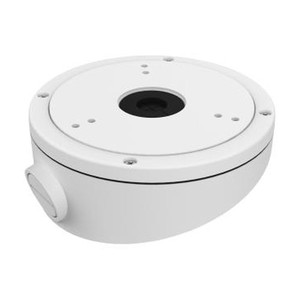
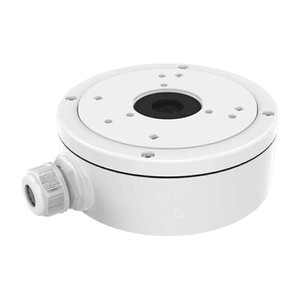
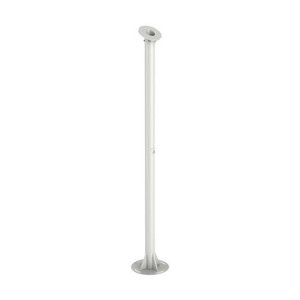
Hikvision DS-1227ZJ-DM44 In-Ceiling Mount
Overview
The DS-1227ZJ-DM44 is a professional-grade in-ceiling mounting bracket engineered for discreet installation of dome camera mounts in corporate, retail, and institutional environments. Built from aluminum alloy, this accessory enables you to integrate Hikvision IP cameras into ceiling cavities while maintaining clean sightlines and protecting glass surfaces from dust and deliberate tampering. The neutral finish blends into standard drop-tile and drywall installations without drawing attention, a practical advantage when aesthetic integration matters as much as coverage.
Key Features
- Aluminum alloy construction: Resists corrosion and thermal stress in indoor HVAC environments. Unlike painted steel, aluminum won't rust if moisture enters the ceiling cavity, a real concern in humid warehouses or data centers where condensation forms on cold surfaces.
- In-ceiling design: Mounts flush into standard 2x2 or 2x4 ceiling grids or drywall. Keeps the camera lens and housing hidden above the finished ceiling, reducing exposure to accidental contact, dust accumulation on optics, and the visual footprint of security infrastructure.
- Secure mounting platform: Engineered to handle the weight and vibration of compatible Hikvision dome housings without drift or settling over months of operation. Critical for maintaining consistent field of view in long-term deployments where even small angle shifts cause coverage gaps.
- Easy maintenance access: The mount design allows you to lower or remove the camera module without climbing or special tools, shortening maintenance windows and reducing the risk of accidentally dislodging other ceiling components during service.
- Neutral color finish: Ships in a color that matches standard office or retail ceiling materials. No paint touch-up needed in most environments, and the lack of visible branding keeps security infrastructure inconspicuous.
- Compatible with Hikvision dome cameras: Designed for the mounting footprint of select Hikvision models. Check your camera's mount specifications against the DS-1227ZJ-DM44 pattern before purchase — mismatches are the most common integration issue with ceiling mounts.
Integration & Compatibility
The DS-1227ZJ-DM44 is engineered to pair with Hikvision dome camera models that share the same mounting interface. Before specifying this mount, verify your target camera's datasheet for ceiling-mount compatibility. The bracket itself does not include electrical connections, power distribution, or cable routing — you'll need to plan network cable and any required 12VDC or PoE power delivery separately, running cabling through existing ceiling infrastructure or conduit. For multi-camera NVR deployments, ensure your network switch and cabling plan accounts for the camera placement above the finished ceiling, as some installers miss the need for separate drops or junction boxes.
When to Choose a Different Mount
If your camera must be mounted on a wall, pendant pole, or corner junction box rather than ceiling, this in-ceiling bracket is not the right fit. Similarly, if you need a mount that accommodates cameras from multiple vendors or non-Hikvision models, a universal adjustable mount may be a better starting point. For outdoor installations or environments with high moisture (kitchens, bathrooms), confirm that your selected camera and this mount are rated for those conditions — the aluminum body itself handles humidity well, but the camera lens and housing design determine the real weather tolerance.
Frequently Asked Questions
Q: Is the DS-1227ZJ-DM44 compatible with all Hikvision dome cameras?
A: No. This mount is designed for Hikvision models with matching mounting dimensions. Check your camera's datasheet or mounting interface specification against the bracket's footprint before purchase. Using an incompatible pairing risks damage to both the camera and the mount.
Q: Can I use this mount for outdoor or weatherproof dome cameras?
A: The aluminum alloy bracket itself resists corrosion, but in-ceiling installation is inherently an indoor application. If your camera is rated for outdoor use, confirm that the ceiling cavity and installation site do not expose the camera housing to direct rain, wind, or extreme temperature swings. Outdoor cameras installed indoors under eaves or soffits may work, but verify environmental specifications for both the camera and your specific site.
Q: What tools or skills are required to install the DS-1227ZJ-DM44?
A: Basic hand tools (drill, wrench, mounting template) and familiarity with ceiling work are typical. If your ceiling is suspended tile, insertion is straightforward. Drywall or concrete ceilings require anchors or fasteners sized to the bracket's load. A ladder, drill, and installer experience with camera mounts are baseline. If you're unsure, have a qualified AV integrator handle the installation — improper mounting can cause the camera to fall or tilt over time.
Q: Does the DS-1227ZJ-DM44 come with power or network connectors?
A: No. This is a mechanical mounting bracket only. It does not include electrical connectors, cable feeds, or power supplies. You must plan and provision network cabling (Cat5e/Cat6), PoE injection or 12VDC power, and any junction boxes separately.
Q: Can the bracket support heavier or larger camera models?
A: The bracket is engineered for specific Hikvision dome housing weights. If you later upgrade to a larger or heavier camera model, the original mount may not be rated for the new load. Always cross-reference camera weight against the mount's load capacity in the datasheet.
Ted PerryPerspective based on aggregated IP Security Depot and affiliated engineering team experience.
The DS-1227ZJ-DM44 is a straightforward mechanical accessory, but its value hinges on three practical deployment questions: Does your camera match its mounting interface? Can you route cabling cleanly above the finished ceiling? Will the in-ceiling position maintain the field of view you need? I've seen integrators specify ceiling mounts too early in design, only to discover that the mounting footprint doesn't align with the selected camera or that the ceiling cavity is too shallow. Aluminum alloy construction is not a selling point — it's the minimum baseline to avoid rust after six months in a humid environment.
Technical Highlights:
- Aluminum alloy body: Withstands temperature swings and moisture common in HVAC-cooled ceiling spaces without corrosion. Steel or painted alternatives rust; aluminum remains stable. Matters most in data centers, cold storage, or humid retail ceilings where condensation forms overnight.
- In-ceiling integration: Hides the mount and camera above the finished ceiling, reducing visual footprint and exposure to dust, accidental contact, or intentional tampering. Keeps sightlines clean in corporate or retail spaces where visible infrastructure is seen as unprofessional.
- Matching mounting footprint: The bracket is engineered for specific Hikvision dome housings. A mismatch means you either force incompatible components (risking damage) or you waste time engineering a workaround with shims or adapters.
Deployment Considerations:
- Verify camera compatibility before purchase. Cross-reference the camera's mounting pattern against the DS-1227ZJ-DM44 footprint in both datasheets. A single mismatch forces a redesign or return.
- Plan cabling routes early. In-ceiling installations require you to either fish Cat5e/Cat6 and power through existing conduit, drill new pathways, or run cables through the ceiling cavity to a wall-mounted junction box. Cabling is often the forgotten cost item.
- Confirm field of view. A ceiling-mounted dome may not cover a doorway or cash register as effectively as a wall or corner mount. Sketch your coverage map before finalizing mount locations.
Best suited for corporate offices, retail showrooms, and data centers where ceiling-mounted domes integrate seamlessly with drop-tile infrastructure and PoE cabling is already planned. Not ideal for environments where you need rapid camera relocation, wall-mounted coverage, or multi-vendor dome compatibility.