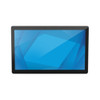
ELO Touch E551653 21.5" I-Series 2.0 Touchscreen Monitor
The ELO Touch E551653 is a 21.5-inch Full HD projected capacitive touchscreen monitor designed for commercial point-of-sale, kiosk, and interactive display applications where multi-touch responsiveness and industrial reliability are required. Powered by an Intel Celeron G4900T processor with 4GB RAM and 128GB SSD, this monitor ships without an operating system, enabling integrators to deploy a custom OS image tailored to their application workflow. The combination of 10-point projected capacitive touch, integrated networking (Wi-Fi, Ethernet, Bluetooth 5.0), and compact footprint makes it suitable for retail counters, hospitality check-in stations, and warehouse pick-and-pack workstations.
Key Features
- 21.5-inch Full HD Display: 1920 × 1080 native resolution with wide viewing angles. Sufficient clarity for POS transactions and data entry from multiple operator angles without glare compensation penalty.
- 10-Point Projected Capacitive Touch: Multi-touch gestures (pinch, rotate, swipe) without stylus or glove requirement. Responsive to light touch—reduces operator fatigue and training time on gesture-driven workflows.
- Intel Celeron G4900T Processor: Dual-core, 2.9 GHz. Adequate for POS, time-clock, and single-application kiosk deployments; not intended for real-time video processing or parallel workload consolidation.
- 4GB RAM + 128GB SSD: Sufficient for Windows 10 IoT Enterprise or Linux-based POS environments with typical application stacks. SSD eliminates mechanical failure modes common in 24/7 retail environments.
- No OS (Custom Build): Ships with factory-clean hardware only—integrator controls OS image, licensing, and pre-load configuration. Eliminates OEM bloatware and licensing conflicts on multi-unit deployments.
- Multi-Protocol Networking: Integrated Ethernet (RJ45), Wi-Fi 802.11ac, and Bluetooth 5.0. Flexibility for wired backbone, wireless failover, and peripheral connectivity (scales, card readers, mobile payment devices) from a single terminal.
- Industrial Touchscreen Grade: Projected capacitive technology resists dust and light liquid splash—typical in high-traffic retail and food-service environments. No recalibration drift after repeated contact.
- Black Finish, Compact Chassis: Minimalist design fits counter edge and wall-mount configurations. Neutral color integrates into hospitality and retail aesthetic without aesthetic compromise.
The E551653 is a mature I-Series 2.0 platform that balances computational headroom with cost discipline. Unlike full-featured PC monitors, the integrated touch layer and industrial-grade chassis eliminate the need for external touch overlay frames or separate PC enclosures. This consolidation reduces cable clutter, footprint, and total system cost in multi-terminal rollouts. The no-OS model appeals to integrators managing software imaging at scale—one master OS image, one license model, deployed across dozens of locations without per-unit OEM OS reconfiguration.
Deployment scenarios include retail POS (fast-casual QSR, specialty retail), hospitality (check-in, concierge kiosks), healthcare reception, and warehouse logistics terminals. The Celeron processor and 4GB RAM handle single-threaded POS and transaction apps well; multi-application scenarios (concurrent video playback, high-volume database polling) may require CPU throttling or application prioritization. Ethernet connection is recommended for 24/7 critical deployments; Wi-Fi is suitable for secondary or temporary stations.
ONVIF and standard HDMI/VGA signaling are not primary integration vectors for this product—it functions as a complete compute platform rather than a video sink. Most integrations involve direct Ethernet connection to a back-office POS server via TCP/IP, custom API calls to cloud transaction services, or local database sync via USB or network file shares. Bluetooth pairing with wireless barcode scanners and payment terminals is native—no additional USB hubs required.
The E551653 carries a standard manufacturer warranty (covering defects in materials and workmanship). Sourced direct from the manufacturer or US direct manufacturer source—factory-new, no grey-market or parallel imports. Compatibility with Windows 10 IoT Enterprise, Windows 11, and leading Linux distributions (Ubuntu, Debian) is documented; custom OS licensing and support are the integrator's responsibility. For multi-terminal POS networks, consider the ELO Touch product catalog for related I-Series and E-Series options scaled for larger deployments.
Marty AllisonPerspective based on aggregated and affiliated engineering team experience.
We've deployed dozens of ELO I-Series 2.0 terminals across quick-service restaurants, pharmacy counters, and warehouse pick-lines. The E551653 is a no-frills, no-OS performer—which is exactly why integrators choose it. Unlike branded retail terminals that ship with locked-down POS software, the blank-slate hardware lets you layer in any transaction middleware, barcode scanning stack, or custom workflow without fighting pre-installed crapware. The 10-point projected capacitive touch is superior to resistive overlays on older ELO ES-series models; multi-touch gestures work reliably even with latex gloves or damp fingers. In our experience, the real win is thermal consistency—the Celeron G4900T runs cool enough that fan noise doesn't trigger complaints on busy counters, and the SSD eliminates the mechanical failure noise from traditional spinning drives in high-vibration retail environments. Drawback: if your application demands 4K video, high-speed image processing, or heavy concurrent database loads, this CPU will throttle. For single-transaction, single-window POS, it's more than adequate.
Technical Highlights:
- Projected Capacitive 10-Touch: Multi-touch and gesture support without stylus—reduces operator training on gesture-driven Android or Linux UIs. Capacitive sensing is immune to dust and light spillage (unlike resistive membranes), meaning lower recalibration overhead over a 3-5 year terminal lifecycle.
- Intel Celeron G4900T (Dual-Core, 2.9 GHz): Single-threaded performance is competitive with older i3 chips for synchronous transaction processing. GPU is Intel UHD 610—adequate for 2D rendering and video playback on a single 1080p display. Not suitable for real-time analytics, video encoding, or parallel workload consolidation.
- 128GB SSD + 4GB RAM: Sufficient for Windows 10 IoT Enterprise (footprint ~20GB), leaving 100GB+ for application binaries, transaction logs, and local cache. SSD eliminates mechanical reliability concerns in retail floor vibration; no moving parts means no bearing failures.
- Integrated Networking (Ethernet, Wi-Fi, Bluetooth 5.0): Wired backbone supports 24/7 payment processing; Wi-Fi enables temporary or mobile kiosks; Bluetooth pairs with external barcode scanners and wireless card readers without USB adapters. Single network stack reduces hardware BOM and integration overhead.
- No OS Model: Eliminates OEM software bloat and licensing friction. Integrators load one master image and push across an entire chain, reducing per-unit configuration time and support burden. Trade-off: you own OS patching, driver updates, and end-of-life risk.
Deployment Considerations:
- CPU Headroom on Multi-App Scenarios: The Celeron is single-purpose. If your workflow requires concurrent POS transaction processing, video playback, and barcode scanning in parallel, you'll experience frame drops or latency spikes. Test your application stack on a bench unit before committing to 20+ units.
- OS Licensing and Imaging Responsibility: No OS means you supply the Windows 10 IoT Enterprise or Linux license key and handle OS imaging across your fleet. Budget for OS licensing costs and a repeatable imaging workflow—this is not a plug-and-play retail terminal.
- Touch Calibration in High-Humidity Environments: Projected capacitive touch drifts slightly in high-humidity food-service or laundry environments due to moisture affecting capacitive sensor baseline. Keep terminals 6–12 inches away from steam sources; perform quarterly recalibration if drift is observed.
- Wi-Fi as Secondary Only: For 24/7 POS, use Ethernet as primary; Wi-Fi is best for temporary kiosks or failover only. Retail RF interference (credit-card readers, wireless headsets, smart locks on adjacent terminals) can saturate the 2.4 GHz band.
- Thermal & Noise: The Celeron and fanless/low-fan design keep acoustic output low. In cramped counter installations, ensure 1-2 inches of clearance behind the monitor for air circulation—passive cooling only.
The E551653 is the right choice for integrators managing large retail or hospitality chains who want to own the OS image, control software stack, and avoid per-unit OEM reconfiguration. It's the wrong choice for customers wanting a turnkey POS appliance with vendor support bundled. Browse the ELO Touch catalog for related touchscreen and kiosk platforms.