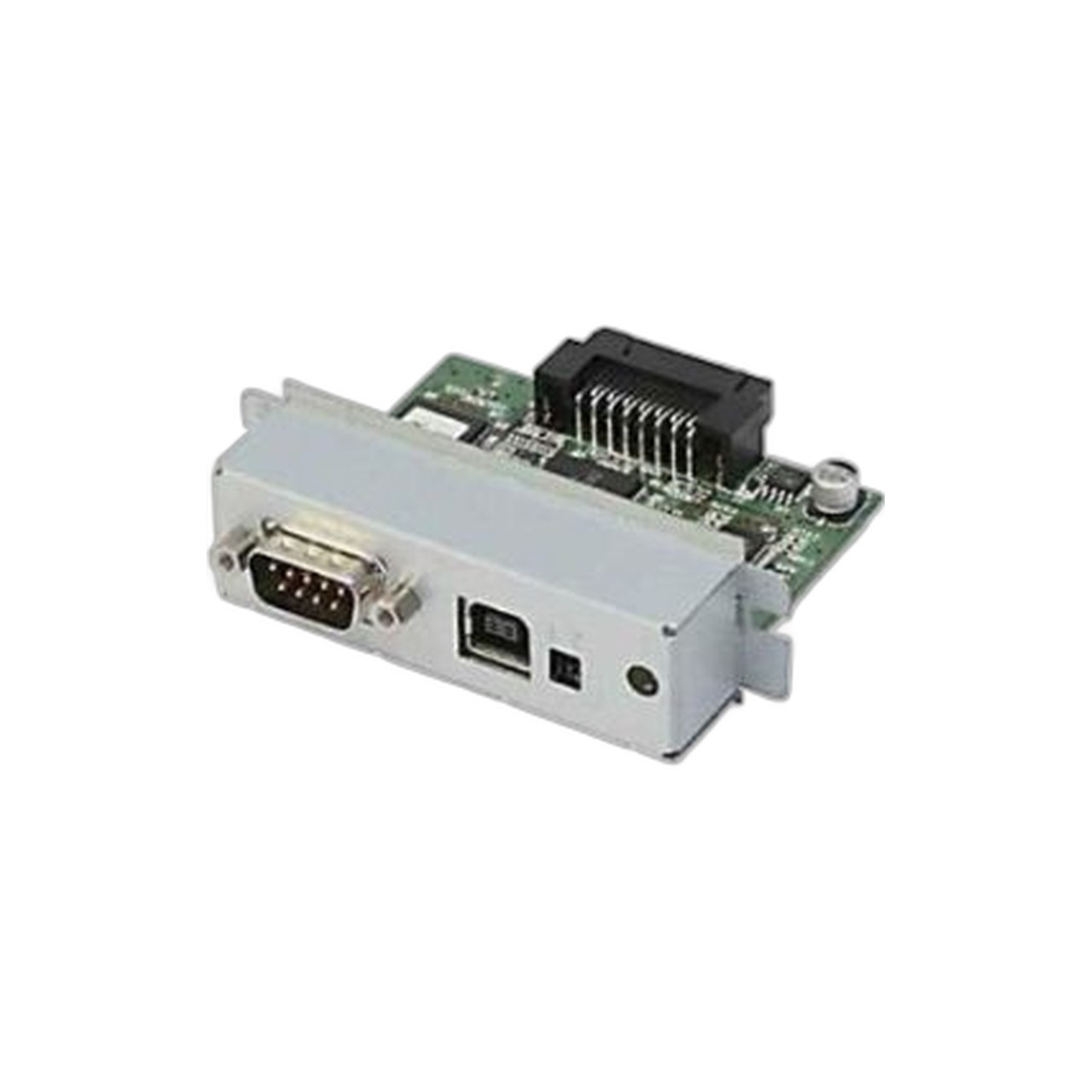
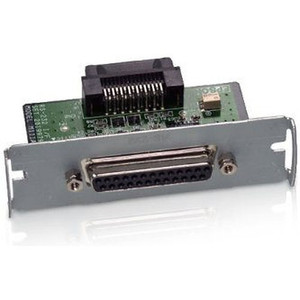
Epson C823893/SI USB Serial Interface Card for Receipt Printers
The Epson C823893/SI is a USB-to-serial interface card designed for retail POS, hospitality, and warehouse environments where legacy serial-protocol host systems must communicate with modern Epson thermal receipt printers. This card slot module converts USB input to DB-9 serial output, eliminating the need to replace working serial-based software or purchase entirely new printer hardware. It solves the common integration problem: your POS terminal or warehouse mobility device speaks serial, but the printer you need is USB-native or requires an external interface module.
Key Features
- USB-to-Serial Conversion: DB-9 serial connector output from USB input. Bridges legacy host systems to modern receipt printers without software rewrite.
- Card Slot Integration: Direct installation into Epson receipt printer's internal expansion slot. No external adapters or pass-through boxes required.
- Standard DB-9 Serial Port: Industry-standard connector allows connection to any host system with native serial port or USB-to-serial adapter.
- Retail & Hospitality Ready: Wired connectivity for POS registers, kitchen display systems, and order management platforms commonly used in quick-service and full-service restaurants.
- Warehouse & Mobility Support: Compatible with barcode label printers and mobile computing environments running serial-dependent logistics software.
- 1-Year Manufacturer Warranty: Covers defects in materials and workmanship; does not cover installation damage or incompatible host-system configurations.
Printer Compatibility & Slot Requirements
The C823893/SI installs into Epson receipt printer models that feature a removable interface card slot. Not all Epson thermal printer architectures support external interface modules — compact or fixed-configuration models do not accept this card. Before purchasing, verify your printer model's documentation or contact the manufacturer to confirm card-slot availability. Common compatible lines include certain TM-series models, but individual SKU validation is required. An incompatible printer will not accept the card and cannot be retrofitted to do so.
Installation & Configuration
Installation is straightforward but requires printer downtime and careful mechanical alignment. Power off the printer, remove the access panel or door as specified in Epson's installation guide, and seat the C823893/SI card into the designated slot until it clicks and locks into position. Once installed, connect a standard DB-9 serial cable from the card's connector to your host system's serial port (or a USB-to-serial adapter bridge if your host has only USB). The critical next step is verifying serial protocol settings: baud rate, data bits, stop bits, and flow control must match your application's requirements exactly. Mismatched settings are the leading cause of failed communication in field deployments — consult your POS software or warehouse management system documentation to confirm the correct serial parameters before going live.
Real-World Deployment Context
This interface card extends the lifecycle of working serial-based POS and warehouse systems without forcing an entire hardware refresh. Many retail and hospitality locations run legacy register firmware or order-management applications that cannot be easily upgraded to USB-native drivers. Rather than replacing the printer or rewriting software, the C823893/SI provides a bridge that costs significantly less than system-wide modernization. It is particularly valuable in quick-service restaurants with fixed kitchen-to-register communication protocols, small hospitality chains with standardized hardware builds, and warehouse operations using established barcode-label workflows. However, if you are building a new system or have budget flexibility, a modern USB-native receipt printer eliminates the interface card step and simplifies troubleshooting.
The card supports 24/7 operation in typical retail and warehouse environments (non-harsh, temperature-controlled spaces). It does not add significant latency to print jobs — the USB-to-serial conversion is transparent to the application layer. Power is drawn from the printer's internal supply, so no additional external power or USB hub is required.
Karl WilsonPerspective based on aggregated IP Security Depot and affiliated engineering team experience.
We've integrated the Epson C823893/SI across a dozen quick-service restaurant chains and several warehouse operations, and it remains one of the most cost-effective solutions for bridging aging serial POS hardware to thermal printers that would otherwise require total system replacement. The real operational win is this: if your POS terminal was purchased in 2010 or 2015 and runs serial-dependent firmware that works flawlessly, you don't need to rip out the entire ecosystem just because modern printers ship USB-native. This card does exactly what it claims — it translates the protocol without adding complexity or unreliability. Where we've seen integration fail is almost always on the configuration side: integrators who don't verify baud rate, data bits, or flow control settings before deployment. We've also encountered a small number of Epson printer SKUs listed as "compatible" by distributors that actually lack the card slot in shipping units — always pull the physical printer specifications or contact Epson directly before committing an installation. For warehouse barcode operations and POS environments locked into serial workflows, this card remains a practical alternative to costly software rewrite or hardware replacement.
Technical Highlights:
- USB-to-Serial Architecture: Card performs bidirectional protocol translation — USB input from modern hosts or legacy serial input depending on your adapter configuration. This flexibility means the same card can work in environments where the host is upgrading to USB incrementally.
- DB-9 Standard Connector: No proprietary connectors or Epson-only cables required. Any DB-9 serial cable rated for data communication works — parts are commodity hardware and readily available if a cable fails in the field.
- Card Slot Integration (No External Boxes): Unlike external USB-to-serial adapters, this card is installed inside the printer chassis. Zero additional desk or mounting real estate, and no cable clutter. In tight POS countertops and cramped kitchen print stations, that matters.
- 1-Year Manufacturer Warranty: Covers component failure; does not cover customer-inflicted installation damage or incompatible host configurations. Warranty claims are processed through Epson's standard support channels.
Deployment Considerations:
- Card Slot Availability — Not All Epson Printers Support This Module: Before purchase, confirm your specific printer model has a removable interface card slot. Check the printer's service manual or contact Epson tech support with the full model number. We've lost time on jobs where a distributor listed a model as compatible but the unit shipped from the factory without a slot.
- Serial Protocol Verification is Non-Negotiable: Baud rate (typically 9600, 19200, or 38400), data bits (usually 8), stop bits (1 or 2), and flow control (none, RTS/CTS, or XON/XOFF) must match your POS or warehouse software exactly. Mismatch results in no communication or garbled print output. Consult your application's technical documentation before installation.
- USB-to-Serial Adapter Bridge (If Your Host Lacks Native Serial Port): Many modern POS terminals and computers have no native DB-9 serial port. You'll need an external USB-to-serial adapter (not included) to connect the printer card's output to a USB host. Ensure the adapter supports the baud rate and flow-control mode your application requires.
- Installation Requires Printer Downtime and Mechanical Care: Opening the printer chassis, seating the card, and reconnecting power takes 10–20 minutes. Improper card seating or accidental damage to internal components during installation is not covered under warranty. If you're unfamiliar with thermal printer internals, have a trained technician perform the installation.
- Power Draw Is Minimal: The card draws power from the printer's internal supply — no additional external power source or USB hub is required. Print job latency is not measurably increased by the USB-to-serial conversion.
The Epson C823893/SI is the right choice for retail locations, hospitality operations, and warehouse teams running proven serial-based POS or inventory systems that cannot be easily upgraded to USB-native drivers. It extends hardware lifecycle and avoids costly software rewrites. For new deployments or systems with budget flexibility to modernize, a native USB receipt printer eliminates the interface card and reduces future troubleshooting burden. Explore the full Epson catalog for alternative receipt printer options and interface solutions.