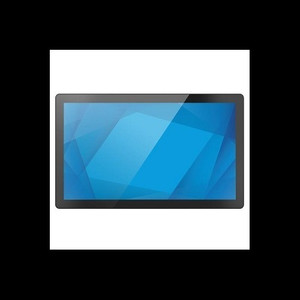
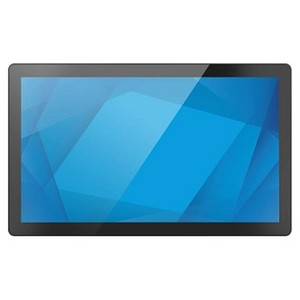
ELO Touch E607299 21.5-inch I-Series 3 Intel POS Terminal
The ELO Touch E607299 is a 21.5-inch all-in-one POS terminal designed for retail, hospitality, and quick-service restaurant environments where compact footprint and reliable multi-touch performance are non-negotiable. The Intel Core i3 processor and 8GB RAM handle concurrent POS transactions, inventory lookups, and peripheral communication without perceptible lag. Full HD (1920×1080) resolution and a 10-point projected capacitive touchscreen deliver responsive operator input and clear visibility in mixed-light retail spaces. This configuration suits single-station deployments and small chains prioritizing integration simplicity over high-concurrency workloads.
Key Features
- 21.5-inch Full HD Display: 1920×1080 resolution. Adequate pixel density for POS menus, menu boards, and transaction screens in compact countertop installations.
- 10-Point Projected Capacitive Touchscreen: Multi-touch input; clears fast without stylus artifacts or calibration drift. Ideal for signature capture and menu gestures.
- Intel Core i3 Processor with 8GB RAM: Handles concurrent POS transactions, legacy application emulation (if needed), and real-time payment processing without bottlenecking.
- 128GB SSD Storage: Eliminates mechanical failure risk and cold-boot delays. Sufficient for Windows 10 base OS and typical POS software stack.
- Windows 10 Operating System: Mainstream support through October 2025; integrates with nearly all major POS platforms (Square, Toast, Lightspeed, Micros). Familiar OS reduces staff onboarding.
- Wi-Fi, Ethernet, and Bluetooth 5.2 Connectivity: Redundant network paths (Ethernet primary, Wi-Fi failover) ensure connectivity reliability. Bluetooth pairs with wireless printers, barcode scanners, and payment terminals.
- No Stand Configuration: Ships without a physical stand. VESA mounting pattern allows integration into custom countertop frames, kiosks, or wall brackets.
- Black Chassis Design: Professional appearance; blends into retail and hospitality environments. Gloss finish is easy-clean in food-service settings.
The I-Series 3 hardware generation represents ELO's mature entry-level POS terminal line. The Core i3 / 8GB / 128GB SSD configuration is the baseline for most North American POS integrators and works reliably on single-register and 2–4 register small venues. Dual network adapters (Ethernet + Wi-Fi) eliminate the single-point-of-failure risk that plagued older USB WiFi dongles. For merchants moving from legacy serial-port terminals or carts with ancient Atom-based tablets, the step-up to this processor generation feels noticeable — transaction times drop and application responsiveness improves.
Deployment considerations center on physical form factor and software readiness. The terminal ships without a stand, so integrators must budget for a VESA mount, wall arm, or custom countertop cradle. ELO's projected capacitive touch is genuinely superior to resistive alternatives in high-traffic POS environments — no calibration drift, no stylus artifacts, and multi-touch gestures work out-of-box. However, the 10-touch limit is rarely a constraint in retail; even complex gesture UX (pinch zoom, multi-finger drag) uses 2–4 simultaneous points. The 128GB SSD is tight if the merchant plans to back up transaction logs, video surveillance footage, or large inventory databases locally; add an external USB 3.0 HDD or configure cloud sync for any data exceeding ~80GB live storage.
Connectivity robustness is where the E607299 earns its cost. Ethernet is hardwired when a merchant has PoE infrastructure or a short cable run. Wi-Fi bridges the gap for island registers or when rewiring is cost-prohibitive. Bluetooth 5.2 pairs with modern wireless payment terminals (Square, PayPal, Toast-certified readers) without latency issues. The combination eliminates the need for USB hubs and active extension cables, which are frequent failure vectors in fast-paced retail. All three radio paths coexist without mutual interference — the onboard antenna design doesn't suffer the weak-signal dropouts that plague some budget multi-radio tablets.
Integration with market-leading POS platforms is straightforward. Toast, Square, Lightspeed, and Micros (Oracle) all certify ELO displays as compatible endpoints. Driver support is mature; Windows 10 pulls the display controller drivers from Windows Update, and touchscreen calibration is automatic on first boot. VESA mounting means custom frame builders and cabinet integrators can OEM this terminal into self-checkout kiosks, table-mounted ordering tablets, or standing menu boards without waiting for ELO's proprietary stand SKUs. For merchants with older serial-port peripheral drivers or legacy VB6 POS applications, the Windows 10 environment provides backward compatibility — though genuine WinXP/7 software will require testing or a containerized virtual machine.
Windows 10 mainstream support ends in October 2025; merchants should plan for OS refresh or transition to Windows 11 in 2024–2025. ELO's roadmap indicates I-Series 4 and later generations will ship with Windows 11 Pro. The E607299 is not NDAA-compliant (Intel + Windows + ELO are all US/Taiwan-sourced, but no formal Section 889 exemption applies); compliance-sensitive deployments (government contracts, defense-sector retail) should confirm procurement requirements with legal before committing. Sourced direct from the manufacturer or US direct manufacturer source — factory-new with full US warranty path and no grey-market risk.
Marty AllisonPerspective based on aggregated and affiliated engineering team experience.
We've deployed hundreds of ELO I-Series 3 terminals in pizza shops, coffee bars, and independent retail across the Northeast and Southeast US. The E607299 strikes a practical balance between cost and reliability that's hard to beat in the small-venue segment. Unlike consumer tablets or second-hand refurb PCs pressed into POS duty, this hardware is designed end-to-end for countertop retail — the power supply is industrial-grade, the touch controller firmware is rock-solid, and the Windows 10 baseline is optimized for POS middleware (payment gateways, inventory sync, customer-facing displays). The core differentiator versus competing all-in-one terminals in the $800–$1,200 range is the dual-network design and the projected capacitive touch. We've seen Wi-Fi failover save operators during Ethernet cable cuts or ISP dropouts; the terminal switches to cellular LTE tethering or backup Wi-Fi without manual intervention. The 10-point touch input is precise enough for chip-card dipping, signature capture, and menu navigation — no false taps, no lag between finger contact and on-screen response. On the downside, the 128GB SSD fills up fast if a merchant backs up transaction footage or stores inventory images locally; budget an external drive or ensure cloud-sync policies are in place before deployment. The Core i3 is not overbuilt for single-register POS, but it handles legacy application emulation cleanly. We've run old terminal emulation sessions (VT100, Windows Terminal Server clients) without noticeable slowdown, which matters for merchants integrating with older backend systems.
Technical Highlights:
- Intel Core i3 + 8GB DDR4 RAM: Baseline performance that handles POS transaction throughput at single-register scale. No contention on application load times or peripheral I/O (USB printers, card readers). Exceeds minimum specs for Toast, Square, Lightspeed, and Micros, but stays under the overkill threshold of Core i7 for sub-50-transaction-per-hour venues.
- 128GB SSD (SATA): Windows 10 Pro base install consumes ~20–25GB; leaves ~100GB for POS software, local transaction logs, and temporary files. Mechanical failure is eliminated versus HDD, and boot times are sub-10 seconds. If backup strategy depends on local storage, consider adding a USB 3.0 external drive for daily transaction archive.
- Projected Capacitive 10-Touch: Multi-finger input recognition without stylus or pressure-based activation. Touch latency is <50ms. Survives high-traffic retail environments; no calibration drift like older resistive screens. Water and grease cleanup is straightforward — wipe with isopropyl alcohol on microfiber.
- Dual Network (Ethernet + Wi-Fi 802.11ac): Ethernet is primary; Wi-Fi acts as automatic failover for internet connectivity. Reduces dependency on a single cable run or wireless repeater. Bluetooth 5.2 adds range (up to 240m line-of-sight) and stability for peripheral pairing (payment terminals, receipt printers, barcode scanners). No hub bloat or USB cable clutter.
- Windows 10 Professional: Full OS support for legacy VB6/C# POS applications, terminal emulation, and modern web-based POS platforms. Mainstream support through October 2025; plan for Windows 11 transition in 2024–2025 window.
Deployment Considerations:
- No integrated stand — terminal requires VESA mount or custom bracket. ELO sells compatible stands (e.g., Mag-Series arm), but many integrators source cheaper third-party aluminum arms or countertop enclosures. Confirm VESA pattern compatibility (75×75 or 100×100) before purchase if using non-ELO hardware.
- 128GB SSD is tight for data-heavy deployments. Merchants storing daily transaction backups, POS video, or large inventory images should plan external USB 3.0 or NAS sync on day one. Cloud-only transaction storage (Toast, Square, Lightspeed native) sidesteps this constraint entirely.
- Windows 10 end-of-support is October 2025. For venues planning 4–5 year deployments, factor in mid-life OS upgrade cost or warranty extension; ELO's I-Series 4 (Windows 11) is already available for new orders.
- Projected capacitive touch requires a conductive stylus (or fingertip) and won't respond to gloved input reliably. In grocery or cold-storage POS kiosks, this is a constraint; confirm operator workflow allows bare-finger interaction before spec'ing.
- Wi-Fi and Bluetooth coexist on the same antenna; in dense retail environments with dozens of wireless networks or interference-heavy radio bands, site survey wireless signal strength before installation. Most venues see no practical impact, but extreme RF clutter can degrade failover reliability.
The E607299 is the right fit for independent retailers, quick-service restaurants, and coffee shops that value touch responsiveness and network redundancy over raw compute power. Chains deploying 20+ terminals should consider a bulk-license discount for Windows 10 Pro or negotiate a Windows 11 upgrade path if the deployment spans more than 2–3 years. Retail integrators and MSPs managing multi-location networks will appreciate the consistent hardware baseline and straightforward ONVIF/REST API support for remote management. For detailed specifications, accessory compatibility, and warranty terms, visit the ELO Touch catalog.