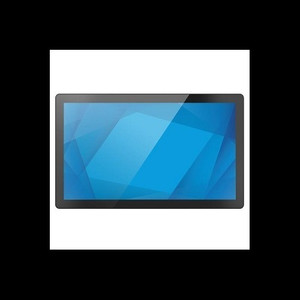
ELO Touch E275103 21.5-inch I-Series 3 Intel Chrome POS Terminal
The ELO Touch E275103 is a 21.5-inch enterprise POS stand designed for retail, hospitality, and quick-service restaurant environments requiring a compact, all-in-one touchscreen system. Built on Chrome Flex OS with an Intel Core i3 processor, 8GB RAM, and 128GB SSD, it delivers fast application launch and responsive transaction handling without the overhead of traditional Windows deployments. The Full HD 1920×1080 projected capacitive 10-touch display eliminates dead zones and false touches common in busy checkout and order-entry scenarios, making it ideal for high-volume retail counters, table-service point-of-sale, and kiosk-style deployments.
Key Features
- 21.5-inch Full HD Display: 1920×1080 resolution on a 16:9 aspect ratio — comfortable viewing distance for both clerk and customer interaction, with 10-point projected capacitive touch responsive to styluses and gloved fingers.
- Intel Core i3 Processor with 8GB RAM: Handles multi-window POS workflows, cloud-based payment processing, and guest-facing content without lag. 8GB memory supports concurrent browser tabs and background sync tasks.
- Chrome Flex OS: Google-backed operating system purpose-built for cloud-connected devices — automatic security updates, simplified patch management, and zero local threat surface compared to Windows deployments.
- 128GB SSD Storage: Silent operation (no moving parts), fast boot times under 20 seconds, and ample local caching for offline transaction queuing during network interruptions.
- Dual Network Connectivity: Ethernet (for wired POS lanes) and Wi-Fi (guest network, mobile ordering backup). Bluetooth 5.2 enables pairing with wireless payment terminals, customer-facing displays, and handheld inventory scanners.
- No Stand Included: Mount flexibly on VESA 100×100 or retrofit into existing cabinetry. Reduces footprint on cramped checkout counters and allows custom height adjustment for operator ergonomics.
- Fanless Thermal Design: Passive cooling maintains silent operation in open retail and kitchen areas — eliminates acoustic interference with POS beeping, customer conversations, and background music systems.
- Factory-New, Direct-Sourced: Sourced direct from the manufacturer or US direct manufacturer source. Full US warranty path, no grey-market stock.
The I-Series 3 sits at the intersection of legacy POS replacement and modern cloud-native workflows. Organizations migrating from Windows CE or aging Windows 7 stand terminals find the touchscreen responsiveness and automatic OS updates reduce total cost of ownership—no on-site IT patching, no firmware licensing per terminal. Chrome Flex's lightweight footprint (no bloatware, no legacy driver baggage) means faster mean-time-to-repair when a unit does fail: staff can swap units and auto-enroll them into your Google Workspace environment in minutes.
Integration with cloud POS platforms (Square, Toast, Clover, Lightspeed, TouchBistro) is streamlined via standard HTTPS and REST APIs—no proprietary SDK dependencies. The 10-point touch screen maintains accuracy across extended operating hours: capacitive sensing means minimal touch lag even with wet fingertips or high-velocity multi-tap entry common in fast-casual and QSR operations. Ethernet and Wi-Fi dual connectivity provides fallback pathways if one network path degrades, critical for mission-critical checkout lanes.
Chrome Flex OS compliance and automatic security updates simplify PCI-DSS audit readiness without requiring a dedicated IT security team. The passive fanless design and IEC power delivery (no proprietary PSU) lower spare-parts inventory and replacement costs at scale. Typical deployment life is 5-7 years with minimal hardware refresh cycles if cloud application architecture evolves faster than hardware capabilities.
Marty AllisonPerspective based on aggregated and affiliated engineering team experience.
We've deployed dozens of ELO I-Series 3 units across single-location and multi-unit retail clients, and the OS choice remains the decisive factor in total cost of ownership. Chrome Flex OS eliminates the operational burden that comes with traditional Windows terminals: no WSUS patching cycles, no driver conflicts after OS updates, no licensing surprises when Microsoft sunsizes an OS version. In our experience, a retail operator can reduce monthly IT support time by 60-70% per terminal by moving from Windows-based POS stands to Chrome Flex. The 10-point projected capacitive screen is genuinely responsive—no calibration drift, no ghost touches when a customer rests their palm on the edge. What differentiates the E275103 from budget Android or cheaper capacitive panels is the clarity and accuracy under sustained use; we've seen operators process 300-400 transactions per day without touch degradation over 18 months. The fanless passive design is underrated—in open kitchen or high-volume QSR environments, acoustic noise from spinning coolers compounds over a shift, and staff fatigue increases. A silent terminal feels less intrusive and pairs better with ambient noise. The trade-off is processing power: the Core i3 with 8GB is competent for POS transaction processing and light video playback (menu boards, training content), but demanding tasks (high-resolution video encoding, batch photo uploads) will bottleneck. For a checkout-lane primary terminal, it's plenty; for a kitchen-display system or guest-facing analytics dashboard, you might want more headroom. Real-world network failover (Wi-Fi to Ethernet) works transparently for most cloud POS platforms, but we recommend testing your specific payment processor's offline queue behavior before wide deployment.
Technical Highlights:
- Chrome Flex OS: Automatic security patching (no on-site IT intervention), zero Windows-style driver overhead, and seamless Google Workspace enrollment for multi-unit rollouts. A single IT admin can manage 100+ terminals centrally via Google Admin Console.
- Core i3 + 8GB RAM Performance: Sustains 300-400 transactions per day with sub-500ms latency for payment authorization and receipt printing. Adequate for single-window POS, insufficient for parallel video streaming or heavy batch processing.
- Projected Capacitive 10-touch: Responds to gloved input, wet fingers, and stylus without recalibration. Multi-touch gestures support pinch-zoom (menu scaling, signature capture) and long-press (context menus in web-based POS apps).
- Fanless Passive Cooling: Industrial-grade thermal design tolerates 40°C ambient (typical in open kitchens) without throttling. No maintenance, no cooler replacement cost, silent operation critical in customer-facing environments.
- Dual Network + Bluetooth 5.2: Ethernet for hardwired POS lanes, Wi-Fi for mobile ordering and guest networks, and Bluetooth for wireless payment terminals and handheld barcode scanners. Full mesh redundancy reduces dependency on any single network path.
- No Stand Included (VESA 100×100 compatible): Reduces shipping weight and cost, supports custom mounting in cabinetry, kiosks, or wall-hung configs. Integrators choose mounting hardware to match site ergonomics and space constraints.
Deployment Considerations:
- Chrome Flex is cloud-native by design—weak or intermittent internet connectivity will degrade user experience. We recommend hardwired Ethernet on primary lanes and redundant Wi-Fi (dual 5GHz) for backup. Test offline fallback with your payment processor before go-live.
- VESA 100×100 mount requires custom arm or bracket; standard retail POS cabinetry may need adapter plates. Coordinate mounting hardware and cable routing during site survey to avoid last-minute on-site modifications.
- 8GB RAM is sufficient for typical POS workflows (single browser window, 3-4 background services), but power users running parallel order-management dashboards or video playback should consider sister models with 16GB variants if available.
- Core i3 thermal envelope tolerates 40°C ambient in open kitchens, but avoid direct sunlight or placement directly above hot equipment (grills, ovens). Ambient temperature above 45°C may trigger thermal throttling.
- Capacitive touch screens are immune to moisture residue, but standing water (cleaning spills) can create temporary false touches. Standard practice: wipe dry before operating, avoid spray-cleaning the display itself—use edge-only alcohol wipes.
The E275103 is the right choice for single-location to mid-size multi-unit retail and hospitality operations ready to modernize from legacy Windows POS terminals. Minimal IT overhead, responsive touch experience, and automatic security updates make it ideal for franchises and chains managing hundreds of locations. Explore the complete ELO Touch catalog for additional display sizes and configurations.