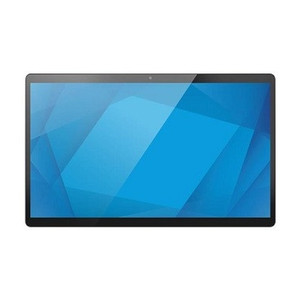
ELO Touch E540697 15.6-inch I-Series 5 Android Touchscreen Monitor
The ELO Touch E540697 is a 15.6-inch interactive display built on Android 14 with GMS (Google Mobile Services), positioning it as a flexible front-end for retail, hospitality, logistics, and warehouse automation workflows. This is not a passive monitor—it's a computing device with integrated processing, storage, and multitouch capability designed to handle point-of-service, kiosk, and edge-based applications.
Overview
The E540697 pairs a 1920 x 1080 (Full HD) projected capacitive 10-touch display with a Qualcomm Snapdragon 6490 octa-core processor. That CPU choice matters: the 6490 is a mid-range mobile processor rated for moderate multitasking and light enterprise workloads, not heavy video processing or 3D rendering. The 8 GB RAM supports concurrent app operation and lightweight data handling, while 64 GB of onboard Flash storage is sufficient for Android OS, one or two primary applications, and local caching—but not for bulk media or extended transaction logs without external offload.
Connectivity is practical for distributed deployments: Wi-Fi (802.11 a/b/g/n/ac implied in modern Android devices), Ethernet (wired PoE or standard RJ-45), and Bluetooth 5.2 (for wireless peripheral pairing—keyboards, barcode scanners, payment terminals). The 8 MP rear camera supports light documentation tasks, remote inspection, or barcode capture in warehouse and logistics settings, though it's not a high-resolution imaging device.
Key Features
- 1920 x 1080 Projected Capacitive Touchscreen (10-point multi-touch): Supports simultaneous multi-finger input and gesture recognition. Full HD resolution is adequate for dense text and QR codes at typical viewing distance (12–18 inches for a kiosk or workstation), though scaling may be necessary for users at arm's length or further away. Projected capacitive (as opposed to resistive) means no stylus required and fast response—important for responsive checkout or order-entry interfaces.
- Qualcomm Snapdragon 6490 Octa-Core Processor: Mid-range performance suitable for Android business apps, lightweight database queries, and concurrent service threads. Not designed for real-time video streaming, complex image analysis, or heavy lifting—pair with a backend server if you need serious compute. Embedded processor means lower thermal load and no cooling fan, so it's silent in quiet retail or warehouse environments.
- 8 GB RAM: Handles 3–5 concurrent applications without severe lag. If you're running a heavy POS system alongside Bluetooth device management and background connectivity, you'll be near the ceiling. Sufficient for typical single-application kiosk deployments.
- 64 GB Flash Storage: Adequate for Android 14, a primary app (POS, warehouse management, or ordering), and local cache. Not sufficient for bulk media libraries or extended transaction history without cloud or external storage integration. Plan for regular log rotation or cloud sync if you need on-device audit trails.
- Bluetooth 5.2: Reliable pairing with wireless peripherals—barcode scanners, payment readers, thermal printers. 5.2 is the current standard and offers decent range (10–30 meters in open space, closer with obstacles). Useful for decluttering counter or loading-dock workstations.
- Dual Connectivity (Wi-Fi + Ethernet + Bluetooth): Deploy this where Wi-Fi is unreliable or latency-sensitive. Ethernet ensures consistent uptime for payment processing or real-time inventory sync. Bluetooth handles peripheral diversity without additional USB hubs or wired connectors.
- 8 MP Rear Camera: Captures documents, shipping labels, and barcodes. Resolution is moderate—fine for QR and 1D barcode capture, acceptable for document scanning in a pinch, but not a replacement for a dedicated scanner. Useful for mobile inspection workflows (e.g., damage assessment in a warehouse or field service use case).
- EloView Compatibility: Integrates with Elo's remote management and monitoring platform. Allows centralized deployment, fleet updates, and diagnostics across multiple E540697 units—valuable if you're rolling out 10+ units to different locations.
- Android 14 with Google Mobile Services (GMS): Full access to Google Play Store for third-party apps. Means you can integrate off-the-shelf productivity, logistics, or retail software without building from scratch. GMS also brings Google-backed security patches and Play Protect scanning, though you're dependent on Elo for OS-level firmware updates.
Integration & Compatibility
Ethernet and Wi-Fi connectivity integrate with standard enterprise networks. If your network uses 802.1X port-based access control, confirm Android 14 (and this device's radio stack) supports your authentication method before deployment. Bluetooth pairs with standard HID (Human Interface Device) peripherals—barcode scanners, keyboards, scales—and SPP (Serial Port Profile) devices like Bluetooth thermal printers. For payment processing, use a certified PCI-DSS compliant app from your payment processor; the E540697 itself is not a payment terminal, though it can host one via app.
If you need integration with an on-site database or legacy backend, plan for REST/HTTPS calls or VPN tunneling—the processor can handle it, but avoid sustained high-bandwidth operations (heavy video streaming, bulk file transfers) which may strain the 6490.
Frequently Asked Questions
Q: Can I use the E540697 as a standalone kiosk without a backend server?
A: Yes, but with limits. Android 14 and Google Play Store let you run single-application kiosks (order entry, digital signage, check-in). For transaction persistence, cloud sync, or multi-location data aggregation, you'll need backend connectivity. The onboard 64 GB storage limits local logging.
Q: Is the 8 MP camera sufficient for barcode scanning?
A: Adequate for QR codes and 1D barcodes (UPC, Code128) at typical distances (6–12 inches). For high-speed scanning or dense label environments, a dedicated barcode scanner paired via Bluetooth is recommended.
Q: Does the E540697 support 802.1X or WPA-Enterprise Wi-Fi?
A: Android 14 natively supports 802.1X and WPA-Enterprise, but confirm with your Elo support contact that the E540697 build includes no regional blocks. Test in your environment before fleet deployment.
Q: Can I mount the E540697 on a wall or a VESA arm?
A: Physical mounting options depend on the enclosure design. Confirm VESA compatibility and weight rating with your supplier or directly with Elo before specifying a mount.
Q: What's the typical operating lifespan?
A: No explicit MTBF (Mean Time Between Failure) in the evidence. Elo's typical commercial-grade touch display lifespan is 3–5 years in moderate-use retail or warehouse settings. Plan for battery or capacitor aging in the power supply section.
Q: Does the E540697 support remote management via EloView?
A: Yes, EloView-compatible means centralized provisioning, app distribution, and remote diagnostics. Requires EloView subscription or licensing—confirm terms with your vendor.
The ELO Touch E540697 is a reasonable choice for lightweight kiosk, retail, and warehouse workstation deployments where you need a fanless, touchscreen-first device with modest on-board compute. The Qualcomm Snapdragon 6490 and 8 GB RAM are the limiting factors here—this is not a power-hungry workstation, which is both its strength and its constraint.
Technical Highlights:
- Qualcomm Snapdragon 6490 (Octa-Core): Mobile-class processor keeps thermal footprint low and eliminates fan noise, crucial for retail or public-facing kiosks. Don't expect heavy lifting—single-app or lightweight multi-threaded workloads only. Paired with 8 GB RAM, you're looking at a responsive device for order entry, inventory lookup, or check-in workflows, but not real-time video processing or complex analytics.
- 64 GB Flash Storage: Sufficient for Android 14 OS (typically 12–18 GB after bloatware removal) plus one enterprise application and local cache. Plan for external storage or cloud sync if you're logging transactions locally or caching large datasets. This is a non-negotiable constraint if your use case involves on-device audit trails or bulk media.
- Projected Capacitive 10-Touch Display (1920 x 1080): Full HD density is adequate for dense menus and barcode display at arm's length, and 10-point multi-touch eliminates stylus requirements. Capacitive touch is fast and responsive—critical for checkout or order-entry UX. No IR frame or resistive fallback, so it won't work with gloved fingers (relevant for cold-chain or industrial warehouse settings).
- Bluetooth 5.2 + Ethernet + Wi-Fi: Triple connectivity is practical. Ethernet ensures reliable uptime for payment processing; Bluetooth handles wireless scanner pairing; Wi-Fi is fallback for lighter traffic. In a warehouse with marginal Wi-Fi coverage, hardwired Ethernet is your friend.
Deployment Considerations:
- The 8 GB RAM ceiling is real. If you're planning to run a heavy POS app alongside inventory sync, payment processing, and Bluetooth device management, you're near saturation. Test your app stack in a staging environment with the Snapdragon 6490 before committing to a fleet deployment.
- 64 GB storage is tight for enterprise. If you need on-device transaction history, audit logs, or local barcode image capture, plan for regular cache flushing or cloud offload. Don't assume you can keep weeks of logs on this device.
- No explicit mention of mounting options, enclosure ratings, or ambient operating temperature range. Before specifying a wall mount, counter stand, or outdoor canopy install, confirm mechanical and thermal specifications with your vendor. The device is listed in gray, suggesting a consumer-grade industrial aesthetic—not IP-rated for weather.
- Android 14 with GMS is a strength for app diversity, but you're dependent on Elo for OS-level firmware updates and security patches. Confirm update cadence and support window before committing to a large fleet.
Deploy the E540697 in single-app or lightweight multi-app kiosk scenarios—retail checkout, warehouse receiving, field service check-in—where you can tolerate modest compute and offload heavy lifting to a backend server. If your use case demands sustained heavy multitasking, on-device video streaming, or complex analytics, step up to a higher-tier device or distribute the workload. For a 10–50 unit rollout in a warehouse or retail chain, EloView's remote provisioning and management capability will save operational overhead.