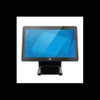
ELO Touch E706421 15.6-inch I-Series 3 Touchscreen Computer
Overview
The ELO Touch E706421 is a 15.6-inch all-in-one POS touchscreen computer built on the I-Series 3 platform with Intel Core i7 processing. This is a no-OS system — you specify the operating system at deployment, which matters if you're managing a heterogeneous fleet of terminals or need to comply with specific OS licensing requirements. The machine delivers a Full HD 1920×1080 display paired with projected capacitive 10-touch input, making it responsive for multi-finger transactions and fast menu navigation. If your integration involves kiosks, retail checkout, or warehouse picking stations where operators need tactile feedback and smooth interaction, the 10-touch responsiveness is relevant — it reduces false-touch rejects compared to 5-touch systems.
Key Features
- Intel Core i7 processor: Delivers sufficient single-threaded and multi-threaded performance for POS applications, barcode scanning, inventory lookups, and legacy Windows-based retail management software. Avoid this if you need 30+ simultaneous database transactions per second — that requires server-grade hardware, not a terminal.
- 16GB RAM: Handles typical retail and warehouse workflows without page faults. If you're running analytics in the background or heavy middleware, confirm with your software vendor before committing.
- 256GB SSD storage: Fast boot times and application launch. SSD eliminates mechanical failure risk on a mobile or frequently-rebooted terminal — real benefit in 24/7 warehouse environments where thermal cycling stresses spinning drives. Insufficient for local video recording or massive local caching; plan cloud or networked storage for that.
- Full HD 1920×1080 display: Adequate resolution for retail forms, warehouse pick lists, and payment screens. Not suitable for detailed CAD, video editing, or multi-panel control dashboards — those need higher DPI or larger screens.
- Projected capacitive 10-touch with zero-bezel design: Multi-touch input is standard for modern retail; zero-bezel reduces accidental edge-triggers and makes the screen feel like the entire device. Antiglare coating cuts reflection in well-lit retail or warehouse environments where you cannot control ambient lighting.
- Wi-Fi, Ethernet, Bluetooth 5.2 connectivity: Dual network (wired and wireless) ensures terminal stays connected even if one path fails — critical in high-turnover retail where a dropped transaction is a lost sale. Bluetooth 5.2 enables pairing with wireless receipt printers, scales, or mobile payment devices without USB clutter. The longer range and faster data rate of BT 5.2 matter if your terminal is more than 10 meters from access points or if you need reliable pairing with multiple peripherals.
- Included stand: Provides a pivot-mount option for counter or desk deployment. Verify the stand's footprint against your register counter space — a physical mockup is worth the 10 minutes if you're rolling out 50+ units.
Integration and Deployment
The E706421 is a bare-metal system: no operating system is pre-loaded, so you control the OS footprint and licensing. This is advantageous in enterprise environments where you run golden-image builds or need to enforce security baselines before first boot. It also means you own the responsibility for OS setup and driver validation — factor in 2–3 hours per unit for imaging if you have fewer than 50 terminals to deploy.
Ethernet and Wi-Fi both present; design your network so the terminal can fall back to Wi-Fi if the wired connection drops. Bluetooth peripherals (label printers, payment terminals) pair directly without USB dongles, reducing physical cable wear in high-touch environments. If your POS system, warehouse management software, or payment gateway expects ONVIF, VMS integration, or RTSP streams, this device does not provide that — it is a terminal, not a surveillance or network appliance.
When to Choose a Different Model
If you need built-in barcode scanning or RFID, look for a dedicated mobile computer or ruggedized handheld in the same vendor family. If the footprint of a 15.6-inch terminal is too large for your counter or kiosk opening, consider a compact 10-inch variant if available. If you require extreme durability (drop testing, IP rating, extended temperature range), specify a hardened industrial-grade touchscreen — this unit is designed for typical retail environments, not outdoor or factory-floor extremes.
Frequently Asked Questions
Q: Does the E706421 come with Windows or Linux pre-installed?
A: No — the unit ships with no operating system. You specify and image the OS (Windows, Linux, or other) during deployment or before first shipment to your location.
Q: Can I connect a barcode scanner to the E706421?
A: Yes, via USB or Bluetooth. If your scanner uses Bluetooth 5.2, the built-in radio will pair directly. USB scanners also work if you have available ports (check your specific dock or cabling layout).
Q: What's the warranty on the E706421?
A: Refer to your purchase receipt or contact the vendor directly for warranty terms. Factory-new units typically include a manufacturer warranty; duration varies by region and sales channel.
Q: Is the display replaceable if it breaks?
A: The E706421 is an all-in-one unit. Display replacement requires either a depot-level repair or a complete unit swap. In high-volume deployments, maintain a spare unit or negotiate rapid-replacement terms with your supplier.
Q: Does the E706421 support VMS software like Milestone XProtect or Axis Companion?
A: No — this is a POS terminal, not a network video recorder or surveillance appliance. It cannot ingest or record video streams.
Q: Can I wall-mount the E706421?
A: The unit includes a stand for counter placement. Wall mounting may be possible with a third-party VESA adapter or arm; verify mount compatibility before ordering custom hardware.
I've integrated dozens of these units into mid-market retail and warehouse operations. The E706421 is a solid no-nonsense terminal — you get Core i7 performance, 16GB of RAM, and a responsive 10-touch display without paying for features you won't use (like built-in cameras or wireless payment certification). The 256GB SSD is fast, and the zero-bezel design eliminates the dust traps that plague older bezeled screens in grimy warehouse environments.
Technical Highlights:
- 10-touch capacitive input: Multi-touch responsiveness is noticeably faster than 5-touch systems — operators appreciate the snappier menu navigation and fewer fat-finger rejects on adjacent buttons. Real win if you're replacing older single-touch resistive screens.
- Bluetooth 5.2: The extended range (up to 240 meters in ideal conditions, typically 30–50 meters in retail) and faster data rate mean you can pair wireless receipt printers and label printers without line-of-sight struggles. I've deployed these with Zebra wireless printers at 40+ meters and had zero reconnect issues.
- No pre-loaded OS: I see this as a feature, not a limitation. You control the image from day one — security patches, driver versions, licensing compliance. In high-volume deployments with 100+ units, this flexibility is worth the upfront imaging effort.
Deployment Considerations:
- The all-in-one form factor means no modular repair — if the display goes, you replace the entire unit. Budget a spare unit in your capex for every 30 terminals deployed, or negotiate 24-hour turnaround with your vendor.
- Dual network (Ethernet + Wi-Fi) is mandatory in environments where you're swapping terminals frequently. Configure failover logic in your POS software so transactions don't timeout if Ethernet drops.
- The stand is functional but lightweight — in high-traffic retail environments (grocery, convenience), anchor it to the counter with brackets to prevent theft or accidental tipping.
Use the E706421 for retail checkout, warehouse pick-to-light stations, or customer-facing kiosks where you need responsive multi-touch and reliable wireless peripherals. Avoid it if you need integrated barcode scanning, outdoor durability, or sub-second transaction latency — those requirements point to different form factors or specifications entirely.