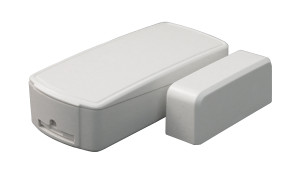
ELK Products ELK-6040 Security System Accessory
Overview
The ELK-6040 is a security system accessory designed to integrate with ELK Products control platforms. This component expands system capability for commercial and institutional deployments where multi-door access control, alarm monitoring, and integrated security coordination are required. The ELK-6040 works within the ELK security architecture and pairs with existing control panels and communication modules to extend field device connectivity and system functionality without replacing core hardware.
Integration & Compatibility
The ELK-6040 integrates with ELK security system architecture and communicates with supported control panels, communication modules, and field devices. Installation requires compatibility with supported ELK control platforms and firmware versions. Before deployment, verify your control panel model and current firmware revision against ELK documentation to confirm compatibility. This step prevents configuration failures and ensures the accessory functions as intended within your existing system topology.
Consult system documentation and your ELK platform's technical specifications to confirm supported versions and any configuration steps required for proper pairing. Integrators should verify compatibility during pre-sales engineering to avoid integration delays in the field.
Deployment Considerations
The ELK-6040 is suited for security integrators deploying expanded access control zones, multi-reader environments, or systems requiring enhanced alarm monitoring coordination. It supports scaling of existing ELK installations without wholesale hardware replacement. When planning integration, account for installation labor, control panel capacity headroom, and communication protocol alignment with existing field devices.
This accessory is a component within a larger security architecture — effective deployment depends on proper system design, accurate compatibility verification, and alignment with your control panel's current firmware and configuration state. Integrators experienced with ELK platforms will find installation straightforward; first-time deployments should reference manufacturer installation guides and, if needed, contact ELK technical support for configuration assistance.
Frequently Asked Questions
Q: What control panel models does the ELK-6040 support?
A: The ELK-6040 integrates with supported ELK security control platforms. Specific panel compatibility depends on firmware version. Consult ELK technical documentation or contact ELK support with your panel model and firmware revision to confirm compatibility before purchase.
Q: Do I need firmware updates to use the ELK-6040?
A: Compatibility varies by control panel firmware version. Check your current firmware revision against ELK's compatibility matrix before installation. Some deployments may require firmware updates; others may not. Verify in advance to avoid field delays.
Q: Can the ELK-6040 be installed by an integrator unfamiliar with ELK systems?
A: Installation requires understanding of ELK platform architecture and configuration. If you are new to ELK systems, reference the manufacturer's installation documentation or consult ELK technical support. Experienced integrators familiar with ELK control platforms will find integration straightforward.
Q: What documentation is available for the ELK-6040?
A: ELK publishes datasheets, integration guides, and compatibility documentation. Download the ELK-6040 datasheet (linked in the Quick Specs above) or contact ELK support directly for additional technical details.
Ted PerryPerspective based on aggregated IP Security Depot and affiliated engineering team experience.
The ELK-6040 is an accessory component — not a standalone system. Its value lies entirely in compatibility with existing ELK control platforms. Before committing to this part, verify your current panel model, firmware revision, and feature set. A configuration mismatch or unsupported firmware version will waste integration hours and delay deployment. The ELK-6040 works well when it's the right fit for your platform; it's a dead-end investment if your panel isn't on the supported list.
Deployment Realities:
- Firmware dependency: ELK-6040 support varies by control panel firmware revision. Confirm compatibility against the manufacturer's technical matrix before purchase. Some integrators discover unsupported versions only after opening the box.
- System architecture alignment: This accessory extends control panel functionality within existing ELK architecture. It does not bridge to non-ELK systems or third-party platforms. If you're planning a mixed-brand security environment, verify integration paths with your VMS and control software first.
- Installation prerequisite: Proper installation depends on accurate system design and configuration discipline. Integrators should have ELK control platform experience or access to ELK technical documentation and support resources.
Choose the ELK-6040 if you are expanding an existing ELK deployment and your control platform firmware is on the supported list. Skip it if you are unsure about compatibility or if your panel firmware is untested with this accessory. A quick call to ELK support or a review of compatibility documentation takes 15 minutes and saves hours of field troubleshooting.