APC by Schneider Electric AP9644 Network Management Card 4 for Galaxy VS
Overview
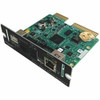
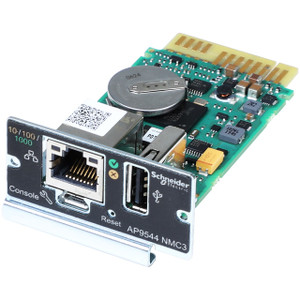
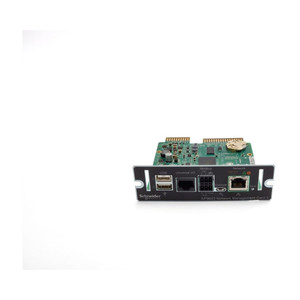
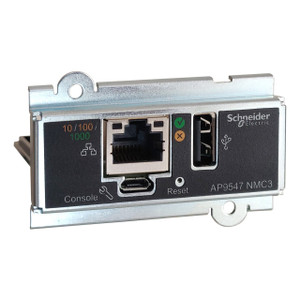
The AP9644 is APC by Schneider Electric's fourth-generation Network Management Card (NMC4) designed as an internal slot-in component for the Galaxy VS UPS platform. It adds a single 10/100 Ethernet (RJ-45) interface to an otherwise network-blind UPS, giving data center and facilities teams remote visibility into UPS status, event history, and environmental conditions — without requiring a separate external adapter or IP-to-serial converter. If you manage power and UPS infrastructure across multiple racks or rooms, this card is the mechanism that brings your Galaxy VS into your DCIM or SNMP management plane.
Key Features
- Single RJ-45 Ethernet port: One network connection handles all management traffic — SNMP polling, web dashboard access, email alerts, and Syslog forwarding — so there's no additional switch port budget beyond a single 10/100 drop per UPS.
- Internal form factor: Installs directly into the dedicated NMC slot on the Galaxy VS chassis. No external enclosure, no additional cabling beyond the Ethernet run — cleaner rack presentation and no risk of an external adapter being accidentally disconnected.
- SNMP v1/v2c/v3 and HTTPS management: Supports the protocol stack expected by enterprise NMS platforms (SolarWinds, PRTG, Nagios, and equivalents) as well as a built-in HTTPS web interface for direct browser access. SNMPv3 adds authenticated and encrypted polling for environments where unencrypted v1/v2c is a compliance issue.
- Environmental monitoring port: The NMC4 generation adds a sensor port for APC NetBotz-compatible temperature and humidity probes — relevant for any network management deployment where the UPS room's ambient conditions need to be logged alongside power events.
- IPv4 and IPv6 dual-stack: Addresses legacy and modern network segments without requiring a separate management VLAN workaround or NAT translation layer.
- Role-based access control and RADIUS support: Integrates with existing enterprise authentication infrastructure rather than relying solely on local credentials — a meaningful control in multi-administrator environments.
Integration and Compatibility
The AP9644 is designed specifically for the APC Galaxy VS UPS family. It is an internal card — verify your Galaxy VS has an open NMC slot before ordering. The card communicates with APC's EcoStruxure IT platform and is compatible with APC UPS management software including PowerChute Network Shutdown, enabling graceful OS shutdown sequencing across connected servers during extended outages. For broader data center infrastructure integration, it supports Modbus TCP alongside SNMP, which is useful in facilities that use building management systems (BMS) alongside IT network management tools. Cisco EnergyWise compatibility is also supported for environments tracking power consumption at the device level.
Frequently Asked Questions
Q: What UPS models is the AP9644 compatible with?
A: The AP9644 is designed for the APC Galaxy VS UPS platform as an internal NMC slot card. It is not a universal NMC — confirm your Galaxy VS model has an available internal NMC slot before ordering.
Q: Does the AP9644 require additional software to function?
A: No. The card includes an embedded HTTPS web interface accessible directly via browser once an IP address is assigned. APC PowerChute Network Shutdown software is optional and required only if you need automated graceful server shutdown during a power event.
Q: What network protocols does the AP9644 support?
A: The card supports SNMP v1/v2c/v3, HTTP/HTTPS, SSH, Modbus TCP, SMTP for email alerts, and Syslog. IPv4 and IPv6 are both supported.
Q: Can the AP9644 monitor temperature and humidity?
A: Yes. The NMC4 generation includes an environmental sensor port for connecting APC NetBotz-compatible temperature and humidity probes to monitor conditions in the UPS room alongside power data.
Q: Is the AP9644 compatible with third-party NMS platforms like SolarWinds or PRTG?
A: Yes. SNMP v1/v2c/v3 support means the card can be polled by any standards-compliant NMS platform. APC also publishes MIB files for the NMC4 to enable detailed UPS OID mapping in your NMS.
The AP9644 is the card you reach for when a Galaxy VS UPS needs to move from a standalone device into a managed infrastructure. That single RJ-45 Ethernet port does more than it looks like — SNMP v3 polling, HTTPS dashboard, Modbus TCP for BMS integration, email alerts, and environmental sensor input all flow through it simultaneously.
Technical Highlights:
- SNMP v3 with encryption: Unlike v1/v2c which transmit community strings in cleartext, v3 adds authentication and AES/DES encryption — worth specifying if your security team has flagged unencrypted SNMP as a finding in past audits.
- Modbus TCP alongside SNMP: Facilities that run a BMS (building management system) separate from their IT NMS can poll the Galaxy VS over Modbus TCP without requiring a protocol bridge or gateway device.
- Environmental sensor port: Adds temperature and humidity monitoring to the UPS management loop — one card, one IP address, both power and ambient data reported to the same management platform.
Deployment Considerations:
- This is an internal slot card specific to the Galaxy VS — it does not fit other APC UPS families such as the Smart-UPS or Symmetra lines. Verify the target chassis before ordering.
- Initial IP assignment requires either DHCP or a direct console/USB connection for static configuration — plan for physical access to the UPS during first commissioning.
The AP9644 is the right fit for data center operators running Galaxy VS UPS units who need those units visible in SolarWinds, PRTG, EcoStruxure IT, or a BMS — specifically where SNMPv3 security and environmental co-monitoring are requirements, not nice-to-haves.