APC by Schneider Electric AP9643 UPS Network Management Card 3 with Environmental Monitoring
Overview
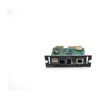
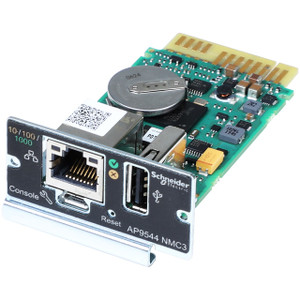
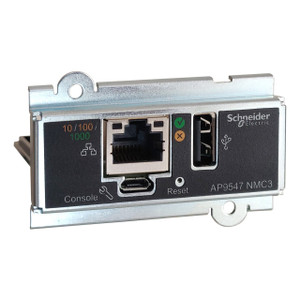
The APC by Schneider Electric AP9643 is a third-generation UPS network management card (NMC3) that adds Gigabit Ethernet connectivity, integrated Wi-Fi, and environmental sensor support to compatible APC UPS systems. For data center and IT infrastructure teams who need remote UPS monitoring without running a dedicated serial or legacy 10/100 link, the AP9643 closes that gap with a modern network stack and dual USB ports for expanded peripheral or sensor attachment.
Key Features
- Gigabit Ethernet (10/100/1000BaseT): Full 1GbE support via a single RJ-45 port means the card fits directly into modern access switches without a speed mismatch — no separate media converter needed on the UPS rack.
- Integrated Wi-Fi: The wireless radio lets you monitor and manage UPS devices in locations where pulling a Cat6 run is impractical — think remote wiring closets, modular data halls, or temporary deployments. No additional wireless bridge hardware required.
- IEEE 802.1X Network Authentication: Port-based access control ties the card into your existing NAC policy — the UPS management interface won't join the network until it authenticates, which matters in segmented enterprise environments.
- HTTPS, SSH, TLS Security Stack: All management traffic is encrypted in transit. TLS protects the web UI; SSH protects CLI access. Unencrypted Telnet/HTTP can be disabled entirely, which satisfies most hardening checklists.
- Dual USB Ports: Two USB connections support additional APC environmental sensors or firmware update media — useful when the card is installed deep in a rack with no convenient laptop access.
- IPv6 Support: Native IPv6 routing means the AP9643 integrates cleanly into dual-stack or IPv6-only network segments without additional tunneling configuration.
- Compact Internal Form Factor: At 121 × 108 × 38 mm, the card installs in the UPS management bay without consuming a full rack unit — preserving front-panel real estate.
Integration & Compatibility
The AP9643 is designed for APC SmartSlot-compatible UPS systems and communicates with APC's EcoStruxure IT platform for centralized infrastructure monitoring. The IEEE 802.1X and TLS support aligns with enterprise network security policies, and IPv6 compatibility ensures the card fits modern dual-stack environments. Environmental monitoring input allows attachment of APC temperature/humidity sensors for consolidated UPS and ambient monitoring within a single management interface.
Frequently Asked Questions
Q: Does the AP9643 support wireless connectivity, or is it Ethernet-only?
A: The AP9643 supports both — it includes a single Gigabit Ethernet RJ-45 port and integrated Wi-Fi, so you can connect via cable or wirelessly depending on your deployment.
Q: What network security protocols does the AP9643 support?
A: The card supports HTTPS, SSH, and TLS for encrypted management traffic, plus IEEE 802.1X for port-based network access control.
Q: What are the physical dimensions of the AP9643?
A: The card measures 121 mm wide × 108 mm deep × 38 mm tall — it installs internally in the UPS SmartSlot bay.
Q: How many USB ports does the AP9643 provide?
A: Two USB ports are included, suitable for connecting APC environmental sensors or firmware update media.
Q: Does the AP9643 support IPv6?
A: Yes — the AP9643 includes IPv6 routing support for integration into dual-stack or IPv6-only network segments.
The AP9643 is one of the few UPS management cards that pairs Gigabit Ethernet with an onboard Wi-Fi radio — useful in retrofits where the UPS bay predates structured cabling runs to that rack position. I've seen this card deployed specifically in edge closets and modular prefab data halls where pulling Cat6 isn't worth the cost for a single UPS drop.
Technical Highlights:
- Gigabit Ethernet + Wi-Fi: Dual-path connectivity means you aren't locked into whichever medium is available at install time — swap between wired and wireless without swapping the card.
- 802.1X + TLS + SSH: Three independent security controls on a single card. 802.1X keeps the management interface off the network until it authenticates; TLS and SSH ensure all in-flight management data is encrypted. This combination satisfies most enterprise NAC and hardening requirements without additional appliances.
- Dual USB + Environmental Input: Two USB ports support peripheral attachment or local firmware updates; the environmental monitoring input consolidates temperature and humidity alerting into the same management interface as UPS status — reducing the number of agents you need on the monitoring server.
Deployment Considerations:
- The card installs in APC SmartSlot-compatible UPS systems — confirm your UPS chassis has an available SmartSlot bay before ordering; some older or entry-level Smart-UPS models have the slot occupied by a factory-installed basic card.
- Wi-Fi convenience comes with a caveat: UPS management traffic on a wireless segment is subject to RF interference and association timeouts that wired management isn't — in tier-2 or tier-3 data center environments where UPS uptime signaling is business-critical, wire it.
The AP9643 is the right card for distributed enterprise edge sites — branch offices, remote wiring closets, or modular hall deployments — where you need full remote UPS monitoring and environmental alerting but can't guarantee a dedicated wired drop at every UPS location.