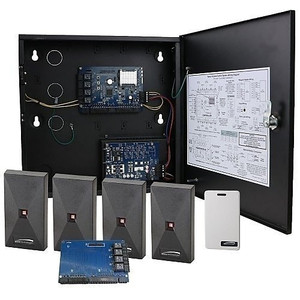
Product images are provided for reference and may not represent the exact model, configuration, or included components.

Overview

SKU: AP36
Condition: New
Availability: Special Order · Usually Ships in 2-3 Weeks
Write a Review 27% OFF

Speco Technologies Converts Advantage to Professional- Upgrade 5 to 36 doors - AP36

Speco Technologies AP36 Professional Upgrade ModuleThe AP36 is a software license that converts a Speco Advantage access control system into a Profess…

$281.59 $205.99 SAVE $76
Special Order
Ships in 2-3 Weeks

Quantity:

Adding to cart… The item has been added
Compatibility guidance available for your deployment
Senior specialists for pre and post-sales support
Authorized sourcing and documentation support
Shipping and lead-time confirmation before install

Laura Bennett, IPSD Senior Specialist

Talk to Laura

200+ hrs training • U.S - based

Senior Specialist • 877-277-7147

Speco Technologies Converts Advantage to Professional- Upgrade 5 to 36 doors - AP36

$281.59
$205.99

Overview

SKU: AP36
Condition: New
Availability: Special Order · Usually Ships in 2-3 Weeks

No Bots, Just Experts

Questions about this product? Free pre-sales support from a senior specialist — product questions, compatibility checks, BOM quotes, price confirmation — typically answered within one business day. Need camera placement or system design work? Engineering time is $175 per hour (qty 1 = 1 hour). Hardware buyers get up to one hour ($175) credited back on their order.

Description

Speco Technologies AP36 Professional Upgrade Module

The AP36 is a software license that converts a Speco Advantage access control system into a Professional-tier deployment supporting up to 36 doors (reader pairs). Deploy this when your facility grows beyond the Advantage 4-door ceiling and you need expanded user capacity, scheduling depth, and mobile app integration without replacing the core controller hardware.

Compatibility

The AP36 works exclusively with Speco Advantage control panels. It unlocks the Professional software tier, enabling the system to manage 36 input readers and 36 output devices (vs. the Advantage limit of 4 in/4 out). This license is a prerequisite for Professional system features — it does not ship with hardware components. Existing Advantage installations can license up to 36 doors; further expansion to 128 doors requires the APP36 and AP128 licenses in combination.

System Capacity Unlocked

Once applied, the AP36 license authorizes the following Professional-tier specifications: 5,000 users (up from 1,000 on Advantage), 32,000 access cards per system (up from 8,000), 512 access levels (vs. 25 on Advantage), 250 time schedules, 32 access groups, 30,000 transaction event capacity, and pre-configured 32 operator levels with concurrent login support. Mobile app (Android & iOS) becomes available for cloud and P2P remote monitoring and credential management. Floor plan visualization with active door icons and elevator integration, alarm acknowledgment, and customer-defined reporting all transition from unavailable to included.

Installation Notes

The AP36 is a pure software license — no physical installation required. Deployment involves entering the license key into the Advantage control panel's software interface to activate Professional tier capabilities. Consult your system administrator or integrator to confirm the Advantage panel firmware version supports Professional licensing before purchase. The license applies to the specific controller serial number or system ID; migration to a replacement controller may require relicensing.

Specifications
Type: Professional- Upgrade to 36 doors
Q&A
Reviews
Have Questions?

RELATED PRODUCTS

System Design, Deployment & Technical Support

Support services and planning resources for commercial surveillance, access control, and infrastructure deployments.

Fixed scope • Fixed price

System Design Assistance

  • Get help validating product compatibility
  • Coverage requirements
  • Storage planning and deployment architecture before you buy.
Request Design Help

Deployment & Configuration Support

  • Access fixed-scope support for rollout planning
  • User setup guidance
  • Migration and system standardization across single-site or multi-site deployments
View Support Services

Guides, Tools & Calculators

  • PoE requirements
  • Storage retention
  • Camera selection and deployment methodology
Open Technical Resources