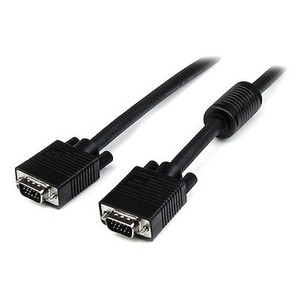
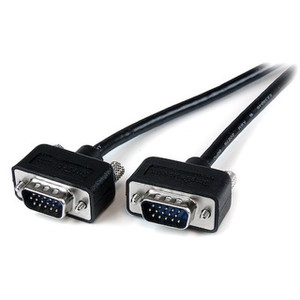
StarTech MXT101HQ3 3-Foot VGA Monitor Cable (HD15 Male/Male)
Overview
The StarTech MXT101HQ3 is a 3-foot (0.9 m) VGA cable terminated with dual High Density 15-pin D-Sub (HD15) male connectors on both ends. At 75-ohm impedance, it maintains signal integrity up to 1920x1200 and above — making it a practical choice for connecting a VGA source to a monitor, projector, or display console in control rooms, workstations, or AV integration racks where VGA remains the required interface.
The 36-inch length (91.4 cm) is purpose-sized for desktop and rack-adjacent runs where excess cable creates management problems. At 6.7 oz (190 g), it's light enough to avoid strain on port connectors even without secondary support.
Key Features
- 75-Ohm Impedance: Matched impedance across the cable reduces signal reflection and ghosting at higher resolutions. If you've seen a blurry or doubled image on a VGA run, impedance mismatch is often the cause — this cable is built to spec.
- 1920x1200 and Above: Supports WUXGA and higher resolutions, so it won't be the limiting factor on modern monitors running above 1080p. Useful for control room displays or video wall sources where VGA is still the available output.
- HD15 Male-to-Male Connectors: Standard VGA interface — compatible with any monitor, projector, or graphics card using a 15-pin VGA port. No adapters required for direct source-to-display connections.
- 3-Foot Length: Designed for short-reach connections — desktop monitor to PC, rack-mount KVM to display, or AV source to local projector. Long enough to avoid a taut run; short enough to stay tidy without cable management headaches.
- 6.7 oz Lightweight Construction: Low mass means no mechanical stress on the VGA port — relevant for rack equipment or thin-bezel monitors where port reinforcement is minimal.
Integration and Compatibility
The MXT101HQ3 works with any device using a standard VGA (HD15) port: desktop graphics cards, laptop VGA outputs, projectors, KVM switches, video matrix switchers, and monitors. VGA carries analog video only — no audio, no USB, no data. If your display or source requires audio over the same cable run, a separate audio connection is required. This cable does not support HDCP or digital signals; for digital sources, an HDMI cable or active adapter is needed instead.
For integrators building out surveillance monitoring stations or control room consoles where legacy VGA sources are still active, this cable handles the analog video segment cleanly. Pair with a KVM switch if managing multiple sources from a single display.
Frequently Asked Questions
Q: What is the maximum resolution supported by the MXT101HQ3?
A: The MXT101HQ3 supports 1920x1200 (WUXGA) and above, so it will not limit resolution on any standard VGA display.
Q: Does the MXT101HQ3 carry audio as well as video?
A: No. VGA is an analog video-only interface. Audio requires a separate cable connection.
Q: What connector type is on each end of the MXT101HQ3?
A: Both ends use a High Density 15-pin D-Sub (HD15) male connector — the standard VGA interface found on monitors, projectors, and graphics cards.
Q: Is 3 feet long enough for a typical desktop setup?
A: The 3-foot (0.9 m) length is designed for desktop or rack-adjacent runs where the source and display are within arm's reach. For longer runs, a longer VGA cable should be selected.
Q: What impedance does the MXT101HQ3 use, and why does it matter?
A: The cable is rated at 75 ohms, which matches the impedance of standard VGA signals. Proper impedance matching minimizes signal reflection and ghosting — especially noticeable at higher resolutions like 1920x1200.
The MXT101HQ3 is a straightforward cable, but the 75-ohm impedance spec is the detail that separates a cable worth buying from one that causes resolution-degradation headaches on a 1920x1200 display. I've seen integrators swap out cheap VGA cables as a first troubleshooting step more than once — impedance mismatch at WUXGA is more common than people expect.
Technical Highlights:
- 75-Ohm Impedance: Matches the VGA signal spec precisely — reduces ghosting and smearing at 1920x1200, which is where cheap cables start failing visually.
- 1920x1200+ Support: Headroom above 1080p matters for WUXGA control room monitors and high-resolution projectors. The cable won't be the weak link.
- 3-Foot / 36-Inch Length: Sized for desktop and short rack runs — keeps cable management clean without the excess loop that accumulates with longer cables in tight spaces.
Deployment Considerations:
- VGA is analog-only — plan your audio routing separately if the display or source requires it. This cable handles video exclusively.
- At 3 feet, measure your actual source-to-display distance before ordering. If the gap exceeds roughly 24–30 inches with any routing, you'll want the next length up.
Best fit for control room operator workstations, rack-mount KVM-to-monitor connections, or any short-run analog video segment where a 1920x1200-capable, impedance-matched cable is needed and the run stays under 3 feet.