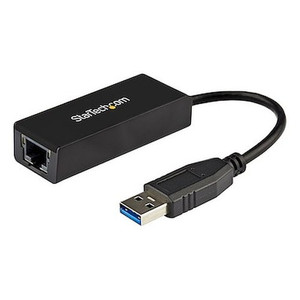
StarTech US1GC303APD USB-C to Gigabit Ethernet + 3-Port USB-A Hub with 60W Power Delivery
Overview
The StarTech US1GC303APD is a compact USB-C multiport adapter that adds a Gigabit Ethernet port, three USB-A 3.0 ports, and 60W Power Delivery pass-through charging through a single USB-C connection. At 3.7 x 1.6 x 0.7 inches and 1.6 oz, it is designed for laptops and workstations that have shed their legacy ports but still need wired network connectivity and full-speed USB-A peripherals on a desk or at a mobile workstation without hunting for a power brick. If your deployment involves IT technicians, field engineers, or security operations staff working from USB-C ultrabooks, this adapter handles the connectivity gap without requiring a full docking station.
Key Features
- 2 Gbps Ethernet Controller with 10/100/1000 Mbps Autosensing: the adapter negotiates the highest available link speed automatically — 1 Gbps on modern switches, 100 Mbps on older infrastructure. Wired throughput eliminates the latency variability that Wi-Fi introduces when streaming live video feeds from NVRs or accessing VMS servers across the LAN. Jumbo frame support up to 9K reduces CPU overhead on large transfers — useful when pulling recorded footage across the network.
- Full Duplex Operation: simultaneous send and receive without collision overhead. For applications like VMS client connections where upstream commands and downstream video streams run concurrently, full duplex prevents the throughput halving you get with half-duplex legacy NICs.
- Three USB-A 3.0 Ports at 5 Gbps Each: each port runs the full USB 3.0 5 Gbps data rate, so connecting a USB 3.0 external SSD, a barcode scanner, and a USB camera simultaneously does not force them to share a single bus bottleneck. Useful for technicians running multiple USB peripherals at a commissioning bench.
- 60W USB-C Power Delivery Pass-Through: the adapter accepts a 60W USB-C power source and routes charging to the host laptop while the adapter runs — so the USB-C port on the laptop serves connectivity and charging simultaneously. No second power port needed. Note: the 60W ceiling covers most thin-and-light ultrabooks; high-performance laptops with 90W+ charging requirements will charge at reduced rate.
- 5.9-Inch Attached Cable: the short tethered cable keeps the adapter close to the laptop without a dangling connector stub. Long enough to clear a laptop's side port and sit flat on a desk surface, short enough that it does not create cable management issues in a tight workstation setup.
- Operating Temperature 0°C to 45°C: rated for standard office and data center ambient conditions. Not designed for extended operation in unheated server rooms or outdoor enclosures — match environmental specs to your deployment location.
- USB Type-C Host Connector: connects to any USB-C port that supports USB 3.0 data (5 Gbps). Confirm the host port supports USB 3.0 data speeds — USB-C ports on some older devices are USB 2.0 only, which limits both the USB-A peripheral speeds and Ethernet performance.
Integration and Compatibility
The US1GC303APD uses standard USB-C to USB 3.0 host connectivity, making it broadly compatible with Windows, macOS, Chrome OS, and Linux systems that present a USB-C 3.0 or USB4 port. The Gigabit Ethernet port uses a standard ASIX or similar USB NIC controller that is natively supported by modern operating systems without additional driver installation in most cases — though confirming driver availability for your specific OS version before a large-scale deployment is a reasonable precaution. The RJ-45 port connects directly to any 802.3 Ethernet switch supporting 10/100/1000 Mbps. No proprietary protocols or firmware management required. The USB-A ports are backward compatible with USB 2.0 and USB 1.1 devices, delivering appropriate speeds to legacy peripherals without requiring a separate hub. For network switch pairing, any unmanaged or managed Gigabit switch will work — the adapter does not require a PoE-capable port since it draws power from the host USB-C bus, not the Ethernet link. If you are building out a security network infrastructure that includes laptop-based VMS clients, this adapter provides the wired connectivity those clients need. For broader StarTech connectivity solutions, the US1GC303APD fits within a wider portfolio of USB-C adapters and docking stations suited to enterprise IT and security integration workflows. Teams sourcing USB hubs and adapters for field deployment kits will find the compact form factor practical for go-bag configurations.
Frequently Asked Questions
Q: What is the maximum Ethernet speed supported by the US1GC303APD?
A: The US1GC303APD supports 10/100/1000 Mbps (Gigabit Ethernet) with full duplex operation and jumbo frame support up to 9K. The internal controller runs at up to 2 Gbps, but the RJ-45 port is capped at 1 Gbps as standard Gigabit Ethernet.
Q: Does the 60W Power Delivery charge my laptop at full speed while the adapter is in use?
A: The adapter passes through up to 60W of USB-C Power Delivery to the host laptop while operating. Most thin-and-light ultrabooks charge at full rated speed within this envelope. Laptops requiring 90W or more will charge at a reduced rate — check your laptop's charging spec before assuming full-speed charging.
Q: Can I run a USB 3.0 external drive and Gigabit Ethernet at the same time without bottlenecking?
A: Yes. The USB-A ports operate at 5 Gbps each and the Ethernet controller runs at up to 2 Gbps internally. The adapter is designed to handle simultaneous use of multiple ports, which is typical for workstation or field-deployment use cases.
Q: What operating systems are supported?
A: The US1GC303APD uses standard USB NIC and USB hub protocols that are natively supported on current versions of Windows, macOS, and Linux in most configurations. Verify driver availability for your specific OS version, particularly in locked-down enterprise images, before large-scale deployment.
Q: What is the warranty on the US1GC303APD?
A: StarTech covers the US1GC303APD with a 2-year manufacturer warranty.
Q: Does the adapter work with USB-C ports that only support USB 2.0 speeds?
A: The adapter requires a USB-C port with USB 3.0 (5 Gbps) data support to deliver full USB-A port speeds and full Gigabit Ethernet performance. On a USB-C port limited to USB 2.0 speeds, data transfer rates will be constrained. Power Delivery pass-through depends on the host port's PD support, not USB data speed.
The US1GC303APD is the adapter I reach for when deploying laptop-based VMS workstations where the end user has a USB-C-only ultrabook and needs reliable wired connectivity alongside USB peripherals without adding a full dock. The 60W Power Delivery pass-through is the detail that saves the install — one USB-C port handles network, three USB-A peripherals, and laptop charging simultaneously, which matters when a security operator's desk has limited port real estate.
Technical Highlights:
- 9K Jumbo Frame Support: pulling large recorded video files across the LAN benefits directly from jumbo frames — fewer packets, lower CPU overhead on the host machine compared to the default 1500-byte MTU. Confirm your switch and NVR also have jumbo frames enabled or you will get no benefit and possible fragmentation issues.
- 5 Gbps USB-A Ports (x3): each port runs the full USB 3.0 data rate independently — connecting a USB 3.0 SSD for local evidence export, a USB camera, and a keyboard/mouse receiver simultaneously does not force bandwidth sharing the way a USB 2.0 hub would.
- 60W PD at 5V DC Input: the adapter draws from a 5V DC USB-C source and manages PD negotiation — but the 60W ceiling is hard. Field engineers deploying this with high-performance workstation laptops rated at 90W+ should plan for slower charging during heavy CPU sessions, not no charging.
Deployment Considerations:
- Confirm the host USB-C port supports USB 3.0 data (5 Gbps) — USB-C ports on some budget business laptops are USB 2.0 only, which cuts Ethernet and USB-A throughput significantly. Check the host spec sheet before ordering in bulk.
- Operating temperature ceiling is 45°C — standard for a desk or rack-adjacent deployment but not for wiring closets without active cooling or any semi-outdoor enclosure. Route connectivity differently in those environments.
This adapter fits cleanly into a security operations center workstation build where technicians run USB-C laptops that need persistent wired LAN access to an NVR or VMS server, USB storage for evidence export, and charging — all from one port, with a form factor small enough to travel in a field kit.