Comelit 6820 Surface Mount Box for Maxi Monitor
Overview
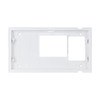
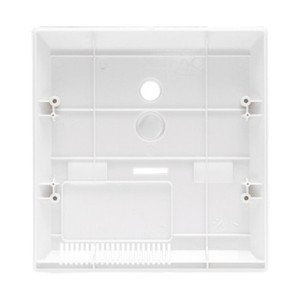
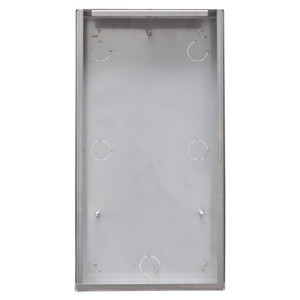
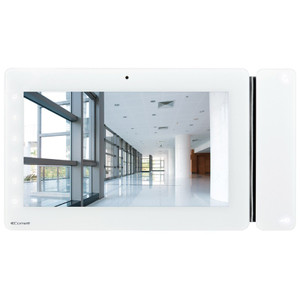
The Comelit 6820 is a wall-mounted surface box accessory engineered to support Comelit Maxi Monitor video intercom installations. This mounting solution provides a discrete, flush installation profile for compatible Comelit display units in residential and commercial access control applications. The 6820 integrates with Comelit's video intercom infrastructure, offering a standardized mounting interface for wall-based deployment in interior environments where a low-profile surface-mounted configuration is required.
Key Features
- Purpose-Built for Maxi Monitor Systems: Designed specifically to support Comelit Maxi Monitor units, ensuring mechanical and electrical compatibility without custom fabrication or adapter plates. Simplifies installation timelines in retrofit and new-build scenarios.
- Flush Surface Mount Profile: The 6820 delivers a discrete mounting footprint—no recessed demolition or drywall opening required. This reduces installation cost and is particularly valuable in occupied buildings where minimal disruption matters.
- Interior Deployment: Suitable for interior-only installation environments where temperature stability and protected wiring pathways are assured. Not rated for external weather exposure.
- Integration with Comelit Infrastructure: Works within the broader Comelit video intercom ecosystem, allowing you to leverage existing door stations, power supplies, and control logic without compatibility rework.
- Standardized Mounting Interface: Provides consistent anchor points and electrical routing, reducing on-site assembly variation and supporting faster commissioning across multiple units in larger deployments.
Integration and Compatibility
The 6820 is engineered for Comelit Maxi Monitor systems. Installation works best when paired with standard Comelit door entry hardware and power infrastructure. Verify that your existing video intercom control system or access control panel is compatible with Maxi Monitor models before ordering. If you are upgrading from an older Comelit display generation, confirm the 6820 footprint matches your wall preparation or existing conduit routing.
When to Choose a Different Model
If your installation requires outdoor weather resistance (e.g., exterior gate entry), the 6820's interior-only rating makes it unsuitable—consult Comelit's catalog for weather-sealed variants. If you need a recessed (in-wall) profile rather than surface-mounted, consider alternatives within the Comelit mounting hardware range. For non-Maxi Monitor display models, verify cross-compatibility before purchase to avoid installation delays.
Frequently Asked Questions
Q: Is the Comelit 6820 suitable for outdoor installations?
A: No. The 6820 is rated for interior deployment only. It is not weather-sealed and will not withstand rain, direct sunlight, or temperature extremes. For outdoor applications, contact the manufacturer or consult Comelit's weatherproof mounting options.
Q: Does the 6820 work with all Comelit Maxi Monitor models?
A: The 6820 is engineered for Comelit Maxi Monitor systems. Verify your specific Maxi Monitor model against the Comelit compatibility matrix—some variants may require different mounting solutions.
Q: What tools or wiring preparation do I need for installation?
A: Standard installation typically requires basic mounting hardware (screws, anchors) and conduit management. Consult the datasheet or installation guide for exact power and signal routing requirements.
Q: Can the 6820 be installed over existing wall damage or rough surfaces?
A: Surface mount boxes work best on clean, flat, prepared walls. Significant texture, damage, or moisture will compromise mechanical security. Prepare the mounting surface to manufacturer specifications before installation.
Q: Is recessed (in-wall) installation possible with the 6820?
A: No. The 6820 is a surface mount box. In-wall installations require different Comelit mounting hardware. Check the product family for recessed alternatives if your installation calls for that profile.
Ted PerryPerspective based on aggregated IP Security Depot and affiliated engineering team experience.
The Comelit 6820 is a straightforward accessory—a surface mount enclosure designed to standardize deployment of Maxi Monitor displays across residential and commercial access control installations. Its value lies not in specs, but in reducing installation variability. When you're deploying 10+ video intercom units across a multi-building site, having a purpose-designed mounting box eliminates ad-hoc bracket fabrication and cuts commissioning time significantly.
Deployment Considerations:
- Interior Only: The 6820 is not rated for weather exposure. If your Maxi Monitor is anywhere near an exterior entry point or exposed to temperature swings, this box will fail. Plan for weatherproof alternatives or interior-only siting from the start.
- Wall Prep Matters: Surface mount boxes are only as secure as their mounting surface. Painted drywall, loose plaster, or moisture-compromised walls create mechanical weakness. Inspect and prepare the mounting surface—don't assume existing walls are ready.
- Conduit Routing: Plan your low-voltage wiring runs before installation. The 6820's footprint may constrain how conduit enters the box. Work out cable management with your electrician or integrator ahead of time to avoid installation rework.
The 6820 belongs in discrete, climate-controlled interior spaces—think lobby vestibules, apartment building common areas, or office suite entry points where a low-profile flush mount is both functional and aesthetic. It's not a universal solution, but for dedicated Maxi Monitor deployments in those environments, it standardizes the job and reduces labor cost.