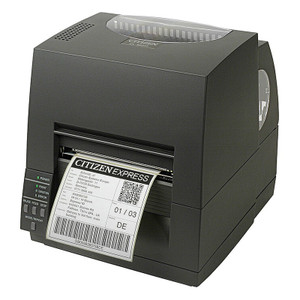
Citizen CL-S700III-EPUL-P Thermal Label Printer with Connectivity Suite
Overview
The Citizen CL-S700III-EPUL-P is a 203 DPI desktop/tabletop thermal printer configured for environments requiring simultaneous wired and wireless label output — warehousing, retail inventory, logistics hubs, and cross-dock operations. This model bundles Ethernet (USB fallback) plus WiFi with the optional ES04 long-range dongle for extended wireless range in larger facilities, plus an integrated peeler for hands-free label separation. The CL-S700III-EPUL-P is purpose-built for medium-volume label runs (barcode, shipping, inventory tags) where network flexibility and mechanical peeling reduce labor handling.
Compatibility
The CL-S700III-EPUL-P pairs with any WMS, inventory management, or shipping software supporting standard thermal printer protocols over Ethernet or WiFi — including SAP, Shopify, ShipStation, Zebra-compatible label design tools, and generic ESC/POS or EPL command sets. The long-range dongle (OPT-806) extends WiFi range to approximately 100–150 feet in line-of-sight conditions — useful for warehouse floors where a single access point cannot reach all printing stations. Peeler mechanism works with standard 4-inch media and compatible label stocks; verify stock thickness (0.003–0.008 inch) with the media supplier before high-volume runs.
Installation Notes
Mount the printer on a stable, level work surface or bracket (load capacity approximately 25 lbs with media and peeler assembly). Connect Ethernet directly to your network infrastructure (standard RJ-45 cable, PoE not supported — requires separate 24 VDC power supply). WiFi setup uses standard SSID/WPA2 credentials; the OPT-806 long-range dongle requires line-of-sight to your access point and should be positioned 6–12 feet above the printer for optimal signal penetration. Allow 10–15 minutes for firmware-to-network sync on first connection. Test label alignment and peeler tension with a short test batch before production runs.