Citizen CL-S700III-EPUL Ethernet WiFi Long Range Dongle
Overview
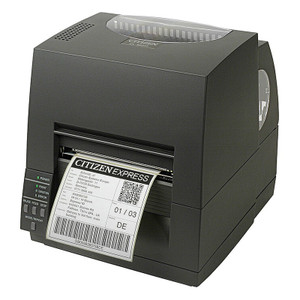
The CL-S700III-EPUL is a networking accessory package for the Citizen CL-S700III industrial thermal printer, adding 10/100 Ethernet (ES04 module) and WiFi capability via a long-range dongle (OPT-806). This configuration solves the deployment problem of integrating a 203 DPI thermal printer into distributed or temporary facility environments where USB-only connectivity isn't practical — warehouse receipt stations, field-print operations, or multi-location inventory systems where moving or reconfiguring the printer between network points is routine. The long-range dongle extends WiFi reach, useful in large industrial spaces with weak signal from standard access points.
Compatibility
This accessory is designed specifically for the Citizen CL-S700III DT/TT (desktop/tabletop) thermal printer. The ES04 Ethernet module and OPT-806 long-range WiFi dongle are integrated as a paired system for this model. Verify your printer is the CL-S700III variant before ordering — compatibility does not extend to CL-S6000 or other Citizen thermal lines without manual verification against your specific serial version.
Installation Notes
The ES04 module integrates directly into the printer's expansion slot; no external brackets or additional power draws beyond standard unit operation. The OPT-806 long-range dongle connects via USB or internal module port depending on your network configuration. Install in an environment with adequate airflow around the printer (avoid enclosures that trap heat near the print head). WiFi range improvement depends on antenna placement — position the dongle for line-of-sight to your access point when possible. No special tools required for module installation; refer to the printer's hardware manual for slot access procedure.
What's in the Box
- 1x ES04 Ethernet module
- 1x OPT-806 long-range WiFi dongle