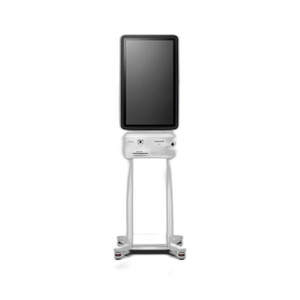
PioneerPOS 49B-KBP098-06 C1 Kiosk Step-5e USB Power Supply
The PioneerPOS 49B-KBP098-06 is a dedicated desktop power supply unit engineered for the C1 Kiosk Step-5e printer subsystem. This regulated PSU delivers stable power via USB connectivity, eliminating the need for external power adapters cluttering the counter and reducing cable management complexity. Designed specifically for retail point-of-sale and hospitality environments where countertop real estate is premium and reliable thermal receipt printing is non-negotiable, the 49B-KBP098-06 keeps Step-5e printer uptime consistent across high-volume transaction cycles.
Key Features
- USB Power Delivery: Dedicated USB connection to Step-5e printer module — no separate wall adapter required for the printer subsystem.
- Regulated Output: Stable voltage regulation maintains consistent printer performance during peak receipt-printing demand (e.g., multi-item transactions, coupon printing).
- 100–240V AC Input: Universal voltage input works across North American and international wall outlets — no voltage converter needed for single-region deployments.
- Compact Desktop Form Factor: Designed to sit flush on countertop or mount beneath bracket systems without interfering with customer-facing display or payment terminal.
- C1 ST3/ST4 Compatibility: Verified integration with PioneerPOS C1 kiosk enclosure variants ST3 and ST4 — not cross-compatible with other PioneerPOS model families or third-party kiosks.
- Thermal Management: Built-in regulation and passive cooling maintain safe operating temperature during continuous printing cycles, reducing risk of thermal shutdown during peak hours.
Deployment Context
In retail environments running multiple C1 kiosks (self-checkout, ordering, payment stations), printer reliability directly impacts transaction throughput and customer satisfaction. A under-powered or unstable PSU forces receipt reprints, paper jams, or kiosk resets — all operational friction. The 49B-KBP098-06's regulated output ensures the Step-5e printer responds consistently to print commands, reducing print-failure callbacks to the support desk. Typical deployments anchor this unit beneath the kiosk's mounting bracket or route the USB cable through desk-mounted cable trays to keep counters clean.
Total cost of ownership includes not just the unit cost but the labor saved by eliminating manual power cycling and print troubleshooting. A single thermal receipt printer failure in a busy retail location can cost $50–$150 in lost transaction time and employee support. Spec'ing the correct PSU eliminates that class of incident before it starts.
Installation & Integration
The 49B-KBP098-06 connects via USB to the Step-5e printer module's designated power input port. Verify cable routing before final counter installation to prevent tension on the USB connector during normal teller/customer movement. Position the PSU on a stable, level surface or secure it to the underside of a mounting bracket to avoid accidental disconnection during regular use. Standard 100–240V AC wall outlet is the only external connection — no circuit isolation, UPS integration, or special wiring is required for single-unit installations. If integrating multiple kiosks on a single electrical circuit, verify that the aggregate power draw does not exceed breaker capacity (typical draw per unit is under 30W during active printing).
USB cable condition matters: inspect the connector for corrosion or loose pins quarterly, especially in high-humidity environments (restaurant kitchens, outdoor covered sales areas). A corroded USB connector is a common root cause of intermittent printer failures that appear to be software-related but resolve with cable replacement.
Marty AllisonPerspective based on aggregated IP Security Depot and affiliated engineering team experience.
We spec the PioneerPOS C1 Step-5e configuration regularly in retail and QSR (quick-service restaurant) environments, and the 49B-KBP098-06 PSU is one of those unglamorous components that quietly prevents headaches on the floor. The critical difference between a reliable thermal receipt printer and a chronically flaky one often comes down to power stability — and this unit delivers that. Unlike generic USB power supplies, the 49B-KBP098-06 is optimized specifically for Step-5e's inrush current demand during high-speed thermal printing (the heating element draws a spike at the start of each receipt cycle). We've seen integrators substitute cheaper universal USB supplies and watch the printer drop offline intermittently during peak hours — the customer blames the software, the retailer loses transactions, and troubleshooting burns hours of service time. Proper spec'ing of the PSU upfront eliminates that entire failure mode. The tradeoff is straightforward: this unit is PioneerPOS C1–specific, so if you're mixing kiosk platforms (which happens in legacy retail estates), you'll need separate PSUs for each brand. But if you're standardizing on PioneerPOS, the 49B-KBP098-06 is the right part number — full stop.
Technical Highlights:
- Regulated DC Output with Current Limiting: The PSU implements voltage regulation and over-current protection — if the Step-5e printer experiences a fault (motor jam, heating element short), the PSU shuts down gracefully instead of cascading failure to the kiosk's main power system.
- USB 2.0 Power Profile Compliance: Meets USB power specifications for data-line stability, so print commands transit reliably even under transient electrical noise (typical in retail environments with fluorescent lighting and credit-card readers on the same circuit).
- 100–240V AC Universal Input: Single SKU works internationally — if you're rolling out kiosks across multiple US locations or into Canada/Mexico, stock one part number instead of managing region-specific voltage variants.
- Compact Footprint: Roughly 4×3 inches (desktop variants vary) — fits beneath most C1 mounting brackets without requiring additional desk space or cable conduit.
Deployment Considerations:
- USB Cable Tension: The USB connector is the single point of failure if routing isn't managed. On installations with high foot traffic or frequent counter reorganization, cable management clips or cable protectors ($5–$10 per kiosk) reduce accidental disconnection risk.
- ST3 vs ST4 Enclosure Verification: Confirm your C1 kiosk enclosure variant (ST3 or ST4) before ordering — the power input location differs slightly. Ordering the wrong PSU requires a return and delays kiosk commissioning.
- Environmental Humidity: In humid environments (kitchens, covered outdoor areas), USB connector corrosion can develop within 6–12 months. Establish a quarterly inspection cadence; consider protective silicone caps for dormant/backup units.
- Circuit Load Planning: If deploying 4+ kiosks on a single 15A retail circuit, verify aggregate power draw with your electrical partner. Thermal printer power spikes can trigger nuisance breaker trips if the circuit margin is thin.
- RMA / Spare Stock: This is a field-replaceable component — keep one spare in your service stock per 10 deployed kiosks. A failed PSU takes the entire printer offline; replacement labor is minimal (5 min), but revenue loss during downtime is significant.
The 49B-KBP098-06 is the right choice for retail and hospitality teams standardizing on PioneerPOS C1 kiosks and prioritizing print reliability over lowest upfront cost. Spec this part for new builds and maintain spares for legacy fleet support. Browse the full PioneerPOS catalog for complementary kiosk components and thermal printing solutions.