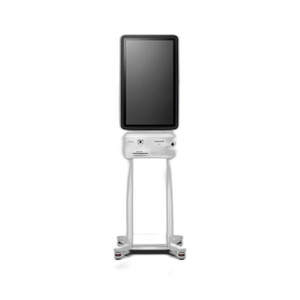
PioneerPOS 49B-KBP100-06 C1 Kiosk Step-5e Desktop Power Supply
The PioneerPOS 49B-KBP100-06 is a regulated desktop power supply engineered for the C1 Kiosk Step-5e thermal receipt printer platform. This unit delivers stable, filtered AC-to-DC conversion to support continuous receipt printing, barcode scanning, and USB-connected peripherals in point-of-sale, kiosk, and self-checkout environments. Factory-new, sourced direct from the manufacturer or US channel partner — no grey-market, no parallel imports. Integrators specify this PSU when replacing a failed or aging power module or deploying a new C1 Step-5e printer station.
Key Features
- Input Voltage Range: AC 90–264V, 50–60Hz universal input. Operates across North American and international facility power standards without manual selection or adapter.
- Desktop Form Factor: Compact desktop unit — designed for placement on a counter or shelf adjacent to the printer, not for rack or wall mounting. Minimal footprint in tight kiosk enclosures.
- USB Connectivity: Native USB output enables connection to receipt printer and peripheral devices (barcode scanners, cash drawers, customer displays) without intermediate hubs or adapters.
- Regulated Output: Stabilized DC power with built-in thermal and short-circuit protection. Prevents printer malfunction, receipt paper jams, and data corruption from voltage sag or noise.
- C1 Kiosk Step-5e Compatibility: Purpose-built connector and output specifications match the C1 Step-5e printer main power input. Not a universal PSU — designed and tested for this specific printer generation.
- Reliable Long-Cycle Support: Engineered for 24/7 kiosk operation — thermal design handles continuous thermal printing load without degradation or premature shutdown.
The 49B-KBP100-06 addresses a common failure point in aging kiosk deployments: the original PSU developing capacitor degradation or thermal stress over 3–5 years of continuous operation. Replacement with an OEM equivalent restores stable power delivery and eliminates intermittent printer faults that correlate with temperature swings or voltage transients on facility AC lines.
Integrators deploying multi-station kiosk clusters (fast-casual counters, DMV renewal kiosks, airport check-in) benefit from standardized PSU inventory — carrying a handful of 49B-KBP100-06 units as spares reduces mean-time-to-repair (MTTR) when a printer loses power. The universal input voltage range (90–264V) means a single SKU covers both US and international installations without regional variants.
Before ordering, verify your current printer step designation on the device label or user manual. The C1 Kiosk family includes multiple step generations (Step-3, Step-4, Step-5, Step-5e); the 49B-KBP100-06 is certified only for Step-5e units. Connecting to a non-matching printer may result in no power delivery or partial functionality. If you are unsure of your system version, consult the PioneerPOS documentation or contact your integrator support channel.
Installation is straightforward: position the PSU on a clean, dry surface with adequate ventilation around the case. Connect the output connector firmly to the printer's main power input — the connector is keyed to prevent reverse polarity. Verify your facility AC outlet is live (use a test light if needed) and that the outlet delivers the expected voltage. Power on the printer and confirm normal warm-up behavior (paper motor engagement, firmware startup sequence). If the printer fails to power on after connection, re-seat the connector, verify the AC outlet voltage, and confirm the AC inlet fuse is not blown (if accessible). For persistent issues, refer to the C1 Step-5e user manual or contact PioneerPOS technical support.
Marty AllisonPerspective based on aggregated IP Security Depot and affiliated engineering team experience.
In our experience, the 49B-KBP100-06 is a mission-critical spare part rather than a sexy product category. But that's exactly why it matters in high-uptime kiosk deployments. We've seen POS and self-service kiosk operators run the same C1 Step-5e printer for 4–6 years without a PSU failure, then lose power on a PSU the moment the device enters the failure-rate bathtub curve. A burned-out capacitor or a thermally stressed transformer takes the entire station offline — and a multi-station kiosk cluster becomes partially unavailable until a replacement arrives. Having OEM-equivalent PSUs in regional inventory, or stocked in your technician truck, is cheap insurance. The 49B-KBP100-06 is not interchangeable with older PioneerPOS step generations or third-party thermal printer platforms, so you must know your installed base version. We've also observed that many integrators assume any desktop PSU will work in a pinch — it won't. The C1 Step-5e's power requirements (particularly under sustained receipt printing) demand a PSU with sufficient thermal design margin and transient response. A generic desktop power brick will under-deliver and cause printer watchdog resets or paper feed failures. The universal AC input (90–264V) is a genuine advantage for multi-region deployments, especially if you operate in countries with 110V or 220V facility power. No manual voltage switch, no regional SKU variants.
Technical Highlights:
- Regulated DC Output with Thermal Monitoring: The PSU includes internal thermal and short-circuit protection — if a receipt printer motor jams or a USB peripheral draws excessive current, the PSU will shut down gracefully rather than overheat or damage downstream components. This is not a commodity power brick; it's engineered for the C1 Step-5e's specific power profile.
- Universal AC Input (90–264V, 50–60Hz): Single-unit global compatibility. No need for regional variants or voltage converters. Eliminates inventory fragmentation and simplifies logistics for multi-country kiosk operators.
- USB-Native Output Architecture: The 49B-KBP100-06 speaks USB natively — no proprietary barrel connectors or legacy serial interfaces. Integrates cleanly with modern peripheral ecosystems (barcode scanners, customer displays, cash drawer drivers) without adapter chains.
- Desktop Form Factor with Tight Thermal Budget: Compact enough to fit in and around kiosk enclosures, but with sufficient mass and passive cooling surface to handle 24/7 thermal printing workload. Not a miniature wall-mount PSU; designed for continuous duty.
- Purpose-Built C1 Step-5e Compatibility: Connector, output voltage/current, and thermal design are certified for Step-5e printers. Using an off-brand or cross-generation PSU introduces risk of intermittent faults, receipt jams, or data loss under thermal stress.
Deployment Considerations:
- Verify Step-5e designation before ordering. The C1 family spans multiple generations (Step-3, Step-4, Step-5); mixing PSU generations has caused boot loops and partial printer functionality in the field. If you cannot confirm your step version, obtain the device label or SKU from the printer chassis and cross-reference against PioneerPOS documentation.
- Desktop form factor means airflow is critical. Do not bury the PSU under paper stock, towel rolls, or cash trays. Position it where air can circulate freely around the case. If the kiosk enclosure is sealed, ensure the PSU is mounted in a ventilated compartment or with a thermal bypass duct.
- The 49B-KBP100-06 output connector is keyed — it will not mate with non-matching printer power inputs. Do not force a connector that seems loose or misaligned; verify you have the correct PSU model before applying pressure.
- In high-ambient-temperature environments (outdoor kiosks, unair-conditioned retail floors), monitor PSU case temperature during sustained printing. If the case is uncomfortably hot to touch (>60°C), improve ventilation or consider an active cooling shroud.
- Keep a spare 49B-KBP100-06 in your regional parts stockpile for high-criticality deployments. Downtime on a multi-station kiosk cluster is expensive; MTTR matters more than the PSU cost.
The 49B-KBP100-06 is the right choice for any integrator maintaining or expanding a C1 Kiosk Step-5e thermal printer fleet. It is not sexy, but it is OEM-engineered for the job and a proven reliability workhorse. For more options in the PioneerPOS thermal printer and PSU family, visit the PioneerPOS catalog.