StarTech HB30C4AIB 4-Port USB-C Hub
Overview
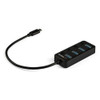
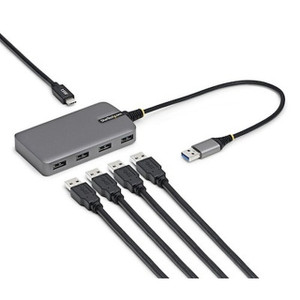
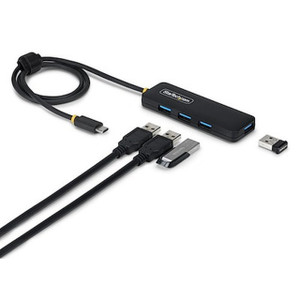
The StarTech HB30C4AIB is a bus-powered 4-port USB 3.2 Gen 1 hub built for techs and integrators who need to expand a single USB-C port into four independently switchable ports without hunting for a wall outlet. At 3.3 x 13.5 x 0.7 in and 1.5 oz, it is small enough to travel in a laptop bag or live permanently at a workstation, kiosk, or edge-device staging bench. Each of the four downstream ports runs at USB 3.2 Gen 1 (5 Gbps) and can be switched on or off independently — useful when you need to power-cycle a single peripheral (a badge reader, a USB camera, a barcode scanner) without disturbing the other three devices connected to the HB30C4AIB.
Key Features
- 4x USB 3.2 Gen 1 (5 Gbps) downstream ports: enough bandwidth for external SSDs, capture devices, or multiple peripherals running simultaneously without bottlenecking at USB 2.0 speeds.
- Individual port power switching with per-port LEDs: four dedicated LED indicators show power state per port, so you can confirm at a glance which device is live — and cut power to a single locked-up peripheral instead of unplugging it.
- USB-C host connection: plugs directly into modern laptops, mini PCs, and thin clients that have dropped USB-A, with a 9.8 in attached cable that reaches around a monitor stand or into a tight rack shelf without an extra cable purchase.
- Bus-powered design: draws power entirely from the host USB-C port — no external power brick to source, mount, or lose, which matters when you're deploying at a kiosk or in a cable-managed enclosure with no spare outlet.
- VIA/VLI VL817 chipset: a widely deployed USB 3.2 controller chipset, chosen for broad OS-level driver compatibility across Windows, macOS, and Linux without requiring a manual driver install.
- Compact footprint (3.3 x 13.5 x 0.7 in, 1.5 oz): light enough to add to a field tech's kit bag alongside a laptop, and low-profile enough not to crowd a desk or rack shelf.
- 0C to 55C operating range: tolerates non-climate-controlled equipment closets and vehicle-mounted workstations that would push consumer-grade hubs out of spec.
- -10C to 70C storage range: holds up in a spares bin, delivery truck, or unconditioned warehouse shelf between deployments.
- 20~80% RH humidity tolerance: a practical margin for coastal or humid facility environments where condensation risk is a real concern.
- Black plastic housing: a durable, low-cost enclosure suited to a hub that gets handled, packed, and moved between job sites rather than left untouched in a server room.
- 2-Year manufacturer warranty: covers the HB30C4AIB against defects for a defined term — worth checking against your deployment lifecycle for kiosk or POS refresh cycles.
Integration & Compatibility
Because the HB30C4AIB is bus-powered over USB-C, plan around host port power budget when connecting multiple bus-powered peripherals — a USB 3.2 Gen 1 host port typically caps around 4.5W to 7.5W depending on the platform, and the hub itself draws from that pool before distributing it across all four ports. For power-hungry peripherals (external HDDs, USB capture cards), verify the host's output rating before final commissioning. The individual port switching is particularly useful in edge-device racks where you're staging multiple USB accessories (badge readers, PTZ joystick controllers, USB microphones for intercom testing) and want the ability to isolate one without a full unplug/replug cycle. Pair the HB30C4AIB with a compact network video recorder or edge workstation when your IP cameras deployment needs local USB peripheral expansion at the head end. For broader planning around cabling and port budgets on a commercial install, see the PoE planning guide. The StarTech connectivity catalog covers hubs, adapters, and docking solutions for the same USB-C and USB-A transition many integrators are managing across mixed-generation hardware fleets today, and pairs well with a PoE switch when the same rack is also handling camera uplinks.
What's in the Box
1x StarTech HB30C4AIB 4-port USB-C hub.
Frequently Asked Questions
Q: Does the HB30C4AIB need an external power supply?
A: No. It is bus-powered entirely from the host USB-C connection — no separate power brick is included or required.
Q: What speed does each port on the HB30C4AIB support?
A: Each of the 4 downstream ports runs USB 3.2 Gen 1, rated for 5 Gbps data transfer.
Q: Can I turn off power to just one port on the HB30C4AIB?
A: Yes. Each of the 4 ports has independent power switching with its own LED indicator, so you can power down a single connected device without affecting the other three.
Q: What's the warranty on the HB30C4AIB?
A: The HB30C4AIB carries a 2-year manufacturer warranty.
Q: What temperature range can the HB30C4AIB operate in?
A: It's rated for 0C to 55C operating temperature, with -10C to 70C storage tolerance and 20~80% RH humidity tolerance.
Q: What chipset does the HB30C4AIB use?
A: It uses the VIA/VLI VL817 USB 3.2 controller chipset.
I keep an HB30C4AIB in my staging kit for exactly one reason: the per-port power switching. When you're bringing up four USB peripherals on an edge box during commissioning, being able to kill power to just one port instead of a full unplug cycle saves real time.
Technical Highlights:
- 4x USB 3.2 Gen 1 ports at 5 Gbps: enough throughput to run an external SSD alongside peripheral devices on the same hub without visible contention.
- VIA/VLI VL817 chipset: a controller with mature driver support across Windows, macOS, and Linux — one less thing to troubleshoot during a field install.
- 0C to 55C operating range: the HB30C4AIB tolerates unconditioned equipment closets and vehicle racks where a consumer hub would be out of spec.
Deployment Considerations:
- It's bus-powered only — no external supply — so total output is capped by whatever the host USB-C port delivers. Don't stack multiple high-draw external drives on it and expect full performance headroom.
- The 9.8 in attached cable is short by design for desktop use; if you're routing to a rack shelf or behind a monitor mount, plan your USB-C extension accordingly.
This is the hub I'd spec for a multi-peripheral staging bench or a compact kiosk build where USB-C is the only host port available and you need port-level control without a managed USB switch.