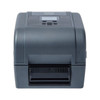
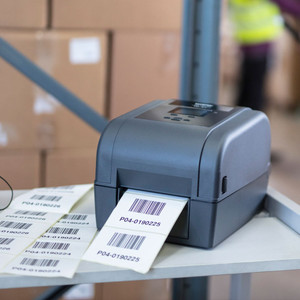
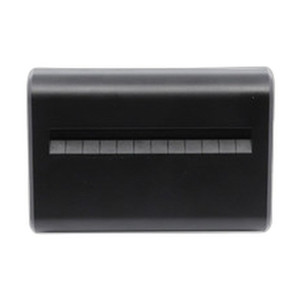
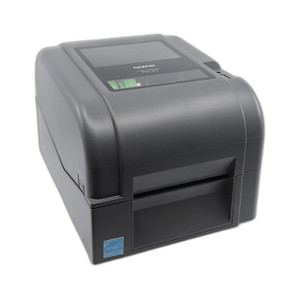
Brother TD4520TNP Desktop Thermal Transfer Label Printer
Overview
The Brother TD4520TNP is a 4.3" desktop thermal transfer label printer built for warehouse, logistics, and retail environments where you need durable barcode labels at consistent speed without network complexity. It prints at 5 inches per second with 300 dpi resolution—sharp enough for QR codes, Data Matrix, PDF417, and other 2D barcodes that shipping and inventory systems rely on. Direct thermal print technology and thermal transfer capability give you flexibility across label stocks. The built-in peeler mechanism separates labels automatically during batch runs, cutting manual post-print labor.
Compatibility
The TD4520TNP integrates into warehouse management systems, POS networks, and logistics software via three wired interfaces: USB, serial (RS-232), and Ethernet LAN. It supports ZPL II, CPCL, and raster graphics print commands—the standard protocols used by WMS platforms, shipping label software, and enterprise inventory systems. Windows, Mac, and Linux drivers are available. Media width ranges from 0.79" to 4.65", accommodating everything from small shipping labels to multi-line addressing stock. The printer accepts roll media with core sizes down to 0.5" ID and maximum roll OD of 5", fitting standard consumable supply chains.
Installation Notes
The TD4520TNP measures 8.1" × 7.0" × 11.1" and weighs 4.4 lbs, so it fits on any standard desk or workstation shelf without requiring rack space. USB and serial connections require no external power supply—standard host cables. Ethernet integration requires a LAN port on your network switch. The user interface consists of a single feed/print switch and LED indicators for power, end-of-roll, and status. Drop-in roll loading with adjustable holder means no special tools for media changeover. Media sensors detect gaps, holes, and black-bar marks—no manual calibration needed for standard label stock.
What's in the Box
- 1x Brother TD4520TNP printer unit
- 1x USB cable
- 1x serial cable
- Print drivers and documentation