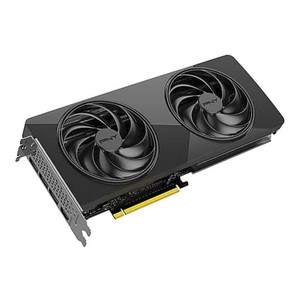
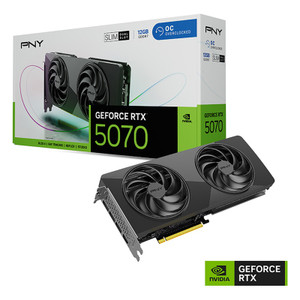
ASUS PRIMERTX507012G SFF-Ready GeForce RTX 5070 12GB GDDR7 Graphics Card
Overview
The ASUS PRIMERTX507012G is a compact, SFF-Ready discrete graphics card built around NVIDIA's GeForce RTX 5070 GPU. Designed for builds where space is a premium but GPU performance cannot be compromised, this card packs 6,144 CUDA cores and 12GB of GDDR7 memory into a 2.5-slot footprint — making it a practical fit for small-form-factor workstations, dense deployments, and enterprise builds where a full 3-slot card simply won't land. If you're provisioning GPU-accelerated workstations for AI inference, video analytics post-processing, or high-density visualization, PRIMERTX507012G covers the spec sheet without demanding a full tower to house it.
Key Features
- 6,144 CUDA Cores on RTX 5070 Silicon: The GeForce RTX 5070 GPU delivers substantial parallel compute headroom. For workloads like video transcoding, inference acceleration, or multi-stream analytics rendering, this core count gives you real throughput — not just a gaming-spec checkmark. Boost clock reaches 2,512 MHz standard, with an OC mode ceiling of 2,542 MHz for environments where firmware-unlocked headroom matters.
- 12GB GDDR7 at 28 Gbit/s over a 192-bit Bus: GDDR7 at 28 Gbit/s is a meaningful step beyond GDDR6X — the bandwidth headroom pays off when the card is handling multiple high-resolution video feeds or large model inference batches. 12GB of frame buffer keeps larger workloads resident on the GPU without spilling to system RAM, which kills throughput on bandwidth-sensitive tasks.
- PCIe 5.0 Interface: The x16 PCIe 5.0 slot doubles theoretical host bandwidth versus PCIe 4.0. For most current workloads this is headroom, but it future-proofs the card against host-GPU data transfer bottlenecks as workloads and model sizes grow. Pair it with a PCIe 5.0-capable platform for full bandwidth.
- Four-Display Output via HDMI 2.1b + 3x DisplayPort 2.1b: Four simultaneous outputs at up to 7680×4320 (8K) resolution means you can drive a full video wall, multi-monitor analyst workstation, or high-resolution visualization array from a single card — no secondary GPU needed for display expansion. HDMI 2.1b and DP 2.1b both support the highest current display bandwidth standards.
- 2.5-Slot SFF-Ready Form Factor: SFF-Ready compliance means this card is validated to fit in small-form-factor cases that support the SFF-Ready specification. At 2.5 slots, it occupies measurably less chassis real estate than a standard 3-slot card — important when you're building dense workstation deployments or integrating into compact rackmount chassis with limited GPU clearance.
- Dual BIOS: A hardware BIOS switch gives you a fallback — one profile for performance/OC mode, one for default or silent operation. In managed deployment environments, this is a practical recovery path if a BIOS configuration causes instability without requiring RMA or board-level service.
- Axial-Tech Fan Design: ASUS's Axial-Tech fans are engineered for higher static pressure and airflow efficiency at lower noise thresholds compared to conventional blower or reference fan designs. In a small enclosure where thermals are tight, this matters for sustained workload performance and component longevity.
Integration and Compatibility
The PRIMERTX507012G is compatible with any system running a PCIe 5.0 x16 slot, though PCIe backward compatibility means it will also operate in PCIe 4.0 and 3.0 slots at reduced bandwidth. Confirm your platform supports PCIe 5.0 if you need full interface throughput. The card drives up to four simultaneous displays and supports a maximum resolution of 7680×4320 pixels — appropriate for 8K monitoring walls or high-resolution GIS/visualization workstations. CUDA support is confirmed, enabling GPU-accelerated compute via NVIDIA's parallel processing framework for applicable software. Note: the evidence confirms parallel processing technology is listed as not supported in terms of SLI/NVLink multi-GPU configurations — this card operates as a single discrete GPU.
For graphics cards and GPU-accelerated workstation builds in security operations centers, video analytics platforms, or visualization environments, verify your chassis SFF-Ready certification and confirm power supply headroom before ordering. Review the broader ASUS product line for complementary platform components.
Frequently Asked Questions
Q: What is the maximum resolution supported by the PRIMERTX507012G?
A: The PRIMERTX507012G supports a maximum resolution of 7680×4320 pixels (8K), achievable via its HDMI 2.1b or DisplayPort 2.1b outputs.
Q: How many monitors can I connect simultaneously to the PRIMERTX507012G?
A: Up to four displays simultaneously — one via HDMI 2.1b and three via DisplayPort 2.1b.
Q: Does the PRIMERTX507012G support multi-GPU configurations?
A: No. The PRIMERTX507012G is documented as not supporting parallel processing (SLI/NVLink) multi-GPU configurations. It operates as a single discrete GPU.
Q: What PCIe slot does the PRIMERTX507012G require?
A: The card uses a PCIe 5.0 interface. It is backward compatible with PCIe 4.0 and 3.0 x16 slots, but full interface bandwidth requires a PCIe 5.0 platform.
Q: What does 'SFF-Ready' mean for the PRIMERTX507012G?
A: SFF-Ready is a compliance designation indicating the card is validated to fit in small-form-factor cases certified under the SFF-Ready specification. The 2.5-slot design ensures it fits in compact builds where standard 3-slot cards would not clear the chassis.
Q: What is the memory configuration on the PRIMERTX507012G?
A: The card carries 12GB of GDDR7 memory on a 192-bit memory bus, with a data transfer rate of 28 Gbit/s — providing high memory bandwidth for GPU-compute and multi-display workloads.
The PRIMERTX507012G is the card I'd spec for a compact analytics workstation where you need real CUDA compute — 6,144 cores on the RTX 5070 at 2,512 MHz boost — without burning three expansion slots in a chassis that simply doesn't have them. The 2.5-slot SFF-Ready form factor is the differentiator here versus the standard Prime RTX 5070 lineup.
Technical Highlights:
- 12GB GDDR7 at 28 Gbit/s: 192-bit bus width combined with GDDR7 speed keeps GPU-side memory bandwidth from becoming the bottleneck on multi-stream inference or simultaneous 4K display rendering tasks.
- PCIe 5.0 Interface: Doubles host-to-GPU transfer headroom versus PCIe 4.0 — less relevant for today's display workloads, but directly relevant if you're moving large model weights or video buffers across the bus repeatedly under sustained load.
- Dual BIOS Switch: Hardware-level fallback is undervalued in managed deployments. If a BIOS profile destabilizes the system post-configuration, you toggle to the backup profile without opening a support ticket or pulling the card for reflash.
Deployment Considerations:
- Confirm your SFF chassis carries the SFF-Ready certification and that your power supply can support the RTX 5070 TGP before ordering — the SFF-Ready spec governs physical fit, not power delivery, and compact PSUs in SFF cases frequently run close to capacity.
- Multi-GPU (SLI/NVLink) is explicitly not supported — if your workload requires GPU cluster compute across multiple cards, this is not the right platform; you'll need a different architecture.
Best fit: a compact video analytics workstation driving a 3-4 monitor analyst array in a security operations center, or a dense rackmount build where GPU compute is needed but chassis depth and slot count are constrained — this is where the 2.5-slot SFF-Ready positioning earns its place.