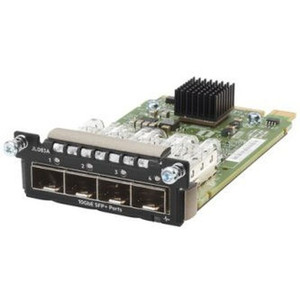
HPE JL714A Aruba CX 8360 Port-to-Power Fan Module
Overview
The HPE JL714A is a replacement fan module designed specifically for the HPE Aruba CX 8360 Series switches. It moves air in the front-to-back (port-to-power) direction — meaning intake flows in from the port side of the chassis and exhausts out the power supply side. That airflow pattern matters: in hot-aisle/cold-aisle data center rows where the front of the switch faces the cold aisle, front-to-back fans align with the room's thermal design and prevent recirculation into adjacent equipment. Installing the wrong airflow direction in a hot-aisle/cold-aisle layout can elevate switch temperatures and trigger thermal throttling on line cards.
Key Features
- Front-to-Back (Port-to-Power) Airflow: Matches standard hot-aisle/cold-aisle data center cooling layouts. Cold air enters the port face; hot exhaust exits the power supply face. This keeps the JL714A thermally compatible with the CX 8360 chassis design and your room's airflow plan.
- Single-Fan Module Design: One fan per module means individual failed fans can be swapped without pulling the entire fan tray assembly. Granular replacement keeps spare parts inventory manageable and minimizes downtime on a targeted hardware fault.
- CX 8360 Series Compatibility: Engineered and validated for the Aruba CX 8360 switch platform. Using a matched OEM module avoids the RPM mismatches and thermal alarm conditions that can accompany aftermarket fan substitutions in managed enterprise switches.
- 365-Day Manufacturer Warranty: Covered by HPE's standard manufacturer warranty for a full year — providing a clear support path for a component that lives in a critical airflow role inside a core or aggregation switch.
Integration & Compatibility
The JL714A is built for the Aruba CX 8360 Series. Before ordering, confirm that your specific CX 8360 chassis model requires front-to-back (port-to-power) airflow — HPE also offers a back-to-front (power-to-port) variant for deployments where the switch's power supply side faces the cold aisle. Mixing airflow directions within a single chassis will create competing pressure zones and degrade cooling performance across all slots. Check your existing fan modules' labels or your switch's current airflow setting in ArubaOS-CX before deploying. Consult your PoE switch planning resources if your CX 8360 is also managing PoE delivery and thermal load is already a concern.
Frequently Asked Questions
Q: What airflow direction does the JL714A use?
A: The JL714A uses front-to-back airflow, also called port-to-power. Air enters from the port (front) face of the CX 8360 chassis and exhausts out the power supply (rear) side.
Q: Which switches is the JL714A compatible with?
A: The JL714A is designed for the HPE Aruba CX 8360 Series switches. It is not listed as compatible with other Aruba switch families.
Q: Can I mix the JL714A with back-to-front fan modules in the same chassis?
A: No. Mixing airflow directions within a single chassis creates competing pressure zones that reduce cooling effectiveness and can trigger thermal alarms. All fan modules in a CX 8360 chassis should use the same airflow direction.
Q: What is the warranty on the JL714A?
A: The JL714A carries a 365-day manufacturer warranty from HPE.
Q: How many fans are in this module?
A: The JL714A contains one fan per module.
The JL714A is one of those components that seems trivial until you get it wrong. The single critical spec here is the airflow direction — front-to-back (port-to-power) — and that has to align with the chassis airflow plan before you rack it. In a hot-aisle/cold-aisle layout, this is the correct module; if your row is set up power-to-port, this fan works against your cooling, not with it.
Technical Highlights:
- Front-to-Back Airflow: Port-to-power direction matches hot-aisle/cold-aisle deployments — cold air in at the port face, hot exhaust out the power supply side, exactly as the CX 8360 thermal design intends.
- Single-Fan Module: One fan per replaceable module means a failed fan can be swapped individually rather than replacing a multi-fan tray assembly — reduces spare part cost and narrows the replacement scope during an incident.
- CX 8360 Platform Match: OEM-matched to the Aruba CX 8360 Series, avoiding RPM calibration mismatches or thermal alarm states that some aftermarket fan substitutions introduce in managed enterprise switching platforms.
Deployment Considerations:
- Confirm your CX 8360 chassis's existing airflow direction before ordering — check the label on an installed fan module or read the thermal configuration in ArubaOS-CX. A wrong-direction fan in any slot will degrade the whole chassis.
- Do not mix JL714A (port-to-power) modules with back-to-front variants in the same chassis — the resulting pressure conflict can cause intermittent thermal faults that are difficult to diagnose without airflow instrumentation.
The JL714A is the right call for any CX 8360 deployment running hot-aisle/cold-aisle room cooling — data center aggregation rows, campus core closets with structured airflow, or any rack environment where airflow direction is enforced by the facility design.