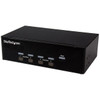
StarTech SV431DVGAU2A 4-Port Dual-Monitor VGA KVM Switch with USB and Audio
Overview
The StarTech SV431DVGAU2A is a 4-port KVM switch that lets one operator control four dual-display VGA computers — along with shared USB peripherals and audio — from a single desk. If you're managing a multi-server rack room, a security operations console, or a dense engineering workstation environment where desk space is tight and monitor real estate matters, this unit consolidates control without sacrificing dual-screen productivity. Each connected computer gets both video outputs at up to 1920x1200 resolution, so you're not stepping down to a single-monitor view when you switch hosts. Port selection via front-panel push buttons or keyboard hotkeys keeps workflow interruption minimal.
Key Features
- 4 Host Ports, Dual VGA Video: Each of the four host connections carries two independent VGA video signals — eight total VGA host connectors on the back. That means every connected computer drives both monitors at full resolution without sharing bandwidth. For operators who rely on extended desktop layouts (waveform on one screen, control interface on the other), the dual-output design preserves that workflow across all four connected machines without reconfiguration.
- 1920x1200 Maximum Resolution: The SV431DVGAU2A supports up to 1920x1200 per display — slightly above standard 1080p and the native resolution of many professional 24-inch and 27-inch wide-format monitors. If your consoles run WUXGA panels, you won't be forced to a lower resolution when switching between hosts.
- Shared USB 2.0 Peripherals: Four USB 2.0 Type-A ports on the console side let you share a keyboard, mouse, and up to two additional USB devices (like a CAC reader or USB hub) across all four computers. The four USB Type-B host connectors handle the upstream connection to each PC. No rebooting or re-pairing required when switching — USB device state transfers with the active channel.
- Integrated Audio Switching: One 3.5mm stereo jack on the console side and eight 3.5mm host connectors (two per computer, covering both output channels) carry audio with the active video signal. Operators working in environments where audio matters — video review, voice communications, or alert tones — don't need a separate audio selector.
- Push Button and Hotkey Switching: Front-panel buttons provide tactile, unambiguous channel selection without looking away from the screen. Hotkey sequences handle the same switching from the keyboard, useful in rack or wall-mount configurations where physical access to the front panel is awkward. Both methods are available simultaneously.
- 18W Power Consumption at the Wall: Drawing just 18W at full operation from a 100–240V AC input (auto-sensing for global compatibility), the SV431DVGAU2A adds minimal heat load to a rack or equipment shelf. The 12V DC, 1.5A power brick operates within that envelope. Low heat means fewer thermal management concerns in enclosed rack spaces.
- Optional Rack Mounting: The unit is not rack-mounted by default but supports optional rack mounting — useful if you're building a structured KVM console into a server rack rather than placing it on a shelf. At 8.7 × 5.3 × 2.4 inches and 2.7 lbs, it fits cleanly on a 1U shelf or rackmount tray without crowding adjacent equipment.
- Wide Operating Temperature Range: Rated 0°C to 40°C operating and -20°C to 60°C storage, with 90% RH humidity tolerance, the unit handles standard data center and control room environments without special conditioning. The storage range means it can be warehoused or shipped without temperature-controlled packaging concerns.
Integration and Compatibility
The SV431DVGAU2A connects to any computer with a standard 15-pin HD D-Sub (VGA) video output — a connector still common on server rear panels, older workstations, KVM-compatible thin clients, and embedded control computers. The console side requires two VGA monitors, one 3.5mm audio output, and USB keyboard and mouse. No driver installation is required for basic KVM switching; USB HID devices (keyboard, mouse) are handled natively. The universal 100–240V AC input makes it drop-in compatible with US and international power without an external converter. For environments mixing KVM switches across a rack, the compact footprint and passive rear-panel layout simplify cable management.
If you're building out a structured operations desk or integrating this into a server management environment, note that cable runs from the switch to each computer are governed by standard VGA signal integrity limits — keep host cable runs under 5 meters for reliable 1920x1200 output. Longer runs may require VGA signal boosters, which are outside the scope of this unit. Review the KVM switch buying guide for cable planning and host compatibility notes before finalizing your layout. For rack deployments, pair with compatible rackmount accessories and a 1U console tray to complete the installation.
Frequently Asked Questions
Q: How many monitors can I connect to the SV431DVGAU2A console, and at what resolution?
A: The SV431DVGAU2A supports two VGA monitors on the console side, each running up to 1920x1200 resolution. Both monitors display the active host computer's dual-output video simultaneously.
Q: Can I share a USB keyboard, mouse, and other USB devices across all four computers?
A: Yes. The console side provides four USB 2.0 Type-A ports, allowing you to share a keyboard, mouse, and up to two additional USB devices across all four connected computers. USB switching happens automatically with channel selection.
Q: Does the SV431DVGAU2A require drivers or software to operate?
A: Basic KVM switching — keyboard, mouse, and video — operates without drivers. USB HID devices are handled natively by the operating system. No software installation is required for standard keyboard and mouse sharing.
Q: Can the SV431DVGAU2A be rack-mounted?
A: Rack mounting is optional and not included by default. The unit measures 8.7 × 5.3 × 2.4 inches and weighs 2.7 lbs, making it compatible with a 1U rackmount shelf or tray when the appropriate mounting kit is used.
Q: What is the warranty on the SV431DVGAU2A?
A: The SV431DVGAU2A carries a 2-year manufacturer warranty.
Q: What power supply does the SV431DVGAU2A use, and is it compatible with international voltages?
A: The unit accepts 100–240V AC input at 0.8A, converting to 12V DC at 1.5A for internal operation. The auto-sensing input range makes it compatible with both US (120V) and international (240V) power without an external voltage converter.
The SV431DVGAU2A gets specified regularly in security operations center (SOC) builds and server room console setups where operators need to maintain dual-monitor extended desktop views across multiple hosts without dedicating separate keyboard-and-mouse sets to each machine. The dual VGA output is the key differentiator here — each host drives both console monitors independently at up to 1920x1200, so your operator never loses their second screen when switching between the four connected computers.
Technical Highlights:
- Dual VGA per host (8 total host VGA connectors): Each of the four host ports carries two independent VGA signals, preserving full extended-desktop operation across all four connected machines — no signal sharing, no resolution compromise.
- 1920x1200 WUXGA support: Covers the native resolution of professional wide-format monitors, meaning operators using high-density display setups won't hit a resolution ceiling from the KVM itself.
- 18W total power draw: The entire unit runs on 18W from a universal 100–240V AC input — low enough that thermal impact in a closed rack is negligible, and the auto-sensing voltage range eliminates power compatibility questions in multi-country deployments.
Deployment Considerations:
- VGA signal integrity degrades on long cable runs — keep host cables under 5 meters to maintain reliable 1920x1200 output. Beyond that distance, you'll need an inline VGA booster, which is not part of this product.
- The four USB Type-A console ports support up to four simultaneous USB devices, but this covers keyboard and mouse as two of those four slots — plan peripheral sharing accordingly before adding additional USB devices like card readers or storage.
For a SOC or network operations center (NOC) console where operators cycle through four servers or workstations throughout a shift, the SV431DVGAU2A's dual-display preservation and hotkey switching make it a practical fit — the operator never has to rebuild their screen layout after a host switch, which matters in high-tempo monitoring environments.