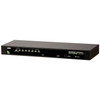
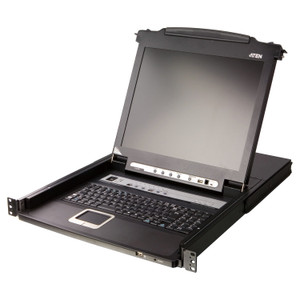
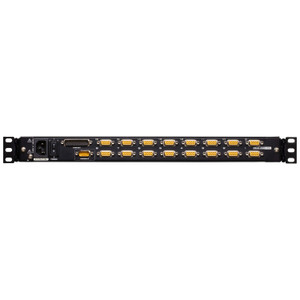
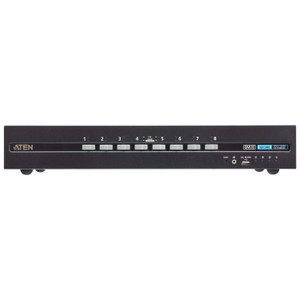
ATEN CS1308 8-Port PS/2-USB Combo KVM Switch
Overview
The ATEN CS1308 is a rack-mount, 8-port KVM switch built to consolidate access to up to eight servers or workstations from a single keyboard, monitor, and mouse — no dedicated console per machine, no cluttered server room desk. The CS1308 supports both PS/2 and USB peripherals simultaneously, which means you are not forced to standardize your connected systems before deploying it. The unit accepts video up to 2048 x 1536 resolution with DDC2B support, so even high-density displays used for server monitoring and diagnostics reproduce sharp output without downscaling. If eight ports are not enough, the CS1308 cascades to a maximum of 64 systems — useful when a rack environment grows beyond the initial deployment scope without requiring a full platform swap.
Key Features
- 8 KVM Ports, Cascade to 64: Manage up to eight directly connected servers out of the box. Cascading additional CS1308 units scales the pool to 64 systems from the same console — plan for growth without buying a larger chassis upfront.
- Dual Keyboard/Mouse Support (PS/2 + USB): The combo interface means you can connect a USB keyboard and mouse to the console while the target servers use PS/2 connections, or mix both on the target side. That flexibility matters in mixed-generation server rooms where not every machine has moved to USB-only I/O.
- 2048 x 1536 Video with DDC2B: DDC2B passes monitor capability data from the console display back through to each connected system. The result is that servers enumerate the actual display correctly rather than defaulting to a generic low-resolution profile — important if any connected system runs a graphical management interface or high-density console output.
- Three Port Selection Methods — OSD, Hotkey, Pushbutton: Operators can switch targets via an on-screen display menu, keyboard hotkey sequences, or direct front-panel pushbuttons. In a staffed NOC or server room, pushbutton switching is the fastest; hotkeys work when you do not want to leave the keyboard; OSD is useful for scanning or navigating named systems. Having all three removes friction in any workflow.
- Configurable Auto-Scan (1–255 Seconds): The scan interval is adjustable from 1 to 255 seconds per port, with a 5-second default. For monitoring use cases — checking system health across multiple servers during off-hours — a longer interval reduces display flicker and lets operators read status before the view advances. Tighten the interval when you need rapid sequential confirmation during incident response.
- Firmware Upgrade via Slide Switch: A dedicated slide switch on the unit enables firmware updates without network access or special software. In air-gapped environments or when remote management tools are unavailable, this keeps the switch maintainable over its operational life.
- DC Jack Power Input: The CS1308 draws power from a single DC jack, simplifying installation in rack environments where AC outlet count is constrained. Check the supplied power adapter output against your rack PDU's available ports during planning.
- Humidity Tolerance 0–80% RH Non-Condensing: Rated for standard data center and server room humidity ranges. If your environment runs high humidity during seasonal changes, confirm conditions stay non-condensing — the unit is not rated for condensing environments.
Integration and Compatibility
The CS1308 connects to servers and workstations via PS/2 or USB KVM cables on each port. Console-side peripherals can be either PS/2 or USB. The switch is compatible with any operating system that recognizes standard PS/2 or USB HID devices — Windows, Linux, and Unix variants running on x86 server hardware are all valid targets without driver installation on the target machines. The OSD interface on the CS1308 allows administrators to assign names to each connected port, making multi-server identification straightforward during daily operations. For KVM switches across a broader range of port counts and form factors, see the full category. ATEN's broader ATEN KVM and connectivity line includes desktop and enterprise-grade units that pair with the CS1308 in larger cascade configurations. If you are planning rack power distribution alongside KVM consolidation, the PDU category covers compatible rackmount power options. For cable selection and KVM cable kits, the KVM cables and accessories section covers the adapters and cable sets used with this switch.
Frequently Asked Questions
Q: How many computers can the CS1308 manage in total?
A: Directly, the CS1308 manages 8 computers. By cascading additional units, the system scales to a maximum of 64 computers accessible from one console.
Q: Does the CS1308 support USB keyboards and mice, or only PS/2?
A: The CS1308 supports both PS/2 and USB peripherals on the console side, and the target ports accept both PS/2 and USB connections. This combo interface accommodates mixed server environments without requiring peripheral standardization.
Q: What is the maximum video resolution supported by the CS1308?
A: The CS1308 supports video resolutions up to 2048 x 1536, and includes DDC2B support so that connected systems correctly enumerate the monitor's capabilities rather than defaulting to a lower resolution.
Q: What port selection methods are available on the CS1308?
A: The CS1308 offers three switching methods: on-screen display (OSD) navigation, keyboard hotkey sequences, and direct front-panel pushbutton switching. All three are available simultaneously.
Q: Can the CS1308 auto-scan through connected servers?
A: Yes. The auto-scan interval is configurable between 1 and 255 seconds per port, with a default of 5 seconds. This is useful for monitoring multiple systems sequentially without manual switching.
Q: How is the CS1308 firmware updated?
A: Firmware is upgraded via a dedicated slide switch on the unit. This does not require network connectivity, making it suitable for air-gapped server environments.