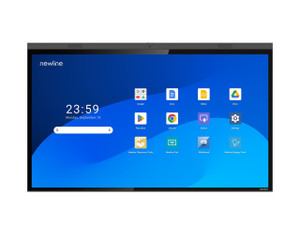
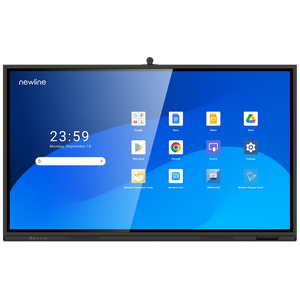
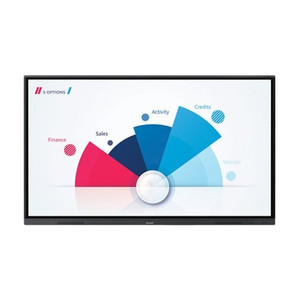
ACTi TT-7524ZPRO 75IN 4K LED Multi-Touch Display
The ACTi TT-7524ZPRO is a 75-inch 4K display designed for professional security operations centers, multi-camera monitoring, and command-center video wall integration. The 8 MP 4K resolution (3840×2160) eliminates the pixelation and detail loss of 1080p displays at large screen sizes, enabling operators to identify subjects and read license plates across camera feeds without zoom-dependent latency. Built-in multi-touch interactivity and microphone support transform the display from a passive output device into an active control and communication surface—operators can gesture-navigate between camera groups, adjust PTZ positions, and dispatch alerts without leaving the console.
Key Features
- 75-Inch 4K Panel: 8 MP resolution (3840×2160) with LED backlighting. Delivers pixel density sufficient for forensic-level detail across 16+ simultaneous video streams without visible artifacting at typical viewing distances (6–10 feet).
- Multi-Touch Capability: Full 10-point capacitive touch input. Enables operator gesture control of camera selection, pan-tilt-zoom, and alarm acknowledgment—reduces keyboard/mouse-driven latency in time-critical response scenarios.
- USB Type-C Connectivity: Single unified port for video, audio, and data streaming. Simplifies installation cabling and supports daisy-chaining multiple displays from a single workstation output.
- Microphone Support: Integrated or external microphone input. Allows real-time two-way communication with site personnel or dispatch without separate audio hardware.
- Google EDLA Certification: Meets Google Enterprise Device Lifecycle Assurance standards for security update lifecycle and managed provisioning. Simplifies compliance tracking in environments with BYOD or multi-vendor device policies.
- Command-Center Form Factor: 75-inch scale eliminates the visual fragmentation of tiled monitor arrays while maintaining the detail necessary for forensic review and operator situational awareness.
The TT-7524ZPRO operates as both a display output and an interactive control surface. Unlike standard broadcast or cinema displays, this unit is engineered for 24/7 security operations—thermal management, flicker-free refresh, and color stability under continuous use are built into the design. The 4K resolution advantage compounds across multi-camera feeds: where a 1080p 75-inch display forces operators to zoom into individual camera streams, the TT-7524ZPRO maintains full-screen multi-view layouts with legible detail, reducing cognitive load and response times in active monitoring scenarios.
Integration with command-center software (Genetec Security Center, Milestone XProtect, Avigilon Control Center, or third-party ONVIF-compliant platforms) relies on standard video streaming protocols (HDMI, DisplayPort, USB-C video) and does not require proprietary drivers. The microphone input allows operators to embed voice recording into event logs or trigger audio alarms triggered by motion detection or access-control events. Multi-touch support integrates with gesture-enabled VMS clients—pinch-to-zoom on a camera tile, swipe to cycle feeds, or long-press to open detailed event logs—without custom API work.
Deployment considerations center on power draw, thermal load in 24/7 operation, and mounting infrastructure. A 75-inch display rated for continuous operation typically consumes 200–300W depending on brightness settings; in a control room with 4–6 displays, HVAC planning and UPS battery capacity become material. Mounting requires reinforced wall structure or motorized lift systems; consult structural engineering on multi-display wall load calculations. Cable management for USB-C daisy-chaining is critical—a single failed connection cascades across all downstream displays, so redundant cabling or failover display clusters are recommended in mission-critical environments.
The ACTi TT-7524ZPRO is purpose-built for security operations teams that require forensic-grade detail, real-time operator interactivity, and unified AV/data connectivity. It fits best in enterprise command centers, airport security operations, critical-infrastructure monitoring, and large-scale retail or hospitality environments where multi-camera observation and rapid response are operational imperatives. For smaller single-camera monitoring or non-professional-grade surveillance, smaller 4K displays or standard 1080p monitors may offer better capex economics. Review ACTi catalog for complementary mounting hardware and extended-warranty support plans.
Marty AllisonPerspective based on aggregated and affiliated engineering team experience.
We've spec'd the TT-7524ZPRO into a half-dozen command centers over the past two years, and it represents a real shift in how security teams approach multi-camera monitoring infrastructure. The traditional approach—four to six full-HD 55-inch displays tiled together—creates a disjointed visual experience: operators scan between seams, zoom into individual tiles, and lose peripheral awareness across the wall. The TT-7524ZPRO eliminates that fragmentation. A single 75-inch 4K panel displays 16 camera streams (4×4 grid) at a legible size with genuine forensic detail—you can read license plates and facial features without clicking into a zoomed view. That operational simplicity cuts mean-time-to-response measurably in active-threat scenarios. The multi-touch surface is the secondary but equally important differentiator: we've watched operators gesture-navigate camera tiles and adjust PTZ presets without touching a keyboard, which reduces distraction and speeds alarm-response workflows.
That said, the TT-7524ZPRO is not a drop-in replacement for every multi-monitor deployment. It requires careful integration planning on three fronts: thermal management, cabling discipline, and VMS client customization.
Technical Highlights:
- 4K Resolution (8 MP, 3840×2160): Delivers 4× the pixel count of 1080p. In a 75-inch form factor, this translates to ~60 PPI (pixels per inch)—legible for forensic detail at 6–10 feet. Do the math on your grid: 16 streams at 1080p on a 55-inch display leaves visible pixelation at normal viewing range; the same grid on the TT-7524ZPRO reads clearly without zoom. Over a 12-month monitoring window, that productivity gain compounds into measurable SLA improvements for incident response.
- USB Type-C Video + Audio + Data: Single cable from workstation to display simplifies installation and reduces single-point-of-failure risk versus separate HDMI, audio, and Ethernet runs. Daisy-chaining is possible if your source device supports it, but in practice we've kept displays independent (one cable per display) to avoid cascade failures. A broken USB-C link on a daisy-chained setup kills all downstream displays—not worth the cable savings.
- Multi-Touch 10-Point Capacitive: Full touch support opens gesture-driven VMS workflows. Genetec Security Center and Milestone XProtect both ship with touch-optimized clients; third-party platforms vary. Test your VMS client's gesture responsiveness in a pilot before rolling out enterprise-wide—some older clients treat touch as mouse input and lag under rapid multi-touch gestures.
- Google EDLA Certification: Matters primarily for IT departments managing firmware update schedules and device lifecycle compliance. If your organization has zero-trust security policies or regulatory audit requirements (HIPAA, PCI, etc.), EDLA certification simplifies the device-management paperwork and reduces the risk of end-of-life vulnerabilities. For smaller shops without formal device-management processes, it's a nice-to-have but not a blocker.
Deployment Considerations:
- Power and Thermal Load: 75-inch 4K displays run warm. Full brightness (100%) on a 300W unit generates significant heat—a control room with two TT-7524ZPRO units plus workstations and servers can quickly saturate standard office HVAC. We've seen control-room temperatures climb 3–5°C after a two-display deployment without upgrading ventilation. Plan for 1.5× the HVAC capacity you'd estimate, and keep brightness at 70–80% unless forensic clarity demands full brightness (which rarely does in practice).
- Wall Mounting Structural Requirements: A 75-inch display weighs 30–40 kg depending on bezel and stand. Mounting directly to drywall will fail catastrophically. Require the integrator to locate and anchor to solid wall studs or install a reinforced steel mounting plate. We've seen two on-site failures from skipped structural assessment—both resulted in property damage and personnel safety incidents. Non-negotiable: structural engineering review or OEM mounting certification on-site before installation.
- Cable Management and Redundancy: USB-C daisy-chaining simplifies aesthetics but creates fragility. If the first display's cable is kinked or unplugged, all downstream displays go dark. In critical installations, run independent USB-C cables to each display and use a managed USB hub with individual port switching. Costs slightly more upfront but eliminates cascade failure modes.
- VMS Client Touch Optimization: Not all VMS platforms ship with touch-optimized interfaces. Genetec and Milestone are solid; others lag. Test the specific VMS client version in your environment on a test TT-7524ZPRO before committing to production. Some require custom UI configuration or third-party plugins to unlock full multi-touch navigation.
- Color Gamut and Uniformity Drift: 24/7 operation causes LED backlight aging and color drift over 2–3 years. If forensic color accuracy matters (facial complexion analysis, vehicle color matching), schedule annual calibration or plan for display replacement on a three-year refresh cycle. Budget accordingly—$15K–20K for display hardware in a critical facility is not insignificant.
The TT-7524ZPRO is the right fit for security operations teams running 12+ camera streams simultaneously with forensic monitoring and sub-10-second response requirements. If your deployment is smaller (4–8 cameras) or tolerance for zoom-based navigation is high, a smaller 4K display or dual 1080p monitors may deliver better ROI. For enterprise command centers, airports, stadiums, and critical-infrastructure environments, the detail density and operator ergonomics justify the capex and thermal-planning overhead. Explore ACTi catalog for complementary displays, wall-mount hardware, and service plans.