


StarTech 6FT KVM Cable - USB KVM Cable - KVM Switch - SVECON6
In stock · Ships same business day
Free shipping over $499
$15.99

Manufacturer-verified compatible cameras, recorders, mounts, accessories, and licenses for this product. Adjust quantities and add the entire bundle to your cart in one click.
Questions about this product? Free pre-sales support from a senior specialist — product questions, compatibility checks, BOM quotes, price confirmation — typically answered within one business day. Need camera placement or system design work? Engineering time is $175 per hour (qty 1 = 1 hour). Hardware buyers get up to one hour ($175) credited back on their order.
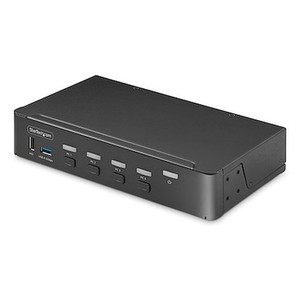
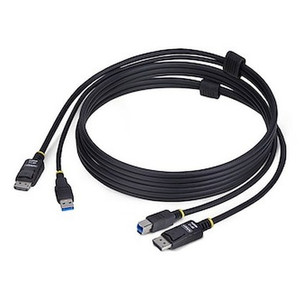
The StarTech DP4N1USB6 is a 6-foot, 4-in-1 KVM switch cable designed to simplify workstation management by allowing you to control multiple computers from a single console. This setup is ideal for environments where space is limited or where rapid switching between systems is required, such as in security monitoring stations or IT support desks. The integrated cable design eliminates the need for separate KVM switch boxes, reducing clutter and simplifying installation. The DP4N1USB6 model supports USB 2.0 for peripheral control and DisplayPort for video output, along with audio pass-through.
This KVM switch cable is compatible with any computer featuring a DisplayPort video output and a USB 2.0 Type-A port for keyboard and mouse input. It supports USB 2.0 speeds up to 480 Mbps, ensuring responsive peripheral operation. The audio connectors (2x 3.5mm Mini-Jack) allow for microphone and headphone pass-through, enabling full multimedia functionality. It connects to your host computer via a USB Type-A port and outputs to your monitor via DisplayPort. The second USB Type-A connector on the cable is for connecting your keyboard and mouse.
Connect the DisplayPort and USB 2.0 Type-A connectors to your primary computer. Connect your keyboard and mouse to the two USB 2.0 Type-A ports on the other end of the cable. Connect the DisplayPort output to your monitor. Audio devices connect to the 3.5mm jacks. Switching between computers is typically handled by a physical button integrated into the cable or a separate remote switch (sold separately if not included with this specific cable configuration). Ensure your host computer's USB ports provide sufficient power for connected peripherals.

Manufacturer-verified compatible cameras, recorders, mounts, accessories, and licenses for this product. Adjust quantities and add the entire bundle to your cart in one click.


Looking for more StarTech products? Shop the full StarTech catalog →
Support services and planning resources for commercial surveillance, access control, and infrastructure deployments.
Fixed scope • Fixed price