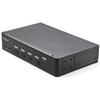
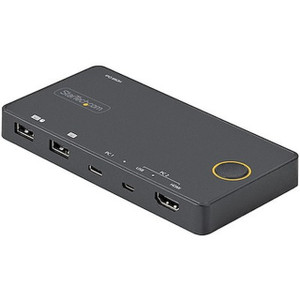
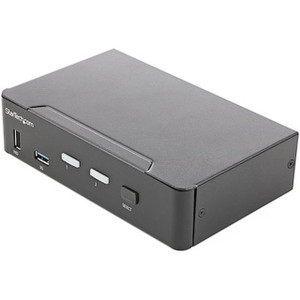
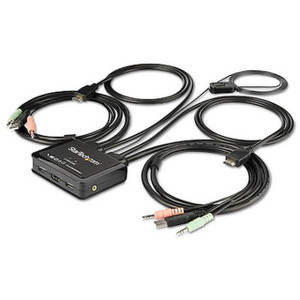
StarTech SV431HU34K6 4-Port 4K60 HDMI KVM Switch with USB 3.0
Overview
The StarTech SV431HU34K6 is a 4-port HDMI KVM switch built for control rooms, NOC desks, and multi-server workstations where one operator needs to run keyboard, mouse, and a single 4K monitor across four separate machines. Rather than juggling multiple monitors or physically swapping cables, the SV431HU34K6 lets you push a button or hit a hotkey combo to jump between four connected computers — each seeing full 3840 x 2160 resolution at 60Hz through HDMI 2.0. For security operations centers running multiple recording servers, VMS workstations, or edge appliances side by side, this consolidates desk space and cabling without giving up image sharpness on the shared display.
Key Features
- 4K60 HDMI 2.0 switching: Passes 3840 x 2160 @ 60Hz through all four ports, so 4K monitoring workstations or VMS clients don't get downgraded to 30Hz or 1080p just because they're behind a switch.
- 4-port capacity: Connects four source computers to a single monitor, keyboard, and mouse — useful when a workstation needs simultaneous access to a recording server, a VMS client, a management PC, and a backup system without four separate desks.
- Push button and hotkey switching: Change the active source from the front panel or via keyboard shortcut, so operators don't need to reach behind the desk or dig through an OSD menu mid-shift.
- Auto scan mode (3, 8, 15, or 30 second intervals): Cycles through all four connected sources automatically — a practical way to eyeball multiple video feeds or server consoles in rotation without manual switching.
- Integrated USB 3.0 hub (2 ports): Share USB peripherals like external drives or card readers across the connected computers at USB 3.0 speeds, avoiding a separate USB switch or repeated cable swaps.
- 4x USB 2.0 HID ports: Dedicated keyboard and mouse connections stay responsive across all four hosts without competing for USB 3.0 bandwidth reserved for data peripherals.
- 7.1 channel HDMI audio plus 2-channel analog output: Switches surround sound audio alongside video, with a stereo analog output for simpler speaker or headset setups in a monitoring room.
- External power supply (100-240V AC input, 12V/3A output, 36W): Universal input voltage means the SV431HU34K6 runs on standard AC power in any region without a separate voltage converter.
- Operating range 0-40°C, storage -10-60°C, 0-80% humidity: Rated for standard indoor IT closets and control rooms — not a ruggedized outdoor unit, so keep it inside conditioned equipment spaces.
Integration & Compatibility
The SV431HU34K6 fits into existing network video recorder and VMS workstation setups where multiple servers feed a shared monitoring station — a common layout across the StarTech catalog of KVM and connectivity hardware. Because it switches HDMI 2.0 at full 4K60, it pairs cleanly with modern VMS client PCs and recording servers without forcing a resolution compromise on the shared display. If you're planning cable runs and rack layout around a control room build-out, a PoE and network planning guide is worth reviewing before finalizing desk and rack positions. For sites also managing camera infrastructure on the same network segment, review the broader IP camera lineup and pair switching hardware with adequate PoE switches to keep server and camera traffic properly segmented.
What's in the Box
Physical dimensions run 8.7 x 5.1 x 1.7 in (22.0 x 13.0 x 4.4 cm) at 2.4 lb (1.1 kg), a compact footprint for a desk or shelf-mount install next to a monitoring workstation.
Frequently Asked Questions
Q: Does the SV431HU34K6 support full 4K resolution on all four ports?
A: Yes. Every port supports up to 3840 x 2160 @ 60Hz through HDMI 2.0, with no resolution drop when switching between sources.
Q: How many computers can I connect to the SV431HU34K6?
A: The SV431HU34K6 supports four source computers sharing one HDMI monitor, one keyboard, and one mouse.
Q: Can I switch audio along with video?
A: Yes. The switch handles 7.1 channel HDMI audio and also provides a 2-channel analog audio output.
Q: Does the SV431HU34K6 include USB peripheral sharing beyond keyboard and mouse?
A: Yes, it includes a 2-port USB 3.0 hub for sharing external drives or other USB peripherals, separate from the 4x USB 2.0 ports used for keyboard and mouse.
Q: What's the warranty on the SV431HU34K6?
A: It carries a 2-year manufacturer warranty.
Q: What power does the SV431HU34K6 require?
A: It ships with an external power supply accepting 100-240V AC input and outputting 12V DC at 3A, drawing up to 36W.
What stands out on the SV431HU34K6 is that it doesn't compromise resolution to save cost — all four ports carry full 3840 x 2160 @ 60Hz over HDMI 2.0, which a lot of budget KVM switches simply can't do without dropping to 30Hz.
Technical Highlights:
- 4K60 across all 4 ports: No forced downgrade to 30Hz or 1080p when switching sources — matters if your VMS client or monitoring workstation is already running a 4K display.
- USB 3.0 hub (2 ports) separate from HID: Keeps data-transfer peripherals off the same bus as keyboard/mouse (4x USB 2.0 HID ports), so a large file copy doesn't introduce input lag.
- 36W external power supply, 100-240V AC input: Universal voltage input means no separate converter needed regardless of site location, and the 3A/12V DC output gives the switch headroom for four active hosts plus USB peripherals.
Deployment Considerations:
- Auto scan mode (3/8/15/30 second intervals) is genuinely useful for a single monitoring seat that needs to eyeball four server consoles in rotation instead of manually switching all shift.
- Operating range is rated 0-40°C — this is an indoor IT closet or control room device, not something to mount in an unconditioned equipment cabinet or outdoor enclosure.
I'd spec the SV431HU34K6 for a NOC or security control room desk running four separate recording/VMS servers into one 4K operator station — it's the port count and 4K60 pass-through that make it worth choosing over a cheaper 2-port or 1080p-only switch.