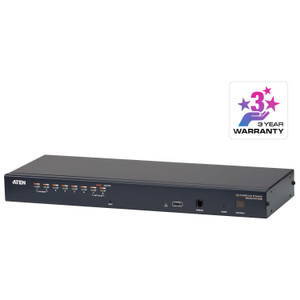
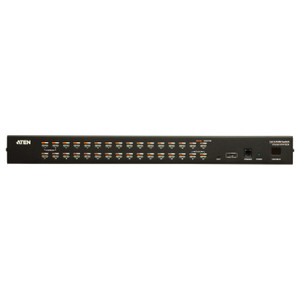
Product images are provided for reference and may not represent the exact model, configuration, or included components.

Overview

SKU: KH2508A
UPC: 672792400452
Condition: New
Write a Review 25% OFF

ATEN 2 User 8-PORT CAT5 KVM - KH2508A

ATEN KH2508A 2-User 8-Port CAT5 KVM SwitchOverviewThe KH2508A is an 8-port, 2-user CAT5 KVM switch that lets two operators share keyboard, video, and …

$808.00 $607.99 SAVE $200
Ships same business day
In stock

Quantity:

Adding to cart… The item has been added
Compatibility guidance available for your deployment
Senior specialists for pre and post-sales support
Authorized sourcing and documentation support
Shipping and lead-time confirmation before install

Laura Bennett, IPSD Senior Specialist

Talk to Laura

200+ hrs training • U.S - based

Senior Specialist • 877-277-7147

ATEN 2 User 8-PORT CAT5 KVM - KH2508A

$808.00
$607.99

Overview

SKU: KH2508A
UPC: 672792400452
Condition: New

No Bots, Just Experts

Questions about this product? Free pre-sales support from a senior specialist — product questions, compatibility checks, BOM quotes, price confirmation — typically answered within one business day. Need camera placement or system design work? Engineering time is $175 per hour (qty 1 = 1 hour). Hardware buyers get up to one hour ($175) credited back on their order.

Description

ATEN KH2508A 2-User 8-Port CAT5 KVM Switch

Overview

The KH2508A is an 8-port, 2-user CAT5 KVM switch that lets two operators share keyboard, video, and mouse control across up to eight servers from a single console — or up to 128 servers when daisy-chained with compatible ATEN KVM units. This is the right unit for small-to-mid server rooms where two administrators need simultaneous, independent access to different machines without the bulk of dedicated console hardware at every rack position. Port selection via OSD, hotkey, or front-panel pushbutton keeps workflows fast regardless of user preference. A 7-segment LED Station ID display (orange) confirms which unit is active in a daisy-chain stack at a glance — no guessing when you're managing a multi-switch row.

Compatibility

Connects to servers with PS/2 or USB keyboard and mouse interfaces, covering the broad majority of rack-mounted x86 servers still in production and legacy environments. Video signal travels over CAT5 cable, delivering 1920×1200 at 60 Hz up to 30 m — full HD resolution at a full rack length of cable without a dedicated coax run. At 40 m, resolution steps to 1600×1200; at 50 m, 1280×1024 at 75 Hz remains crisp enough for server console work. Daisy-chains with other ATEN KH-series switches (such as the KH2516A) to scale the installation to 128 ports while preserving the 2-user concurrent access model. KVM-over-IP or dongles are not required — this is a direct-connect analog unit best suited for on-premises data center and server room deployments.

Installation Notes

Rack-mount form factor; installs in a standard 19-inch rack using ATEN rack ears (verify included hardware before ordering). Power input is IEC 60320/C14, accepting 100–240 VAC at 50/60 Hz drawing up to 1A — compatible with both North American and international PDUs without an adapter. Keep ambient humidity below 80% RH non-condensing to protect the switch hardware. Firmware is field-upgradeable; current release is v1.8.175 (2025-05-22), downloadable from the ATEN support site as kh2508a-2516a-v1.8.175.zip.

Specifications
Mount Type: Rack
Maximum: 128 (via Daisy-chain)
Port Selection: OSD, Hotkey, Pushbutton
Station Id: 1 x 7-segment LED display (Orange)
Keyboard / Mouse: PS/2; USB
Scan Interval: 1-255 Seconds
Video: 1920 x 1200 @ 60 Hz (30 m);1600 x 1200 @ 60 Hz (40 m);1280 x 1024 @ 75 Hz (50 m)
Maximum Input Power Rating: 100–240 VAC; 50/60 Hz; 1A
Humidity: 0-80% RH, Non-condensing
Firmware Upgrade: v1.8.175
Q&A
Reviews
Have Questions?

RELATED PRODUCTS

System Design, Deployment & Technical Support

Support services and planning resources for commercial surveillance, access control, and infrastructure deployments.

Fixed scope • Fixed price

System Design Assistance

  • Get help validating product compatibility
  • Coverage requirements
  • Storage planning and deployment architecture before you buy.
Request Design Help

Deployment & Configuration Support

  • Access fixed-scope support for rollout planning
  • User setup guidance
  • Migration and system standardization across single-site or multi-site deployments
View Support Services

Guides, Tools & Calculators

  • PoE requirements
  • Storage retention
  • Camera selection and deployment methodology
Open Technical Resources