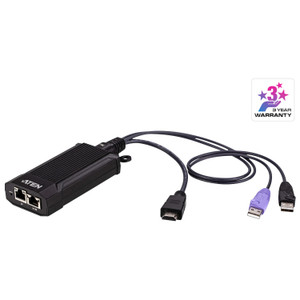
Product images are provided for reference and may not represent the exact model, configuration, or included components.

Overview

SKU: CS22H
UPC: 672792012273
Condition: New
Write a Review 4% OFF

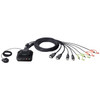
ATEN CS22H 2-PORT USB 4K HDMI Cable KVM

ATEN CS22H 2-PORT USB 4K HDMI Cable KVM Overview The ATEN CS22H is a compact, 2-port USB 4K HDMI KVM switch designed for single-user environments requ…

$100.00 $95.99 SAVE $4
Ships same business day
In stock

Quantity:

Adding to cart… The item has been added
Compatibility guidance available for your deployment
Senior specialists for pre and post-sales support
Authorized sourcing and documentation support
Shipping and lead-time confirmation before install

Laura Bennett, IPSD Senior Specialist

Talk to Laura

200+ hrs training • U.S - based

Senior Specialist • 877-277-7147

ATEN CS22H 2-PORT USB 4K HDMI Cable KVM

$100.00
$95.99

Overview

SKU: CS22H
UPC: 672792012273
Condition: New

No Bots, Just Experts

Questions about this product? Free pre-sales support from a senior specialist — product questions, compatibility checks, BOM quotes, price confirmation — typically answered within one business day. Need camera placement or system design work? Engineering time is $175 per hour (qty 1 = 1 hour). Hardware buyers get up to one hour ($175) credited back on their order.

Description

ATEN CS22H 2-PORT USB 4K HDMI Cable KVM

Overview

The ATEN CS22H is a compact, 2-port USB 4K HDMI KVM switch designed for single-user environments requiring efficient control over multiple workstations. This unit allows you to switch between two computers using a single keyboard, monitor, and mouse. Its integrated cables simplify deployment, while the included remote port selector provides flexible control placement. The CS22H supports up to 4096 x 2160 resolution at 60Hz, making it suitable for high-definition video editing, graphic design, or surveillance monitoring workstations where visual clarity is critical. The optional USB Micro-B power input ensures stable operation for all connected peripherals.

Compatibility

This KVM switch is compatible with any computer featuring HDMI video output and USB ports. It supports standard HID (Human Interface Device) keyboards and mice. The video specification up to 4096 x 2160 @ 60Hz is achievable with compatible graphics cards and displays. For higher refresh rates at lower resolutions, it supports 2560 x 1440 @ 144Hz, beneficial for high-performance computing or gaming setups. The remote port selector cable is 1.8 meters long, providing ample reach for workstation organization.

Installation Notes

Connect the HDMI and USB A cables from the KVM switch to the corresponding ports on each of the two computers. Connect your keyboard, mouse, and HDMI monitor to the KVM's console ports. The remote port selector can be placed within easy reach. For enhanced stability, particularly when using high-bandwidth video or multiple USB devices, connect the USB Micro-B power input to a suitable USB power source (5V/1A recommended, adapter not included). The operating humidity range is 0-80% RH, non-condensing, suitable for climate-controlled indoor environments.

Specifications
Mount Type: Rack
Computer Connections: 2
Port Selection: Remote Port Selector
Power (Optional: 1 x USB Micro Type B Female
Kvm Port (On Line /Selected: 2 (White)
Remote Port Selector: 1.8 m
Video: Up to 4096 x 2160 @ 60Hz, 2560 x 1440 @ 144Hz
Humidity: 0-80% RH, Non-condensing
Q&A
Reviews
Have Questions?

RELATED PRODUCTS

System Design, Deployment & Technical Support

Support services and planning resources for commercial surveillance, access control, and infrastructure deployments.

Fixed scope • Fixed price

System Design Assistance

  • Get help validating product compatibility
  • Coverage requirements
  • Storage planning and deployment architecture before you buy.
Request Design Help

Deployment & Configuration Support

  • Access fixed-scope support for rollout planning
  • User setup guidance
  • Migration and system standardization across single-site or multi-site deployments
View Support Services

Guides, Tools & Calculators

  • PoE requirements
  • Storage retention
  • Camera selection and deployment methodology
Open Technical Resources