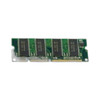
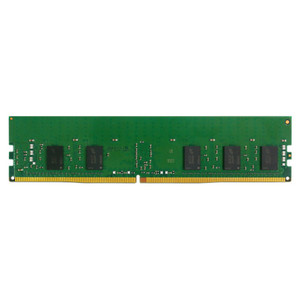
NETGEAR RMEM05-10000S 16GB DDR4 ECC Memory Module
Overview
The RMEM05-10000S is a 16GB DDR4 ECC U-DIMM module (2RX8 configuration) designed as a direct memory expansion for select ReadyNAS appliances. This module addresses storage appliances that require additional RAM to handle larger working datasets, metadata caching, or concurrent NAS operations — a real factor when your appliance begins throttling under load during peak backup or replication windows. Genuine NETGEAR OEM memory eliminates compatibility risk and ensures voltage/timing alignment with your ReadyNAS motherboard.
Compatibility
This module is compatible with select ReadyNAS models that support DDR4 ECC U-DIMM expansion. Verify your specific ReadyNAS model supports memory upgrades before ordering — not all ReadyNAS configurations allow user-accessible DIMM upgrades. Check your appliance documentation or contact the manufacturer to confirm your model accepts this RMEM05-10000S variant. DDR4 ECC memory is not backward-compatible with older DDR3 or non-ECC slots, so slot type verification is mandatory before installation.
Installation Notes
Power down the ReadyNAS appliance and disconnect all cables before opening the chassis. Locate the DIMM slot(s) on the motherboard, note the slot alignment key, and insert the RMEM05-10000S at a slight angle until the retention clips snap fully closed at both ends. Once seated, the module should sit flush with the motherboard. Reapply power, allow the appliance to boot, and verify in ReadyNAS system settings that the new capacity is recognized (OS-level memory reporting often lags by one boot cycle). ECC memory requires no special configuration — BIOS/firmware will detect and enable error correction automatically. Do not force the module into a misaligned slot; a correct fit requires minimal pressure.