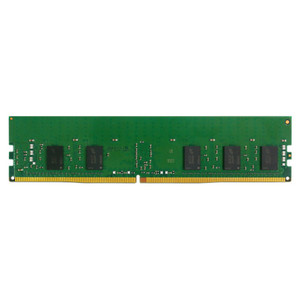
QNAP RAM-16GDR4ECT0-RD-3200 16GB DDR4-3200 ECC R-DIMM Memory Module
Overview
The RAM-16GDR4ECT0-RD-3200 is a 16GB DDR4-3200 ECC Registered DIMM (288-pin) designed specifically for QNAP Turbo NAS systems that support user-upgradeable memory. ECC (Error-Correcting Code) matters here: in a NAS running continuous read/write workloads — surveillance recording, file services, or virtualization — memory errors that a non-ECC module would silently pass get detected and corrected, protecting data integrity and preventing unexpected reboots. The registered (buffered) design reduces electrical load on the memory controller, which is why high-density server-grade platforms require R-DIMMs rather than standard UDIMMs. This is the T0 version, sourced as a genuine QNAP-validated module for their NAS lineup.
Compatibility
This module is validated for QNAP NAS platforms that specify DDR4-3200 ECC R-DIMM support — primarily the higher-end Turbo NAS and enterprise NAS series where the memory controller accepts registered DIMMs. QNAP installs this module in the primary slot, identified by the red slot color on compatible motherboards. Before ordering, verify your specific NAS model against QNAP's published compatibility list for this part number, as not all QNAP NAS accept R-DIMMs — entry-level and mid-range units typically use SO-DIMMs or UDIMMs instead. Mixing registered and unregistered DIMMs in the same system is not supported and will prevent the system from booting.
Installation Notes
Power down and unplug the NAS completely before handling memory modules — ECC R-DIMMs are sensitive to static discharge. Seat the 288-pin module firmly into the primary (red) slot until both retention clips engage. QNAP recommends installing in the primary slot first when upgrading from a base configuration. After installation, the NAS firmware will detect the new capacity automatically on next boot; no manual configuration is required. Do not install this module alongside a non-ECC or unbuffered DIMM — the memory controller requires matched types across populated slots.