Product images are provided for reference and may not represent the exact model, configuration, or included components.

Overview

SKU: CL1316N
UPC: 672792402562
Condition: New
Write a Review 24% OFF

ATEN 16-PORT 19 LCD Integrated USB - CL1316N

ATEN CL1316N 16-Port LCD KVM Console DrawerOverviewThe ATEN CL1316N is a 1U rack-integrated KVM console that combines a 16-port KVM switch with a fold…

$1,888.00 $1,428.99 SAVE $459
Ships same business day
In stock

Quantity:

Adding to cart… The item has been added
Compatibility guidance available for your deployment
Senior specialists for pre and post-sales support
Authorized sourcing and documentation support
Shipping and lead-time confirmation before install

Laura Bennett, IPSD Senior Specialist

Talk to Laura

200+ hrs training • U.S - based

Senior Specialist • 877-277-7147

ATEN 16-PORT 19 LCD Integrated USB - CL1316N

$1,888.00
$1,428.99

Overview

SKU: CL1316N
UPC: 672792402562
Condition: New

No Bots, Just Experts

Questions about this product? Free pre-sales support from a senior specialist — product questions, compatibility checks, BOM quotes, price confirmation — typically answered within one business day. Need camera placement or system design work? Engineering time is $175 per hour (qty 1 = 1 hour). Hardware buyers get up to one hour ($175) credited back on their order.

Description

ATEN CL1316N 16-Port LCD KVM Console Drawer

Overview

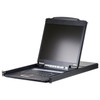
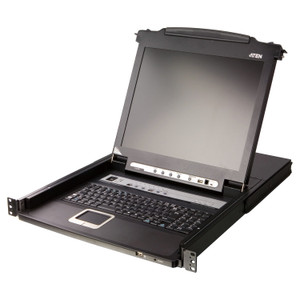
The ATEN CL1316N is a 1U rack-integrated KVM console that combines a 16-port KVM switch with a fold-down LCD panel in a single drawer — eliminating the need for a separate monitor, keyboard, and mouse in the rack. The CL1316N is built for server rooms and network operations centers where rack space is a fixed constraint and direct-console access to multiple nodes is a daily requirement. Port selection is available via on-screen display (OSD), hotkey, or front-panel pushbutton, keeping console operations fast without reaching for a separate control device.

Compatibility

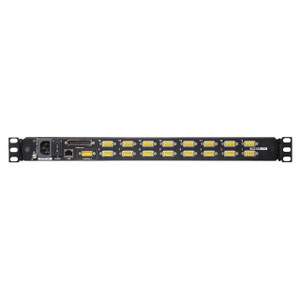
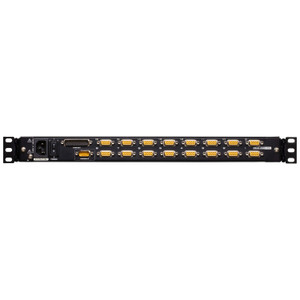
The CL1316N supports both PS/2 and USB keyboard and mouse connections, covering a wide installed base of servers and KVM-capable devices. The LCD panel accepts input video up to 1920 × 1200 at 60 Hz and 1280 × 1024 at 75 Hz with DDC2B signaling — compatible with any server or workstation outputting standard VGA-range signals within those parameters. Cascade expansion extends control to a maximum of 256 ports by daisy-chaining additional compatible ATEN CL-series or CS-series KVM switches, making this unit a viable top-of-stack controller for larger installations. Scan interval is configurable from 1 to 255 seconds for sequential port cycling across connected nodes.

Installation Notes

The unit draws power via a single IEC 60320/C14 inlet and accepts 100–240 V AC at 50–60 Hz, 1A max — compatible with standard single-phase PDUs in any region. Mount in a 19-inch rack; confirm at least 1U clearance plus drawer travel depth before installation. Operating humidity limit is 0–80% RH non-condensing; avoid installations near cooling vents that produce condensation. Firmware is field-upgradeable — current release is v1.3.122 (2025-02-27), applied via the shared upgrade package cl1308-cl1316-v1.3.122.zip, which covers both the CL1308 and CL1316 product lines. The LED illumination light on the front panel assists low-light rack access without requiring external lighting.

Specifications
Mount Type: Rack
Function: CL1316N
Maximum: 256 (via Cascade)
Port Selection: OSD, Hotkey, Pushbutton
Lcd Power: 1 x LED Pushbutton
Led Illumination Light: 1 x LED Illumination Light
Luminance: 250 cd/m²
Input Video Resolution: up to 1920 × 1200 @ 60 Hz;1280 × 1024 @ 75 Hz, DDC2B
Scan Interval: 1 – 255 seconds
Keyboard / Mouse: PS/2, USB
Maximum Input Power Rating: 100-240 V AC; 50-60 Hz; 1A
Humidity: 0 - 80% RH, Non-condensing
Firmware Upgrade: v1.3.122
Q&A
Reviews
Have Questions?

RELATED PRODUCTS

System Design, Deployment & Technical Support

Support services and planning resources for commercial surveillance, access control, and infrastructure deployments.

Fixed scope • Fixed price

System Design Assistance

  • Get help validating product compatibility
  • Coverage requirements
  • Storage planning and deployment architecture before you buy.
Request Design Help

Deployment & Configuration Support

  • Access fixed-scope support for rollout planning
  • User setup guidance
  • Migration and system standardization across single-site or multi-site deployments
View Support Services

Guides, Tools & Calculators

  • PoE requirements
  • Storage retention
  • Camera selection and deployment methodology
Open Technical Resources