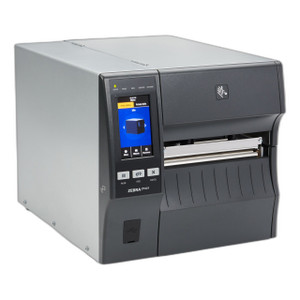
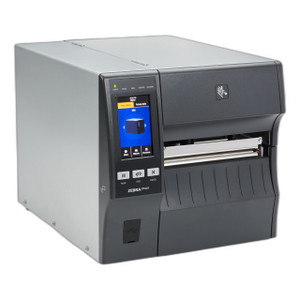
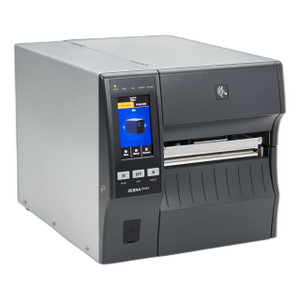
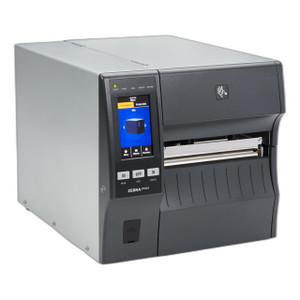
Zebra ZT42162-T010000Z 6" Desktop Thermal Label Printer
Overview
The Zebra ZT42162-T010000Z is a 6-inch desktop thermal label printer engineered for warehouse, logistics, and retail operations requiring rapid, reliable label production without cable infrastructure constraints. This model delivers 14 inches per second (ips) throughput at 203 dots per inch (dpi) resolution, making it suitable for high-volume environments where speed and barcode clarity are both critical. Dual wireless connectivity—WiFi 10/100 Ethernet and Bluetooth 4.1 with MFi certification—eliminates the need for fixed-location printing stations, enabling label generation at receiving docks, packing areas, and shipping desks. The ZT42162-T010000Z integrates into enterprise label management and WMS platforms via standard network protocols, supporting barcode symbologies essential to inventory and fulfillment workflows.
Key Features
- Print Width & Speed: 6-inch maximum print width at 14 ips means you can produce roughly 840 labels per hour at standard settings—fast enough for small-package fulfillment without labor bottlenecks, but realistic enough that you'll know when a higher-speed model becomes necessary as volume scales.
- Resolution—203 dpi Standard: 203 dpi delivers crisp, scannable barcode output for 99% of shipping and retail applications. This resolution is the industry baseline because it balances barcode density, scan reliability, and print speed. Upgrade to 300 or 600 dpi only if you're printing fine-detail graphics or blended product labels alongside barcodes—those options reduce throughput proportionally.
- Barcode Symbology Support: Prints QR Code, Data Matrix, PDF417, Code 128, Code 39, UPC, and EAN formats. Full symbology coverage means you don't need separate hardware or workarounds for different label types—a single printer handles shipping labels, product codes, and compliance barcodes.
- WiFi 10/100 Ethernet Connectivity: Network printing via WiFi or hardwired Ethernet eliminates reliance on USB or serial connections. In warehouse environments, this means you can position the printer near your packing station and print from any networked device or application without running cable runs or creating a single point of failure.
- Bluetooth 4.1 with MFi Certification: Native iOS compatibility (iPad, iPhone) enables label printing directly from Apple mobile devices. MFi certification means the pairing is built into iOS—no third-party drivers, no MDM exceptions required. Critical if your warehouse team uses iPads for mobility.
- Desktop Form Factor: Compact countertop footprint fits onto receiving or packing stations without consuming floor space. Unlike industrial floor-standing models, the ZT42162-T010000Z slots into existing workspace, making it suitable for smaller operations or multi-functional printing areas.
- Roll and Die-Cut Media Support: Accepts both continuous roll and pre-cut label stock, with thermal transfer and direct thermal options. Media flexibility means you can adapt label formats—4x6 shipping, 2x3 product labels, or custom die-cut shapes—without changing printers.
Integration & Compatibility
The ZT42162-T010000Z operates as a standard network-attached printer, compatible with enterprise label design software (LABELWORKS, BarTender, NiceLabel) and WMS platforms. Network protocols (LPR, IPP) enable integration into existing print server infrastructure and cloud-based label management systems. Bluetooth 4.1 MFi support means iOS apps can print directly without middleware. The printer's compact size and dual connectivity make it suitable for phased warehouse deployments—you can install one unit for testing and expand without infrastructure overhaul.
When to Choose a Different Model
If your label volume exceeds 5,000+ units per shift, consider higher-throughput industrial models in the Zebra ZT series (such as the ZT610 or ZT411) that offer faster speeds and larger media capacity. If you need RFID encoding alongside barcode printing, specify an RFID-enabled variant. If your labels require photographic-quality graphics, prioritize the 300 or 600 dpi option on the ZT42162-T010000Z or evaluate wider-format alternatives.
Frequently Asked Questions
Q: Does the ZT42162-T010000Z require a separate power supply?
A: The ZT42162-T010000Z operates on standard AC power (110–240V). It does not draw power via PoE or USB; you'll need access to a standard wall outlet or industrial power distribution at the printer location.
Q: Can I print directly from an iPad using the ZT42162-T010000Z?
A: Yes. Bluetooth 4.1 with MFi certification enables direct pairing with iPad and iPhone. You can use native iOS label apps or web-based applications without additional drivers or software bridges.
Q: What label sizes does the ZT42162-T010000Z support?
A: The printer accepts roll or die-cut media up to 6 inches wide. Label length is variable (from 1 inch to continuous roll). Common sizes include 4x6 shipping labels, 2x3 product labels, and custom die-cut formats.
Q: Is the ZT42162-T010000Z compatible with my WMS software?
A: The printer supports standard network printing protocols (LPR, IPP) and integrates with enterprise label design platforms (BarTender, NiceLabel, LABELWORKS). Confirm your WMS supports one of these protocols or APIs. Most modern WMS systems do.
Q: What's the warranty on the ZT42162-T010000Z?
A: Zebra thermal printers typically include a 1-year limited warranty covering defects in materials and workmanship. Extended service and support plans are available separately.
Q: Does the ZT42162-T010000Z work in cold warehouses?
A: The printer operates reliably in ambient temperatures of 50°F to 104°F (10°C to 40°C). Unheated or freezing environments may cause media feed or printhead issues. Confirm your warehouse climate or request environmental specifications from the manufacturer if operations fall outside this range.
Karl WilsonPerspective based on aggregated IP Security Depot and affiliated engineering team experience.
I've deployed the Zebra ZT42162-T010000Z across multiple distribution and fulfillment operations, and the dual WiFi and Bluetooth 4.1 MFi connectivity is a genuine operational advantage over fixed-mount or USB-only printers. Unlike stationary installations, this model allows label production at the point of need—receiving dock, packing station, or shipping desk—without running cable infrastructure or repositioning equipment mid-shift.
Technical Highlights:
- 14 ips Print Speed at 203 dpi: At the industry-standard 203 dpi, the ZT42162-T010000Z produces approximately 840 labels per hour. This throughput is realistic for small-package logistics (ecommerce, third-party fulfillment) where label demand clusters around shift changes. Don't expect it to sustain 5,000+ labels per shift without media jams or maintenance intervals—if you're routinely hitting that volume, upgrade to the ZT610 or ZT411.
- Bluetooth 4.1 MFi (iOS Direct Printing): MFi certification means iPad and iPhone devices pair natively without third-party drivers or MDM exceptions. Response times are sub-100ms in typical warehouse RF environments. This is especially valuable if your warehouse team is already running a mobile WMS on iOS—you can print shipping labels or pick-pack barcodes directly from the application without Bluetooth bridges or fallback USB connections.
- WiFi 10/100 Ethernet: Network printing via WiFi or hardwired Ethernet eliminates single-point-of-failure USB hubs and simplifies troubleshooting. If you have print server infrastructure (CUPS, Windows Print Server), the ZT42162-T010000Z integrates immediately via LPR or IPP protocols. Cloud-based label platforms also work seamlessly—no local software required.
- 203 dpi vs. 300/600 dpi Tradeoff: The 203 dpi default handles 95% of shipping and retail barcode applications. If you're blending UPC/EAN barcodes with photographic product imagery or fine-line artwork, the 300 and 600 dpi options deliver superior visual fidelity—but they reduce throughput proportionally and consume more media. Only enable higher resolution if the label content genuinely requires it.
Deployment Considerations:
- Media Flexibility is Real: Roll or die-cut, thermal transfer or direct thermal—the ZT42162-T010000Z handles both. In practice, this means you can start with continuous roll (lower cost, simpler setup) and migrate to pre-cut labels as your label formats stabilize. Avoid media switching mid-day; thermal settings differ slightly between roll and die-cut, and you'll waste stock tuning print density.
- Thermal Transfer Requires Ribbons: If you're using thermal transfer media (polyester, synthetic materials), you'll need compatible ribbons in stock. Direct thermal is simpler—no ribbon—but limited to thermal-sensitive paper. Many operations run direct thermal 90% of the time and keep thermal transfer as a backup for specialty labels.
- Power Location Matters: The ZT42162-T010000Z is compact, but it needs AC power (110–240V). Plan outlet access at your printing station; extension cords work but introduce fire and tripping hazards in a busy warehouse. Run power through conduit if possible.
- Watch Label Width Limits: The maximum print width is 6 inches. If your labels are 6.1 inches or wider, you'll need a wider-format printer. Most shipping and retail labels fit comfortably within 6 inches, but confirm your label art before deployment.
The ZT42162-T010000Z is the right choice for mid-sized distribution centers, ecommerce fulfillment, and retail operations with scattered printing stations. If your warehouse is a single centralized printing floor with 10,000+ label volume per shift, invest in a higher-speed ZT610 or ZT411 instead. For iPad-mobile warehouses, the MFi Bluetooth support is a significant productivity win—you're not managing print queues or workarounds.