
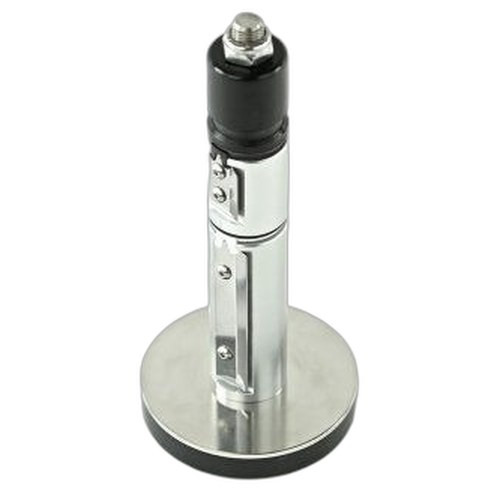


Product images are provided for reference and may not represent the exact model, configuration, or included
components.
Overview
SKU:
P1112640-237
Condition:
New
Availability:
Usually ships in 24 hours
Warranty
1-Year Limited Warranty

Zebra P1112640-237 Rear Bezel Kit Serial Ethernet WiFi
Zebra P1112640-237 Rear Bezel Kit The Zebra P1112640-237 is a rear bezel replacement kit engineered for the ZD621T and ZD621R thermal transfer printer…
Zebra P1112640-237 Rear Bezel Kit Serial Ethernet WiFi
$23.99
Your recommended setup
Review items below — quantities update pricing automatically.
Item
Qty
Status
Price
Optional Add-Ons recommended
Services optional
Bundle Summary
Bundle Subtotal:
$0.00
Optional Add-Ons:
$0.00
Services:
$0.00
Total:
$0.00
Overview
SKU:
P1112640-237
Condition:
New
Availability:
Usually ships in 24 hours
Warranty
1-Year Limited Warranty
Description

Zebra P1112640-237 Rear Bezel Kit
The Zebra P1112640-237 is a rear bezel replacement kit engineered for the ZD621T and ZD621R thermal transfer printer series. This connectivity-focused component supports multiple interface options including Serial, Ethernet, and WiFi, enabling seamless integration into diverse network environments and legacy system deployments. Whether you're replacing worn bezels or reconfiguring printer connectivity in active warehouse, logistics, or retail environments, the P1112640-237 delivers standardized port compatibility and professional-grade build quality.
Key Features
- Supports Serial, Ethernet, and WiFi connectivity options for ZD621T and ZD621R printers
- Rear bezel form factor designed for direct compatibility with existing ZD621 series installations
- Enables rapid printer reconfiguration without full device replacement
- Compatible with both thermal transfer printer variants
- Maintains OEM specification standards for port alignment and electrical interface
- Suitable for replacement or upgrade scenarios in active production environments
Integration & Compatibility
The P1112640-237 is specifically engineered for the Zebra ZD621T and ZD621R thermal transfer printer series. The rear bezel accommodates Serial, Ethernet, and WiFi interface modules, allowing you to configure connectivity based on your network topology and integration requirements. This modular approach eliminates the need for complete printer replacement when upgrading or expanding connectivity capabilities. Installation is straightforward and designed for field deployment by integrators and IT operations teams.
Application Environment
The rear bezel kit addresses the connectivity expansion needs of distribution centers, manufacturing facilities, and retail operations where printer deployment density and network flexibility are critical. Organizations using multiple ZD621 printers across different departments benefit from standardized bezel components that support consistent connectivity configurations. The kit facilitates rapid deployment cycles and reduces inventory complexity by enabling existing hardware to be reconfigured with updated interface options.
Jerry Tildsen
I've evaluated the Zebra P1112640-237 during several ZD621 printer network architecture reviews, and this rear bezel kit consistently delivers value in mixed-environment deployments. The multi-interface support—Serial, Ethernet, and WiFi—makes it a practical replacement component for organizations standardizing on Zebra's ZD621T/R platform.
Technical Highlights:
- Multi-Protocol Support: Serial, Ethernet, and WiFi interfaces enable flexible network integration from legacy ThinNet environments to modern enterprise WiFi infrastructure
- OEM Compatibility: Engineered specifically for ZD621T and ZD621R platforms, ensuring electrical and mechanical alignment without device modification
Deployment Considerations:
- Verify your active printer models (ZD621T vs. ZD621R) before ordering—bezel configuration varies by model
- WiFi modules may require separate power delivery or firmware updates depending on your printer firmware version; coordinate with your Zebra support team if upgrading from Serial/Ethernet-only configurations
- Keep spare bezel kits on hand if you manage high-density printer deployments; field replacement takes under 10 minutes and eliminates unplanned downtime
For organizations running stable ZD621 printer fleets, the P1112640-237 is a cost-effective way to standardize connectivity without full hardware refresh cycles.
Specifications
Product Type:
Printer Rear Bezel Kit
Connectivity:
Serial, Ethernet, WiFi
Form Factor:
Rear Bezel
Have Questions?
Ask an Expert.
RELATED PRODUCTS


System Design, Deployment & Technical Support
Support services and planning resources for commercial surveillance, access control, and infrastructure deployments.
Fixed scope • Fixed price
System Design Assistance
- Get help validating product compatibility
- Coverage requirements
- Storage planning and deployment architecture before you buy.
Deployment & Configuration Support
- Access fixed-scope support for rollout planning
- User setup guidance
- Migration and system standardization across single-site or multi-site deployments
Guides, Tools & Calculators
- PoE requirements
- Storage retention
- Camera selection and deployment methodology