
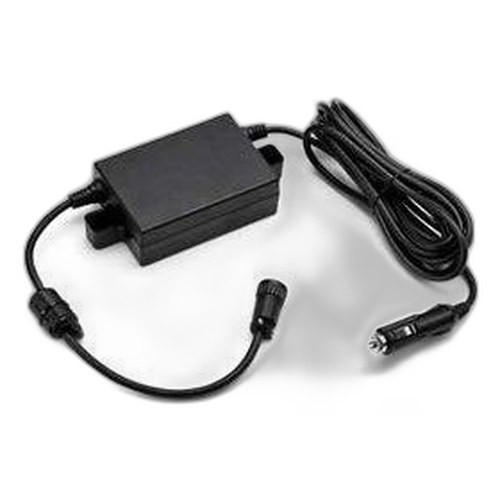


Product images are provided for reference and may not represent the exact model, configuration, or included
components.
Overview
SKU:
P1061022-016
Condition:
New
Availability:
Usually ships in 24 hours
Warranty
1-Year Limited Warranty

Zebra P1061022-016 Front Bezel Repair Kit for ZD500
Zebra P1061022-016 Front Bezel Repair Kit Overview The Zebra P1061022-016 is a front bezel repair kit designed specifically for Zebra ZD500 series the…

Zebra P1061022-016 Front Bezel Repair Kit for ZD500
$12.99
Your recommended setup
Review items below — quantities update pricing automatically.
Item
Qty
Status
Price
Optional Add-Ons recommended
Services optional
Bundle Summary
Bundle Subtotal:
$0.00
Optional Add-Ons:
$0.00
Services:
$0.00
Total:
$0.00
Overview
SKU:
P1061022-016
Condition:
New
Availability:
Usually ships in 24 hours
Warranty
1-Year Limited Warranty
Description

Zebra P1061022-016 Front Bezel Repair Kit
Overview
The Zebra P1061022-016 is a front bezel repair kit designed specifically for Zebra ZD500 series thermal printers. This kit provides a direct replacement component for damaged or worn front bezels, enabling quick restoration of printer aesthetics and functionality without requiring full unit replacement. The kit includes all necessary components for straightforward installation by trained technicians or system integrators.
As a standard repair component, the P1061022-016 maintains OEM specifications and compatibility with ZD500 printer configurations. This replacement solution supports extended asset life and reduces operational downtime in high-volume printing environments such as warehousing, logistics, healthcare, and retail point-of-sale installations.
Key Features
- OEM-Specification Design: Engineered to exact Zebra standards, ensuring perfect fitment and alignment with ZD500 printer frames
- Standard Configuration: Designated as standard bezel variant, compatible with baseline ZD500 models
- Direct Replacement Component: Simplifies repair workflows by providing a single, focused replacement part rather than requiring multi-component service calls
- Durable Construction: Built to withstand typical industrial printer operating environments and frequent use
- Cost-Effective Repair Solution: Extends printer asset life and avoids expensive full-unit replacements for cosmetic or minor structural damage
- Quick Installation: Designed for technician-level replacement without specialized tools or firmware updates
Integration & Compatibility
The Zebra P1061022-016 repair kit is engineered exclusively for ZD500 series thermal printers. Verify your printer model number before ordering to ensure compatibility. This component is suitable for field service operations, in-house repair programs, and preventive maintenance stockpiling in environments where printer availability is critical.
Typical Use Cases
The P1061022-016 (often searched as P1061022 016) is commonly deployed in:
- Warehouse and distribution center label printing systems
- Healthcare facility patient wristband printing stations
- Retail point-of-sale receipt and label generation
- Logistics and shipping label production
- Manufacturing floor barcode and compliance labeling
Maintaining spare repair kits on hand reduces mean-time-to-repair (MTTR) and supports service-level agreement (SLA) commitments in mission-critical printing operations.
Marty Allison
I've evaluated the Zebra P1061022-016 as part of standardized printer repair and asset-management deployments. This front bezel kit is a practical, OEM-validated repair solution that eliminates the need for full printer replacements when the bezel is damaged. In warehouse environments where label printers operate continuously, having repair kits in stock is a proven cost-control strategy.
Technical Highlights:
- Direct OEM Replacement: Engineered to Zebra specifications; no fitment or compatibility risk
- Standard Bezel Variant: Designated as standard configuration, covering the majority of ZD500 installations
Deployment Considerations:
- Stock this kit as part of a preventive spare-parts inventory for ZD500 fleets; typical organizations maintain 1–3 units per 10 printers
- Confirm ZD500 model number before purchase; bezel variants may differ across printer series
For integrators and facilities managers supporting Zebra thermal printers, maintaining P1061022-016 kits on hand directly reduces unexpected downtime and service costs. This is a straightforward, high-ROI spare-parts decision.
Specifications
Product Type:
Front Bezel Repair Kit
Connectivity:
Wired
Have Questions?
Ask an Expert.
Your recommended setup
Review items below — quantities update pricing automatically.
Item
Qty
Status
Price
Optional Add-Ons recommended
Services optional
Bundle Summary
Bundle Subtotal:
$0.00
Optional Add-Ons:
$0.00
Services:
$0.00
Total:
$0.00
RELATED PRODUCTS


System Design, Deployment & Technical Support
Support services and planning resources for commercial surveillance, access control, and infrastructure deployments.
Fixed scope • Fixed price
System Design Assistance
- Get help validating product compatibility
- Coverage requirements
- Storage planning and deployment architecture before you buy.
Deployment & Configuration Support
- Access fixed-scope support for rollout planning
- User setup guidance
- Migration and system standardization across single-site or multi-site deployments
Guides, Tools & Calculators
- PoE requirements
- Storage retention
- Camera selection and deployment methodology