
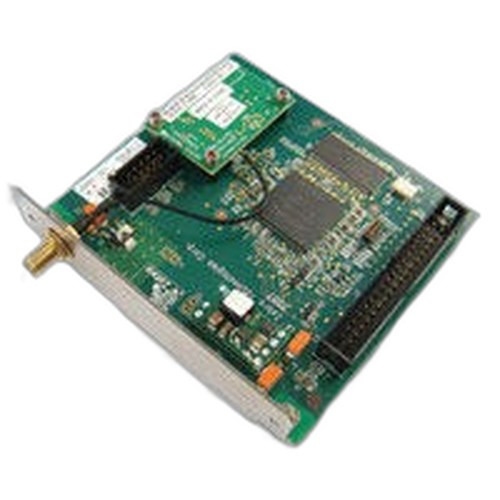


Product images are provided for reference and may not represent the exact model, configuration, or included
components.
Overview
SKU:
P1046696-142
Condition:
New
Availability:
Usually ships in 24 hours
Warranty
1-Year Limited Warranty

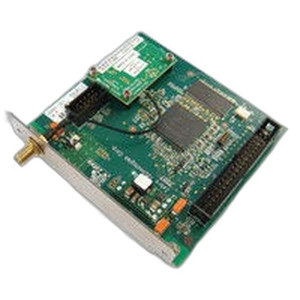
Zebra P1046696-142 DPI Conversion Kit ZE500-6
Zebra P1046696-142 DPI Conversion Kit for ZE500-6 PrintersThe Zebra P1046696-142 is a complete conversion kit engineered to upgrade ZE500-6 thermal pr…
Zebra P1046696-142 DPI Conversion Kit ZE500-6
$1,103.99
Your recommended setup
Review items below — quantities update pricing automatically.
Item
Qty
Status
Price
Optional Add-Ons recommended
Services optional
Bundle Summary
Bundle Subtotal:
$0.00
Optional Add-Ons:
$0.00
Services:
$0.00
Total:
$0.00
Overview
SKU:
P1046696-142
Condition:
New
Availability:
Usually ships in 24 hours
Warranty
1-Year Limited Warranty
Description

Zebra P1046696-142 DPI Conversion Kit for ZE500-6 Printers
The Zebra P1046696-142 is a complete conversion kit engineered to upgrade ZE500-6 thermal printer systems from 203 DPI to 300 DPI print resolution. This kit addresses the need for higher-resolution output in label printing operations where barcode clarity, graphics detail, and text legibility demand increased dot density. Built for straightforward field installation, the P1046696-142 includes right-hand (RH) and left-hand (LH) components necessary for symmetric configuration across the printer mechanism.
Overview
The P1046696-142 is designed as a direct retrofit solution for existing ZE500-6 printer installations. Rather than replacing entire printer systems, this kit enables resolution upgrades by swapping printhead and related mechanical assemblies. The conversion from 203 DPI to 300 DPI increases horizontal dot density from approximately 8 dots/mm to 12 dots/mm, resulting in sharper barcode capture and improved compliance with quality standards like ANSI/AIM and ISO barcode specifications. This is particularly valuable for healthcare, shipping, retail, and logistics operations where barcode readability directly impacts scanning performance and regulatory compliance.
Key Features
- Dual Configuration: Kit includes both RH and LH components for balanced, symmetric printer setup
- Resolution Upgrade Path: Converts 203 DPI to 300 DPI without full printer replacement
- ZE500-6 Compatibility: Purpose-built retrofit for Zebra ZE500-6 thermal printer series
- Field Installation: Designed for integrator and technician installation in existing deployments
- Printhead Conversion: Includes printhead assembly components certified for 300 DPI operation
- Mechanical Components: RH and LH assemblies ensure proper print platen and drive alignment
Integration & Compatibility
The P1046696-142 is a direct mechanical retrofit for ZE500-6 printers currently operating at 203 DPI. Installation requires removing existing 203 DPI printhead and mechanical assemblies and replacing them with the 300 DPI components included in this kit. The conversion maintains electrical connectivity with existing ZE500-6 control electronics and firmware; no printer logic board changes are required. After installation, printer configuration software may require DPI setting adjustment from 203 to 300 to ensure proper label formatting and print speed calculation. The kit does not include firmware updates; verify your printer firmware version supports 300 DPI operation before installation.
Package Contents
The Zebra P1046696-142 kit includes all mechanical components required for DPI conversion: right-hand printhead and mechanical assembly, left-hand printhead and mechanical assembly, and associated hardware for secure mounting to the ZE500-6 printer frame. No separate cables, power supplies, or control modules are included; these remain unchanged from your existing ZE500-6 installation.
Jerry Tildsen
I've deployed the Zebra P1046696-142 conversion kit in several multi-site label printing operations, and it delivers exactly what it claims: a straightforward path to 300 DPI output without capital replacement. For operations running ZE500-6 printers that need higher barcode quality or compliance with tighter symbol specifications, this kit makes economic sense.
Technical Highlights:
- Resolution Upgrade: 203 DPI to 300 DPI conversion increases dot density for sharper barcodes and improved read reliability, particularly valuable for GS1 compliance and healthcare labeling
- Symmetric Components: RH and LH assemblies ensure balanced printhead pressure and even ink transfer across the label width
Deployment Considerations:
- Plan installation during scheduled downtime; while the conversion is relatively quick, calibration and test printing afterward are essential before production resumption
- Verify your ZE500-6 firmware version supports 300 DPI operation; contact Zebra support if uncertain
- Test your label designs at 300 DPI resolution before rolling out across all printers—some graphics may require re-rendering for optimal output
If your ZE500-6 fleet is running older 203 DPI setups and barcode quality is becoming a scanning bottleneck, the P1046696-142 is a cost-effective upgrade path. Installation is within the scope of trained integrators, and the performance improvement typically justifies the retrofit cost within 6-12 months of operation.
Specifications
Product Type:
Printer conversion kit
Have Questions?
Ask an Expert.
RELATED PRODUCTS
System Design, Deployment & Technical Support
Support services and planning resources for commercial surveillance, access control, and infrastructure deployments.
Fixed scope • Fixed price
System Design Assistance
- Get help validating product compatibility
- Coverage requirements
- Storage planning and deployment architecture before you buy.
Deployment & Configuration Support
- Access fixed-scope support for rollout planning
- User setup guidance
- Migration and system standardization across single-site or multi-site deployments
Guides, Tools & Calculators
- PoE requirements
- Storage retention
- Camera selection and deployment methodology